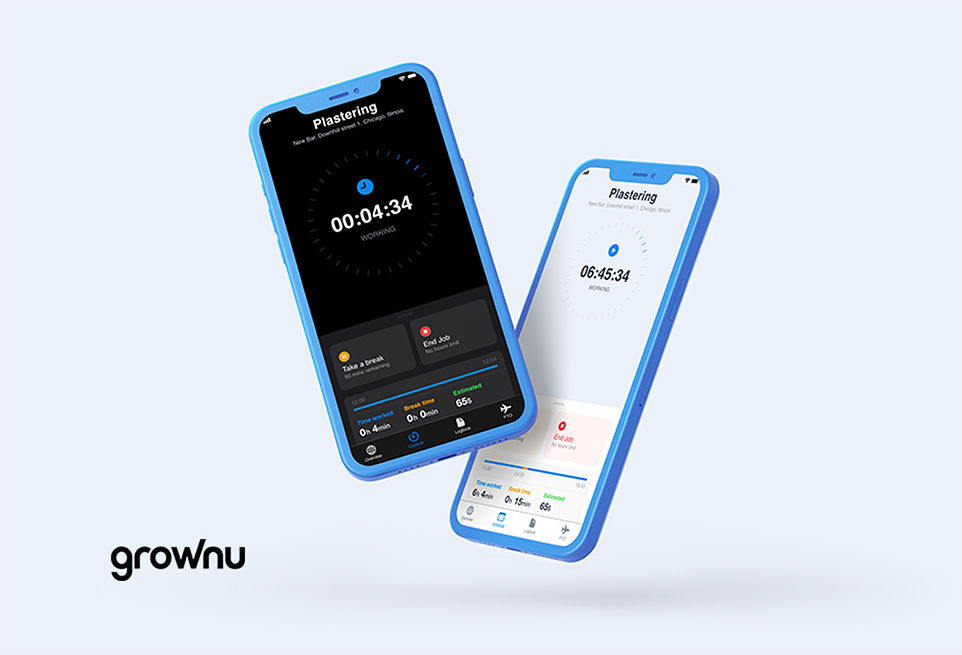
Managing shifts becomes difficult when teams grow, schedules change daily, and employees work across locations. Paper schedules, emails, and spreadsheets create confusion, missed updates, and unnecessary overtime.
A mobile employee scheduling app solves this by giving managers and employees one real-time source of truth. Shifts, updates, availability, and notifications live directly in the employee’s pocket — not on a noticeboard.
- Best for: shift-based teams, retail, hospitality, field service, construction
- Main value: real-time schedules + instant communication
- Business impact: fewer no-shows, less admin work, higher employee satisfaction
Outline of the Article
- What is mobile shift scheduling?
- Real-time schedule access
- Instant communication & notifications
- Shift swaps and availability management
- Reduced admin work for managers
- Higher accountability and attendance
- Better employee experience
- What to look for in a scheduling app
- FAQs
What is mobile work shift scheduling?
Mobile work shift scheduling allows employees to view schedules, receive updates, and manage availability directly from a smartphone app. Managers publish one live schedule that updates instantly for everyone.
If you’re also comparing scheduling methods, read: digital vs paper/Excel scheduling.
When connected with time attendance and time tracking, mobile scheduling becomes part of a complete workforce management workflow.
Want to see how it works in practice? Explore shift scheduling inside Grownu workforce management.
1) Real-time schedule access
Employees always see the latest version of the schedule. No outdated screenshots, printed copies, or missed emails — every change appears instantly in the app.
2) Instant communication & notifications
Push notifications alert employees about new shifts, updates, or urgent changes. This dramatically reduces missed shifts and last-minute confusion.
3) Shift swaps and availability management
Employees can submit availability, request time off, or swap shifts directly in the app. Managers keep full control through approval workflows.
4) Reduced administrative work
Scheduling templates, automated notifications, and self-service features eliminate repetitive manager tasks. Less manual coordination means more time for operations.
5) Higher accountability and attendance
Mobile scheduling improves attendance because expectations are clear. Combined with clock-in tracking, managers can easily identify late arrivals and no-shows.
6) Better employee experience
Employees value transparency. Knowing shifts early, receiving instant updates, and managing schedules independently increases satisfaction and retention.
What to look for in a mobile scheduling app
- Real-time schedule updates
- Push notifications
- Shift swaps and availability management
- Mobile + web manager access
- Integration with time tracking and attendance
- Multi-location support
Conclusion
Mobile employee scheduling replaces chaos with clarity. Businesses reduce admin work, employees stay informed, and shifts run smoothly — even across multiple locations.
Discover how Grownu workforce management solutions combine mobile scheduling, attendance tracking, and reporting in one platform.
Frequently Asked Questions
Last updated: January 23, 2026