Introduction
As a self-employed professional, juggling multiple projects simultaneously is both exciting and challenging. One crucial aspect of managing your projects successfully is keeping track of your time investment. In this comprehensive guide, we'll delve into the concept of time registers in each project for self-employed workers. We'll explore the benefits, methods, and tools for efficient time tracking, ensuring you can optimize your productivity and achieve your goals.
For freelancers and independent professionals, time tracking is not only about productivity. It plays a key role in client billing, tax documentation, and understanding which projects are actually profitable.
Outline of the Article
- Time Register in Each Project for Self-Employed Workers
- Benefits of Using Time Registers
- Methods for Implementing Time Registers
- Using Time Registers Effectively
- Conclusion
- FAQs
Time Register in Each Project for Self-Employed Workers
Managing your time effectively is the cornerstone of project success. A work time register is a systematic way to record the hours and effort invested in each project. It not only helps you stay organized but also provides valuable insights into your work patterns. By implementing time registers, you gain the ability to analyze your productivity, identify bottlenecks, and make informed decisions for improvement.
These challenges are especially common for freelancers, consultants, contractors, and independent professionals. Learn how this workflow is structured in workforce management for self-employed workers.
Project-based time registration means recording working hours per client, per project, and per task type. This structure helps self-employed workers understand real delivery costs, prevent underpricing, and maintain accurate documentation for invoicing and tax reporting.
This project-based time tracking approach is especially important when working on parallel client engagements with different pricing models and delivery expectations.
Benefits of Using Time Registers
Time registers offer a plethora of benefits for self-employed workers:
Enhanced Productivity
By meticulously tracking your time for each project, you gain a clear understanding of how you allocate your hours. This awareness allows you to prioritize tasks efficiently, focus on high-impact activities, and eliminate time-wasting habits.
Accurate Billing
For self-employed professionals, accurate billing is essential. Time registers provide a reliable record of the time spent on each project, enabling you to bill clients accurately and maintain transparency in your financial transactions.
Data-Driven Insights
Time registers generate data that can be invaluable for future projects. You can identify trends, estimate project timelines more accurately, and allocate resources based on historical data.
Improved Work-Life Balance
Efficient work time tracking enables you to set realistic boundaries between work and personal life. With a clear overview of your time commitments, you can create a more balanced routine, preventing burnout and ensuring overall well-being.
Methods for Implementing Time Registers
Manual Time Tracking
One straightforward method involves manually recording the time spent on each project. This can be done using traditional tools like notebooks or spreadsheets. However, manual tracking may be prone to errors and can consume additional time.
Digital Time Tracking Tools
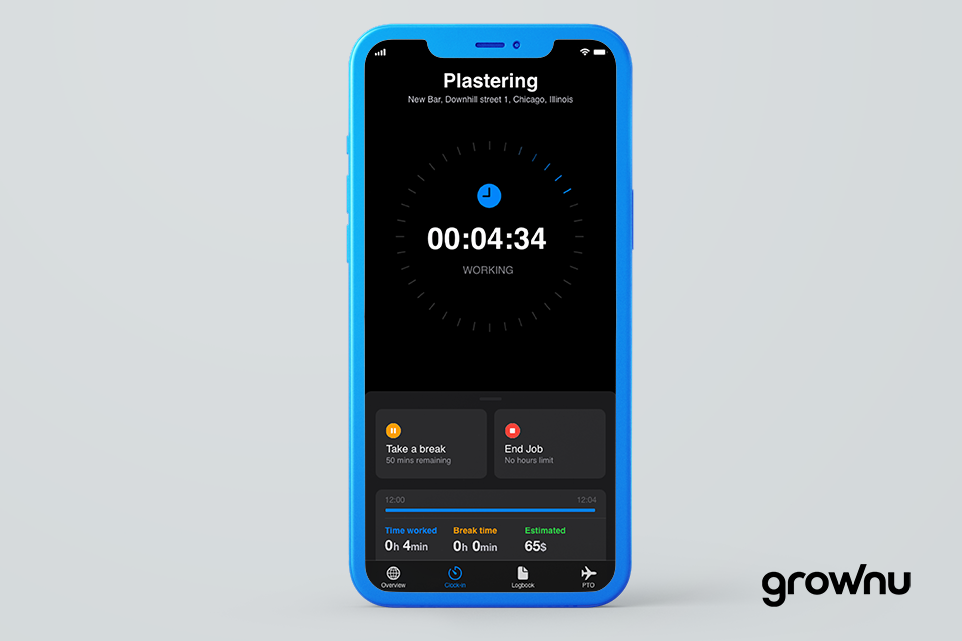
Utilizing digital tools and apps designed for time tracking can significantly streamline the process. Applications like Grownu support structured time registration, project categorization, and reporting through workforce management software, helping self-employed professionals maintain clean work records.
Project Management Software Integration
If you're already using project management software, integrating time tracking features can be highly advantageous. Platforms like Grownu offer seamless time tracking integrations that sync with your project tasks.
Modern use cases for self-employed time tracking
- Pricing: understand real delivery cost for fixed-fee packages
- Proof of work: reduce invoice disputes with clear notes and timelines
- Planning: forecast similar projects using historical data
- Focus: identify high-interruption tasks and improve deep work time
Using Time Registers Effectively
Using a structured system instead of spreadsheets helps maintain consistency. Many professionals move from manual logs to digital workforce management tools as project volume increases.
Self-employed workers should consider using work time registers to optimize project efficiency, ensure accurate billing, gain insights for better decision-making, and maintain a balanced work-life routine.
Set Clear Goals
Before implementing time registers, define clear goals for each project. Understand the scope, deliverables, and deadlines. This clarity helps you allocate time appropriately and stay on track.
Categorize Activities
Divide your work into distinct categories or tasks. Assign labels to each task in your time register to ensure accurate tracking and later analysis. Forecast the working time needed for each project or task in order to analyse the planning and the actualy working hours registered within each project or task.
Establish Regular Check-Ins
Frequent check-ins with your time register keep you accountable and allow you to make real-time adjustments. Evaluate your progress, identify challenges, and tweak your approach accordingly.
Conclusion
Effectively managing your time across various projects is a skill that can elevate your self-employment journey. By implementing work time registers in each project, you gain the ability to enhance productivity, make informed decisions, and achieve a better work-life balance. Whether you choose manual methods, digital tools, or software integrations, the key is to find an approach that aligns with your work style and goals. Embrace the power of time registers and unlock the potential for greater success in your self-employed endeavors.
Frequently Asked Questions
Last updated: January 23, 2026
- Client → Project → Task category
- Keep categories consistent (e.g., calls, on-site work, admin, revisions)
- Review weekly and clean up missing entries