Retail Workforce Management Software
Manage store schedules, PTO, employee availability, mobile shift requests, time tracking, and labor coverage across every retail location.

Retail schedules change constantly — your tools should keep up
Retail managers need to keep stores covered while handling part-time availability, PTO, shift changes, busy hours, multiple locations, and payroll-ready attendance records.
Spreadsheets and group chats lose track of swaps, last-minute call-outs, and store-by-store coverage. District managers can't see the full picture in real time.
Grownu connects store scheduling, mobile shift requests, PTO, time tracking, and multi-location workforce visibility into one platform built for retail.
-
Part-time availability shifts weekly
Students, second jobs, seasonal staff.
-
Multi-store coverage is hard to balance
One store overstaffed, another short.
-
Mobile-first staff expect mobile tools
Schedules, swaps, and PTO from the phone.
-
Labor cost by district
Reports for the regional, not just the store.
A retail workflow built for multi-store operations
Plan store coverage, build the schedule, manage requests and PTO, publish to mobile, track clock-ins, review exceptions, and export payroll-ready records.
-
1Step 01
Plan store coverage
Schedule by store, department, and role — with PTO visibility.
- Schedules per store
- Per-department coverage
- PTO visibility
-
2Step 02
Manage requests and PTO
Approve PTO, swaps, and availability changes from one queue.
- Mobile PTO requests
- Shift swaps
- Availability windows
-
3Step 03
Publish to mobile
Associates see schedules, swaps, and changes on their phone instantly.
- Mobile-first delivery
- Push notifications
- Swap offers
-
4Step 04
Track clock-ins
Mobile or terminal clock-ins per store, with break and overtime tracking.
- Mobile or terminal clock-in
- Break tracking
- Overtime alerts
-
5Step 05
Review exceptions
Late arrivals, missed clock-outs, and PTO conflicts surface for approval.
- Exception queue
- Edit and approve
- Audit trail
-
6Step 06
Export payroll-ready records
Per-store and per-district reports, plus payroll-ready exports.
- Per-store reports
- Per-district rollups
- Payroll-ready exports
One connected retail operation
Store schedules, mobile requests, PTO, time tracking, and multi-store visibility — all in one Grownu workflow.
Store scheduling by location, department, or role
Plan coverage that matches each store. Per-location templates and recurring patterns reduce the weekly schedule build to minutes.
Multi-location workforce visibility from one screen
District and regional managers see coverage, labor cost, and exceptions across every store — without consolidating spreadsheets.
- Store-by-store overview
- Per-district rollups
- Cross-store labor cost
- Variance per store
- Drill into any store in seconds
- Exception summary across stores

Mobile shift requests, swaps, and availability
Retail staff are mobile-first. Swaps, availability, and PTO live in the app — not in group chats.
Terminals at the store, mobile clock-ins for off-site
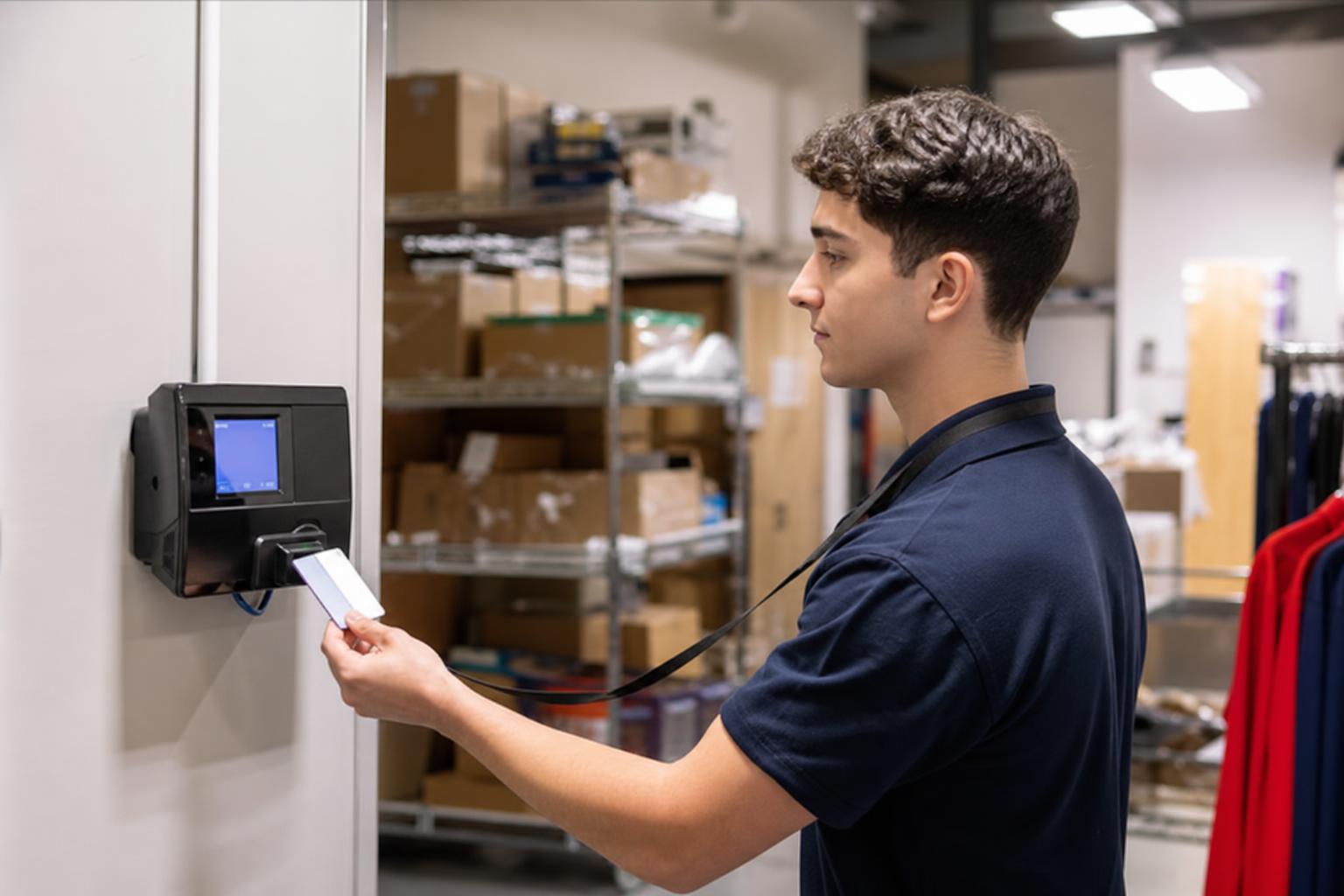
Most stores use a wall-mounted terminal in the back-of-house. District managers and pop-up locations use mobile clock-ins. Records flow into the same timesheet.
- Wall-mount terminals in stores
- RFID and badge options
- Mobile clock-in for off-site
- All records on one timesheet
- Per-store setup
- Outdoor-rated options
Retail time tracking and break compliance
Track time, breaks, and overtime per store. Surface exceptions in one queue — not on Monday in a spreadsheet.
Reports per store, per district, payroll-ready
Per-store coverage, per-district rollups, and payroll-ready exports. Same source data, multiple cuts.
One retail workforce system, multiple connected workflows
Pick the workflow you want to start improving across your stores.
Retail scheduling
Plan per-store coverage and templates.
Retail time tracking
Mobile or terminal clock-ins.
Retail PTO and availability
Mobile requests and approvals.
Mobile shift requests
Swaps and open-shift offers.
Retail terminals
Wall-mount and RFID per store.
Retail reports and payroll
Per-store and per-district exports.
Built for single-store boutiques to multi-location chains
Grownu is useful for retailers that need per-store coverage, mobile-first staff tools, and multi-location workforce visibility.
- Specialty and boutique retail
- Multi-location retail chains
- Apparel and footwear retail
- Grocery and convenience
- Mall and shopping center stores
- Home goods and big-box
- Sporting goods and outdoor
- Health, beauty, and personal care
- Franchise retail networks
Frequently asked questions
Common questions about using Grownu for retail workforce management, store scheduling, mobile requests, PTO, time tracking, multi-location visibility, labor reports, and payroll-ready records.
Can retail associates use Grownu on a phone?
Yes. Retail associates can view schedules, receive updates, clock in, request PTO, submit availability, and request shift swaps from the Grownu mobile app.
Can Grownu manage schedules across multiple stores?
Yes. Grownu helps retail teams manage schedules, time tracking, PTO, attendance, exceptions, reports, and payroll-ready records across multiple stores, districts, or regions.
Can schedules be built by store, department, or role?
Yes. Managers can plan schedules by store, department, role, location, shift, recurring template, or coverage need. This helps stores cover cashiers, sales floor, stockroom, leads, managers, and other retail roles.
Can Grownu help with shift swaps and open shifts?
Yes. Retail associates can request shift swaps, submit availability, and respond to open shift offers. Managers can review and approve changes before they affect the schedule.
Can I see labor cost and coverage per store?
Yes. Grownu helps managers review labor cost, scheduled hours, actual hours, overtime, planned vs actual variance, and coverage by store, district, role, or date.
Are time attendance terminals supported in retail stores?
Yes. Retail teams can use wall-mounted terminals, RFID or badge options, mobile clock-ins, and other time attendance workflows depending on each store setup.
Can Grownu track breaks, overtime, and attendance exceptions?
Yes. Grownu helps track clock-ins, clock-outs, breaks, overtime, late arrivals, missed clock-outs, edited time entries, and exceptions that need manager review.
Can district managers see workforce data across stores?
Yes. District and regional managers can review store-by-store coverage, attendance exceptions, labor cost, planned vs actual hours, and reports without combining spreadsheets manually.
Can retail reports be exported for payroll?
Yes. Grownu helps prepare payroll-ready records such as approved timesheets, worked hours, breaks, overtime, PTO, attendance exceptions, and reports by associate, store, district, role, or date.
Does Grownu replace my payroll system?
No. Grownu does not need to replace your payroll system. It helps prepare cleaner workforce records, timesheets, attendance data, PTO records, and payroll-ready exports before payroll is processed.
Better retail schedules, happier associates
Grownu connects store scheduling, mobile requests, PTO, time tracking, and multi-location visibility into one platform.

