Grownu AI shift scheduling module for demand-based schedule generation

AI Shift Scheduling Software for Demand-Based Scheduling

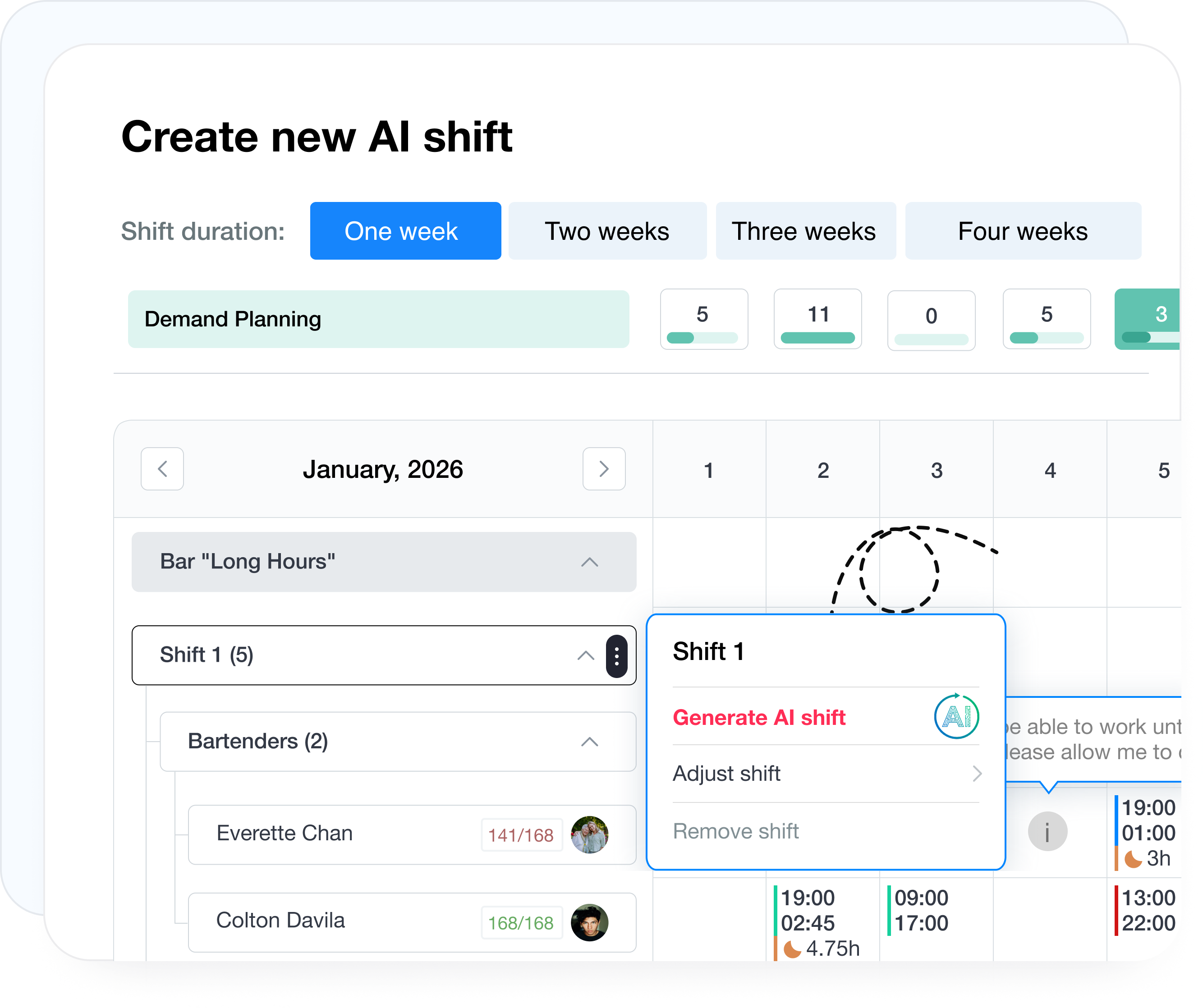
Build work schedules around real staffing demand. Grownu uses AI to generate shift schedules based on employee availability, skills, labor rules, workload, time off, and cost limits, while managers stay in control through review, edits, and approval before publishing.

Explore Features
one-click AI schedule generation
less manual schedule building
mobile schedule management
AI-generated schedules built around real demand.

How demand-based AI shift scheduling works

Grownu AI shift scheduling builds work schedules around employee availability, time off, hour balances and labor-period limits, and the staffing demand you define in advance. During generation, the system evaluates your rules and constraints, then recommends a schedule that managers can review, adjust, and publish.

From employee constraints to an AI-generated schedule

AI schedule generation is not driven by rules alone. The system evaluates employee availability, time off, hour balances, labor limits, and staffing demand by day or time window to generate a schedule that can actually work in the real world.

1
Employee availability and time off
The system evaluates when employees can work, when they cannot, and automatically includes time off data when that module is in use.
Availability Time off Constraints
2
Hour balances and labor rules
AI checks employee capacity, labor-period limits, accumulated hours, and how much each employee can or should still work based on your defined rules.
Scheduled hours Hour balances Labor rules
3
Staffing demand by shift and time window
Define how many employees you need for a specific day, shift, or time range. You can adjust demand manually, and depending on your business logic, we can also support AI demand adjustments or integration with your own data.
Demand Manual edits AI demand inputs
4
Generation based on rules and constraints
When generation starts, the system evaluates hour limits, rest periods, consecutive workday rules, night-shift rules, accumulated hours, time off, and staffing demand inputs.
Rules Rest periods Night shifts

Plan staffing demand before AI schedule generation

First define how many employees you need, when they need to work, and which skills are required. Then AI generates a schedule based on real staffing demand instead of a generic template.

Step 1

Set the real staffing demand

AI schedule generation starts with clear demand planning: what work needs to be covered, how many people are required, when they need to work, and which skills they must have.

01

Work type

Define which function or position needs coverage.

02

Required headcount

Choose how many people are needed for a specific day, time, or shift.

03

Work hours

Set the exact start and end time for each demand block.

04

Skills

Add the required skills so AI can match the right employees.

Example

This is what day-level demand planning looks like

Week 1
Thursday
Total 3
Bartenders
2 employees
1
17:00 – 01:00
Bartender Floor Manager
2
20:00 – 01:00
+ Add skill
Servers
1 employee
1
10:00 – 23:00
+ Add skill

Accurate demand by day

Not a generic template, but the exact headcount needed for a specific time window.

AI starts from real operating demand

Generation is based on what the business actually needs on a given day.

Flexible with manual adjustments

If needed, you can fine-tune staffing demand before launching generation.

One-click AI shift schedule generation

One-click AI schedule generation

Once staffing demand is defined, you can generate a schedule with one click. AI evaluates employee availability, time off, skills, hour balances, labor rules, and your defined constraints, so the result is not a random draft but a workable initial schedule. If needed, managers can quickly edit it before publishing it to the team.

How AI generates schedules around your rules

AI does not build schedules blindly. The system first gathers the right data, then checks constraints, and generates an initial schedule that managers can review and adjust before publishing.

AI inputs

What AI uses before generation

Employee availability and work preferences
Approved time off and unavailable days
Employment load and labor-period rules
Accumulated hours and still-schedulable hours
Planned staffing demand
AI checks

What the system checks during generation

Hour limits Per day / week / period
Rest time between shifts Based on your rules
Night-shift restrictions When applicable
Consecutive workday limits Controlled
Skills match for the role Required
Output

What managers get after generation

Recommended schedule
Generated around demand and your rules
Less manual schedule building
Faster schedule preparation
Fewer conflicts
Constraint issues surface earlier
Final manager control
Managers review and approve before publishing
1

Define staffing demand

How many people are needed, when, and for which roles.

2

AI gathers inputs

Availability, time off, hour balances, and demand data.

3

Checks constraints

Rules, rest periods, limits, night shifts, and required skills.

4

Generates the schedule

Managers get an initial version to review and refine.

Review AI scheduling results against planned staffing demand

Review AI results against planned staffing demand

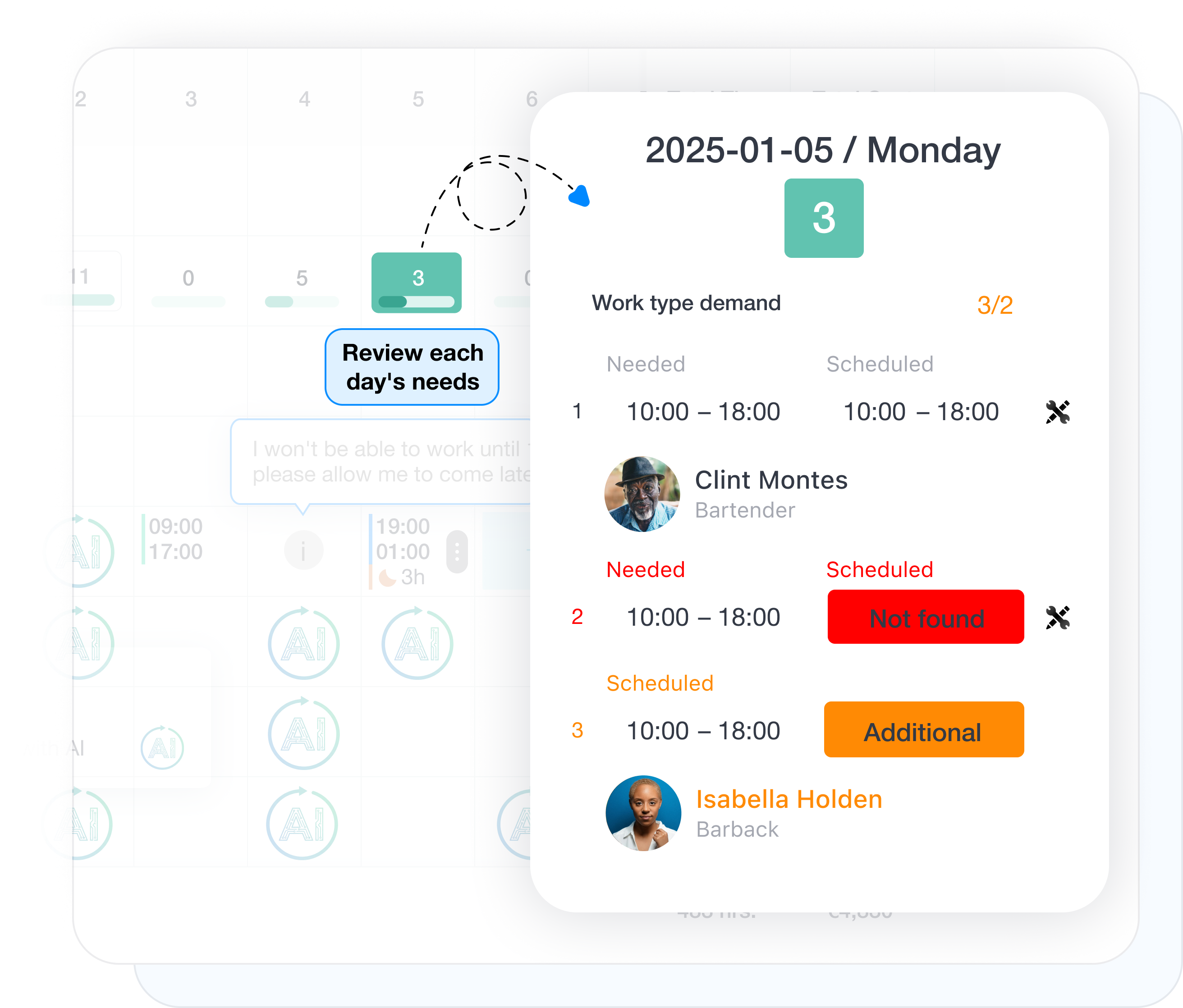
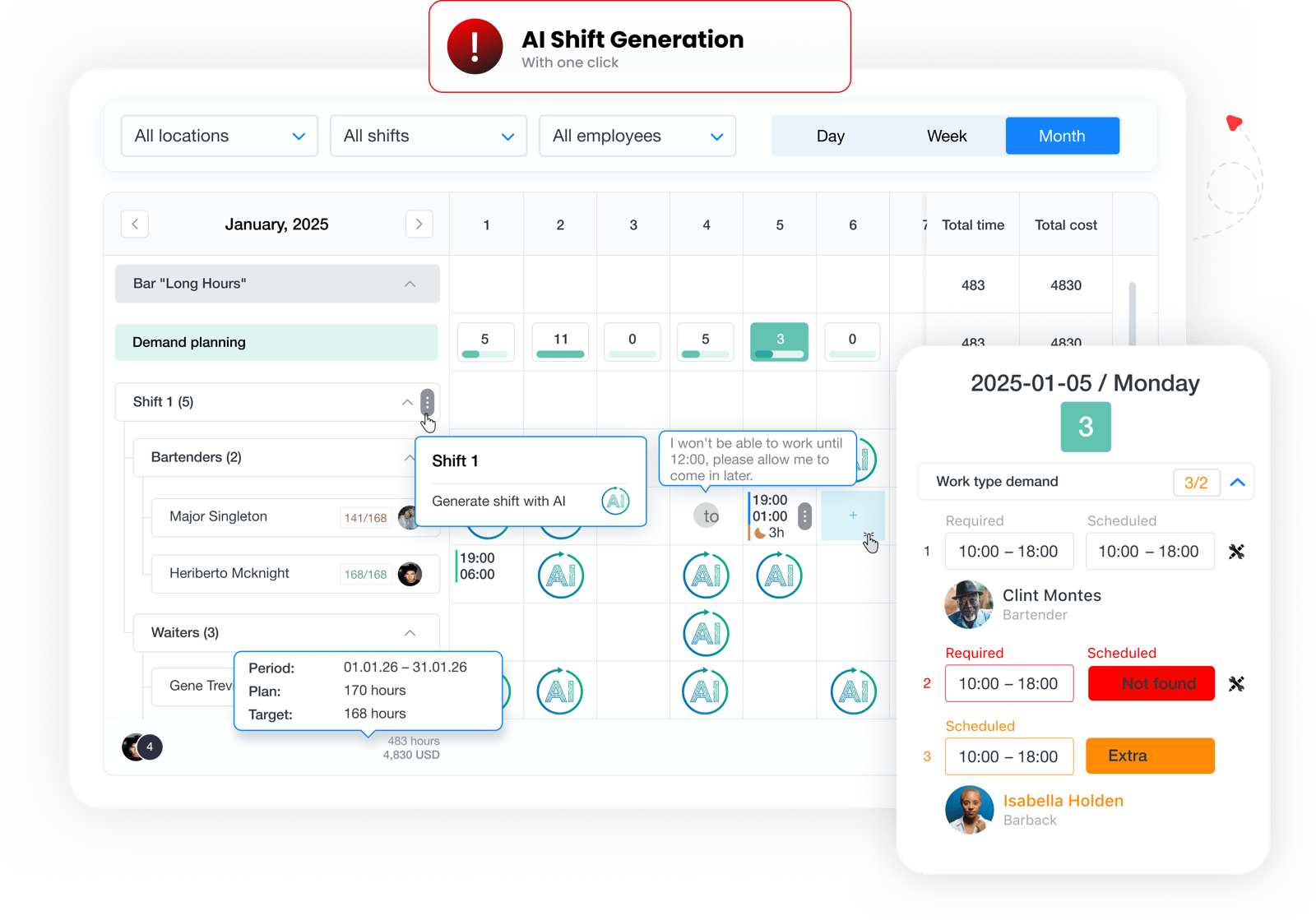
After generation, you see more than assigned shifts. You also see how closely the AI result matches planned demand. For each demand item, the system makes it clear whether the right employee was assigned, whether a slot is still unfilled, or whether there is an extra assignment. That gives managers a faster way to review which employees AI placed on specific work blocks and make precise adjustments before approving the final schedule.

Review and adjust AI-generated schedules in day, week, and month views

Review and adjust the AI-generated schedule

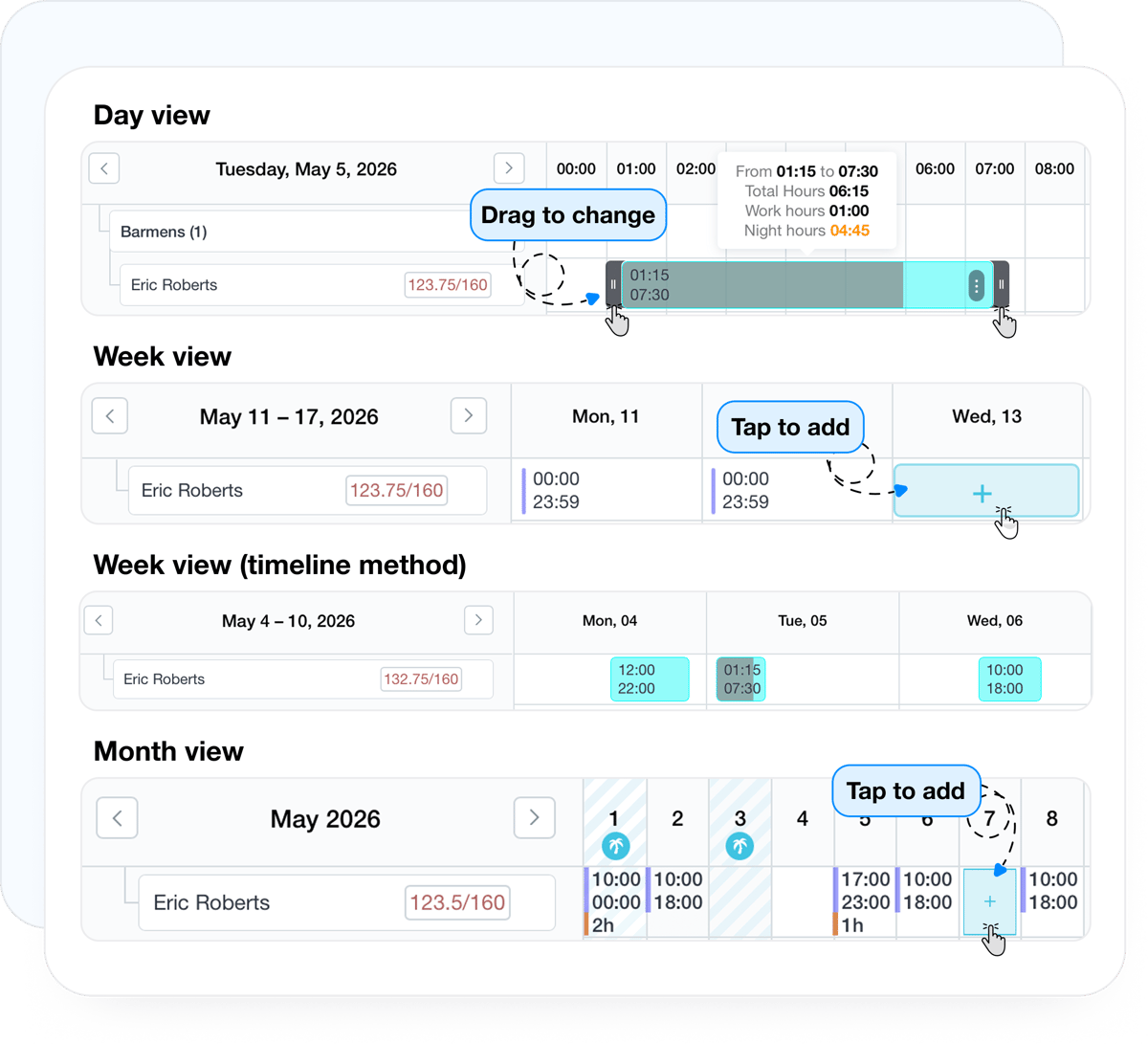
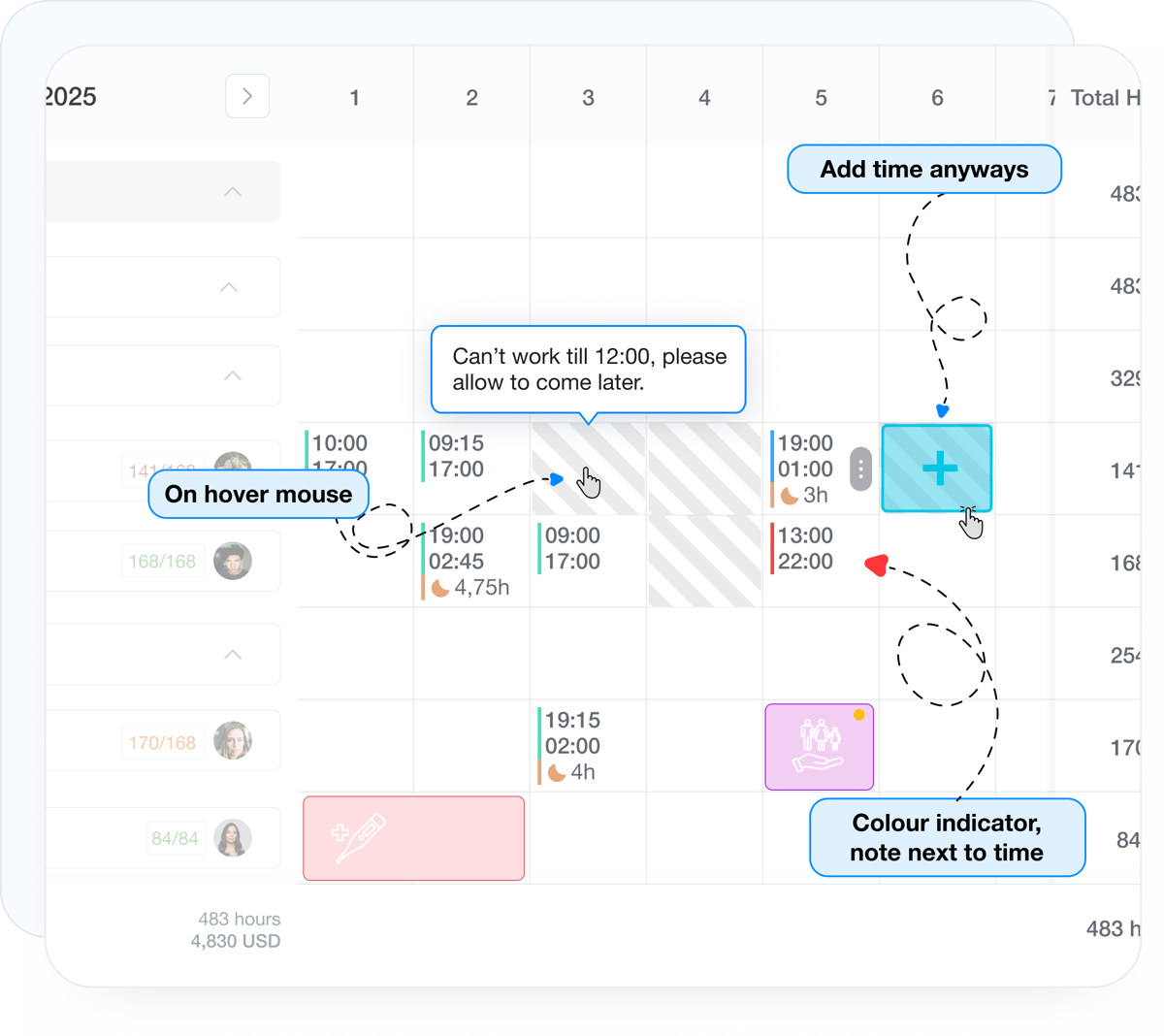
After AI generation, managers can review the schedule in day, week, or month view. That makes it easier to spot mismatches, overload, or undercoverage, and quickly adjust shifts before publishing the final version to the team.

Hour-balance control while reviewing AI schedules

Control hour balances while reviewing AI schedules

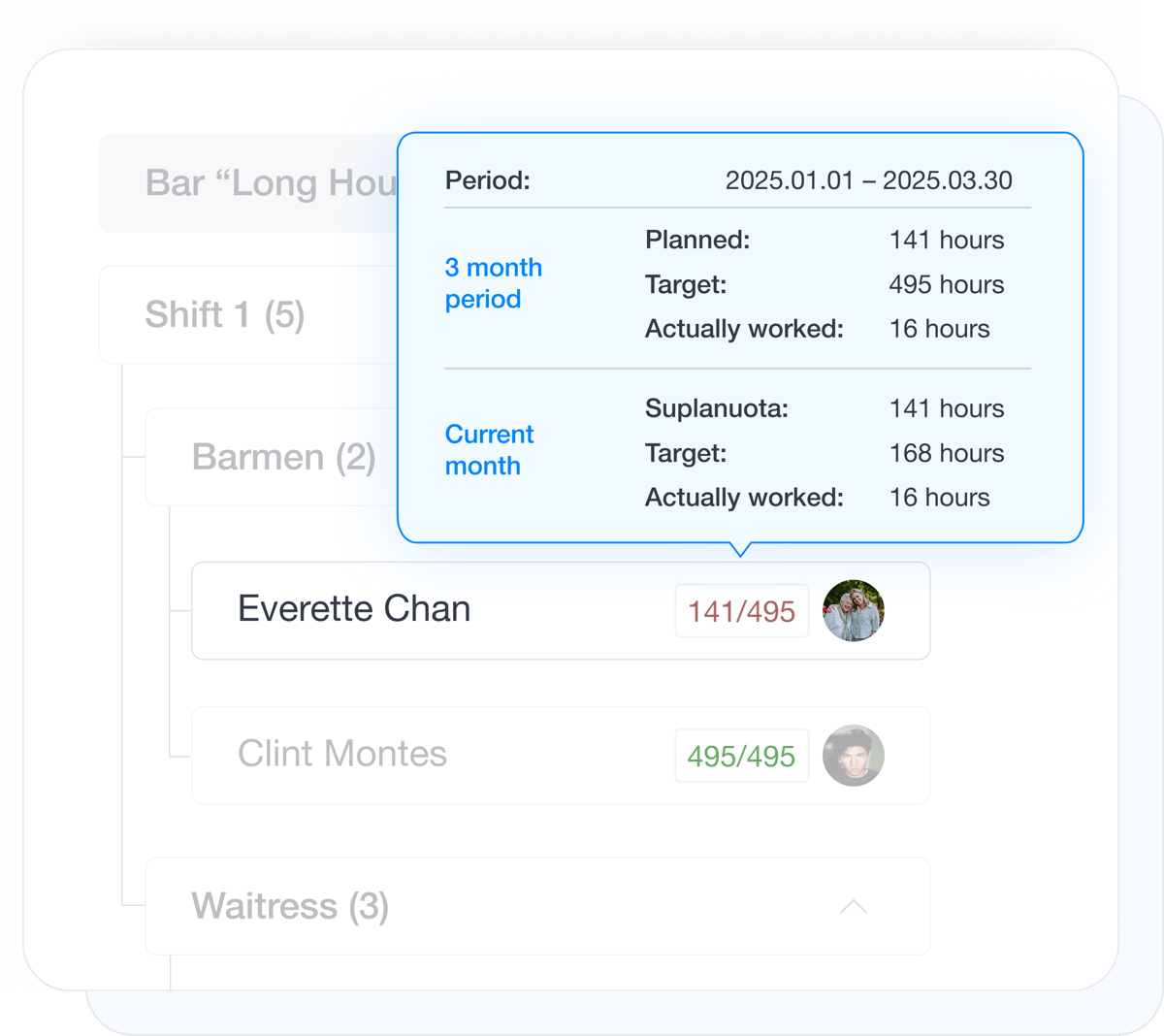
In one view, managers can see an employee’s employment load, hours expected within the selected labor period, already scheduled hours, and actual worked hours. That makes it easier to see who still has room to work more, where hours are already too high, and how to make better decisions when refining the AI-generated schedule.

Labor budget visibility for AI-generated schedules

See labor budget impact before you approve the AI-generated schedule

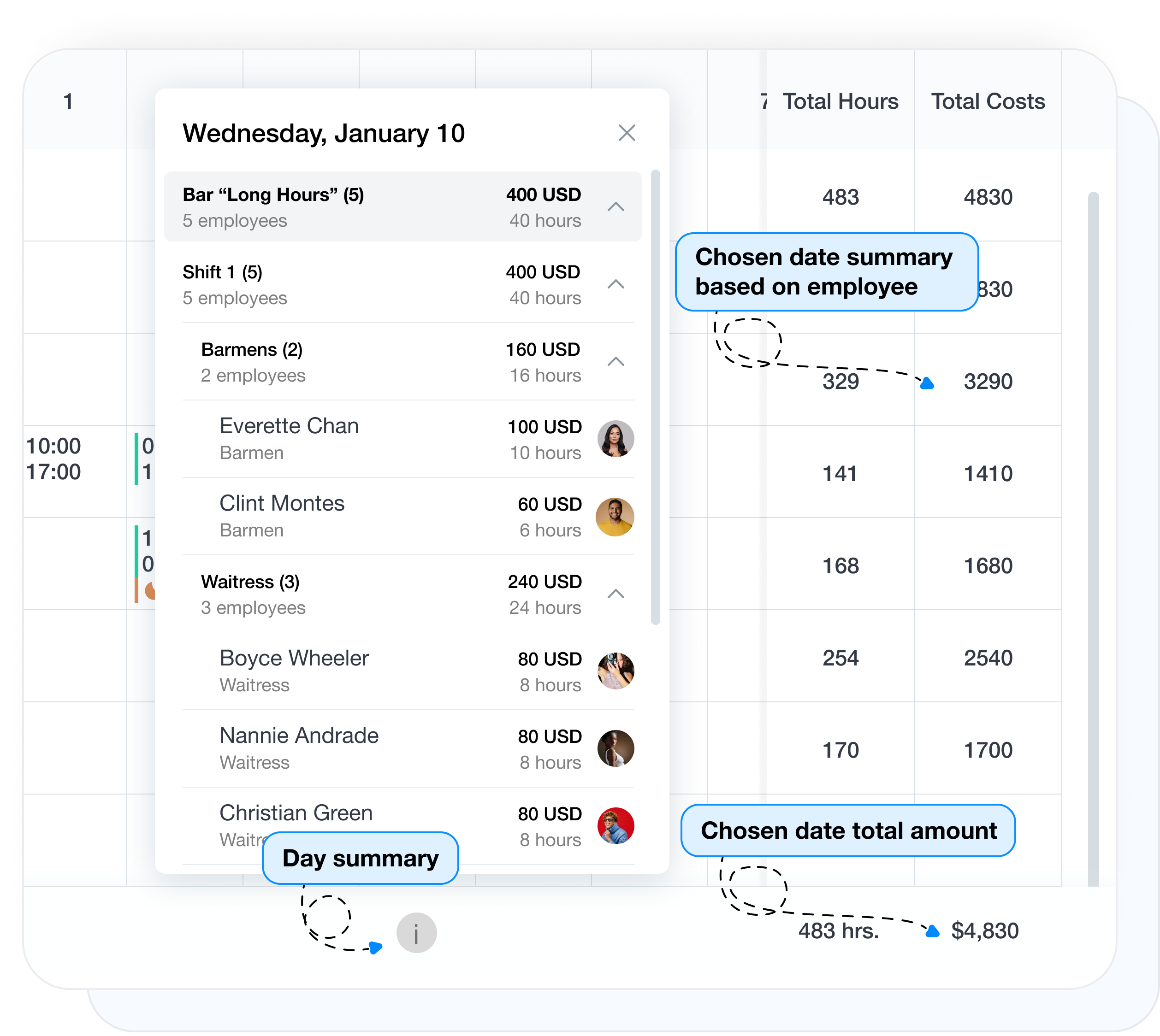
Right after AI generation, you can see what the proposed schedule will cost and how your adjustments change that cost. That gives managers a way to review not just shift coverage, but also the financial impact before approving the final schedule. Summaries can be reviewed by employee, location, shift, work type, or the total cost for the selected period.

AI generates the draft, managers make the final call

Review the generated schedule, make quick edits, publish it to the team, and manage every change in one place afterward.

Quick edits Publishing Change history Employee swaps Notify only affected staff
Employee preferences and constraints before AI schedule generation

Employee preferences before AI schedule generation

Employees can submit preferences for the next period, indicate when they cannot work, and leave planning notes in advance. That information is clearly visible before AI schedule generation, so the system and managers can evaluate real employee availability more accurately. If a shift is still assigned at a conflicting time after generation, the preference remains visible so the manager can review the situation and make the final decision.

Publish the AI-generated schedule to the team

Publish the AI-generated schedule

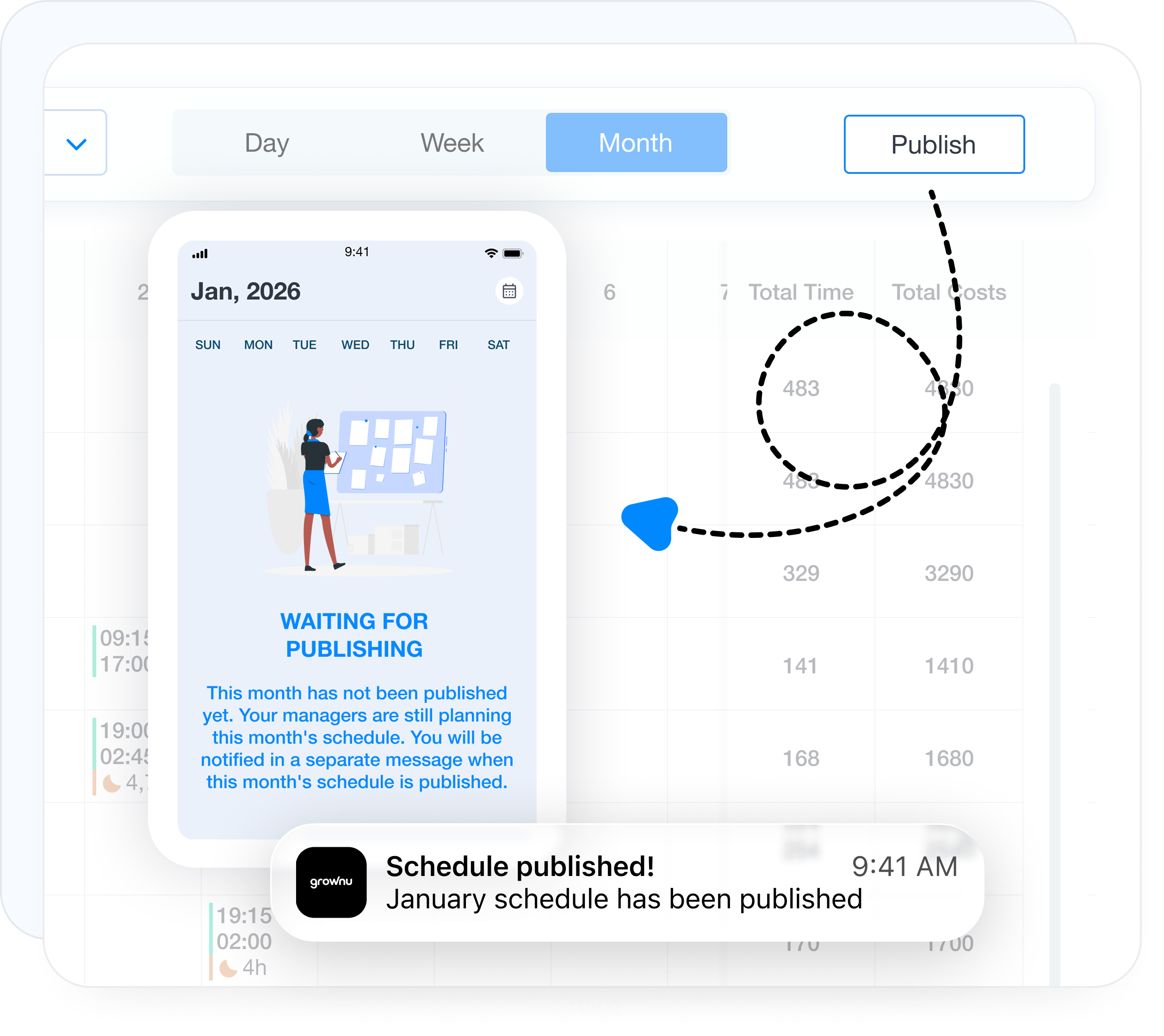
Once AI generates the initial schedule, managers can review it, make edits, and only then publish it to the team. Employees see only the final published version, which avoids confusion around drafts or in-progress changes.

Manage AI schedule changes and employee notifications

Manage AI schedule changes and notifications

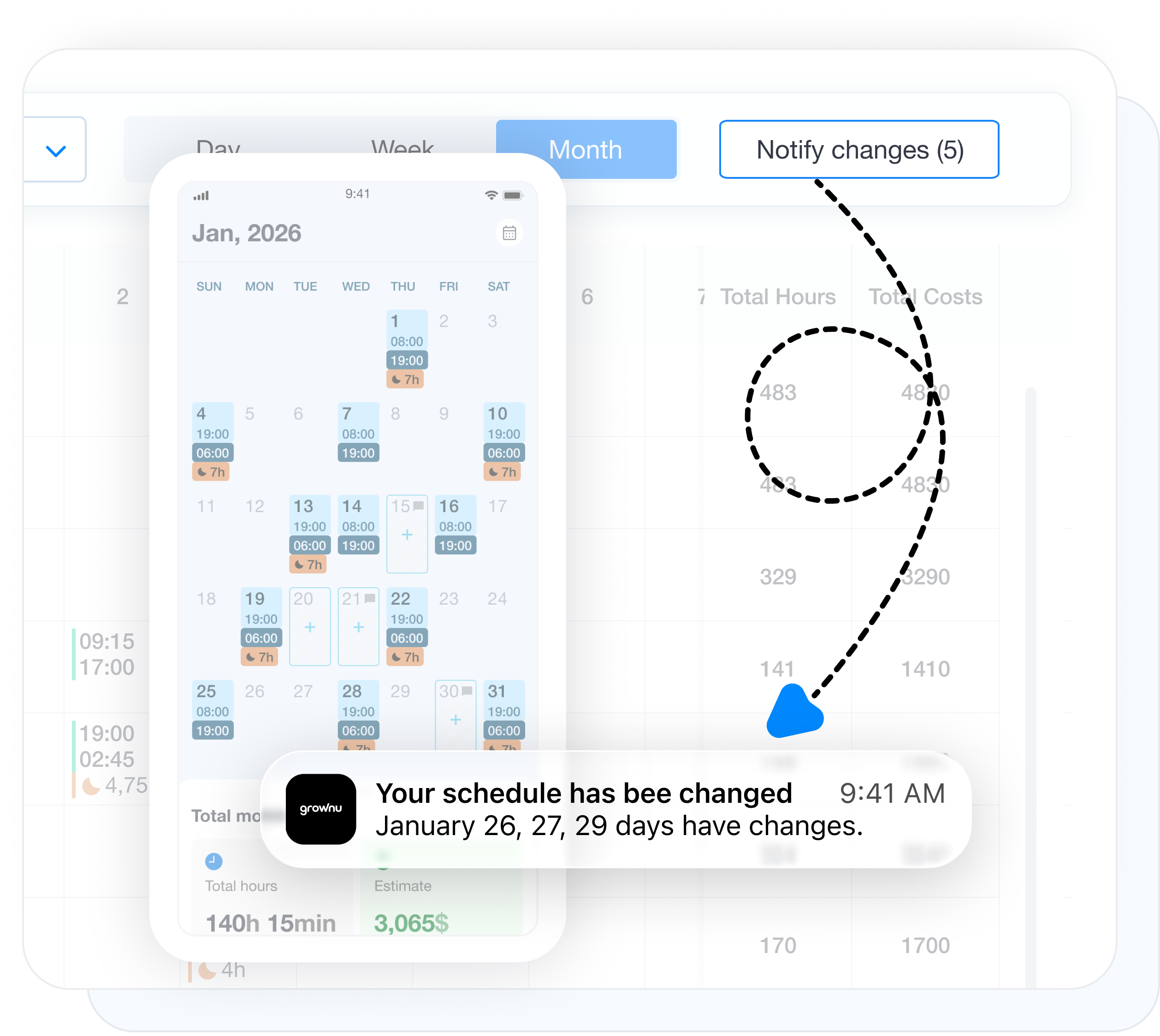
If the schedule needs to be adjusted after AI generation or after publishing, every change is clearly recorded, including added time, removed time, edited time, and employee swaps. Managers can notify only the employees affected by those changes with a single action.

Control unpaid time before and after shifts

Control unpaid time alongside the AI-planned schedule

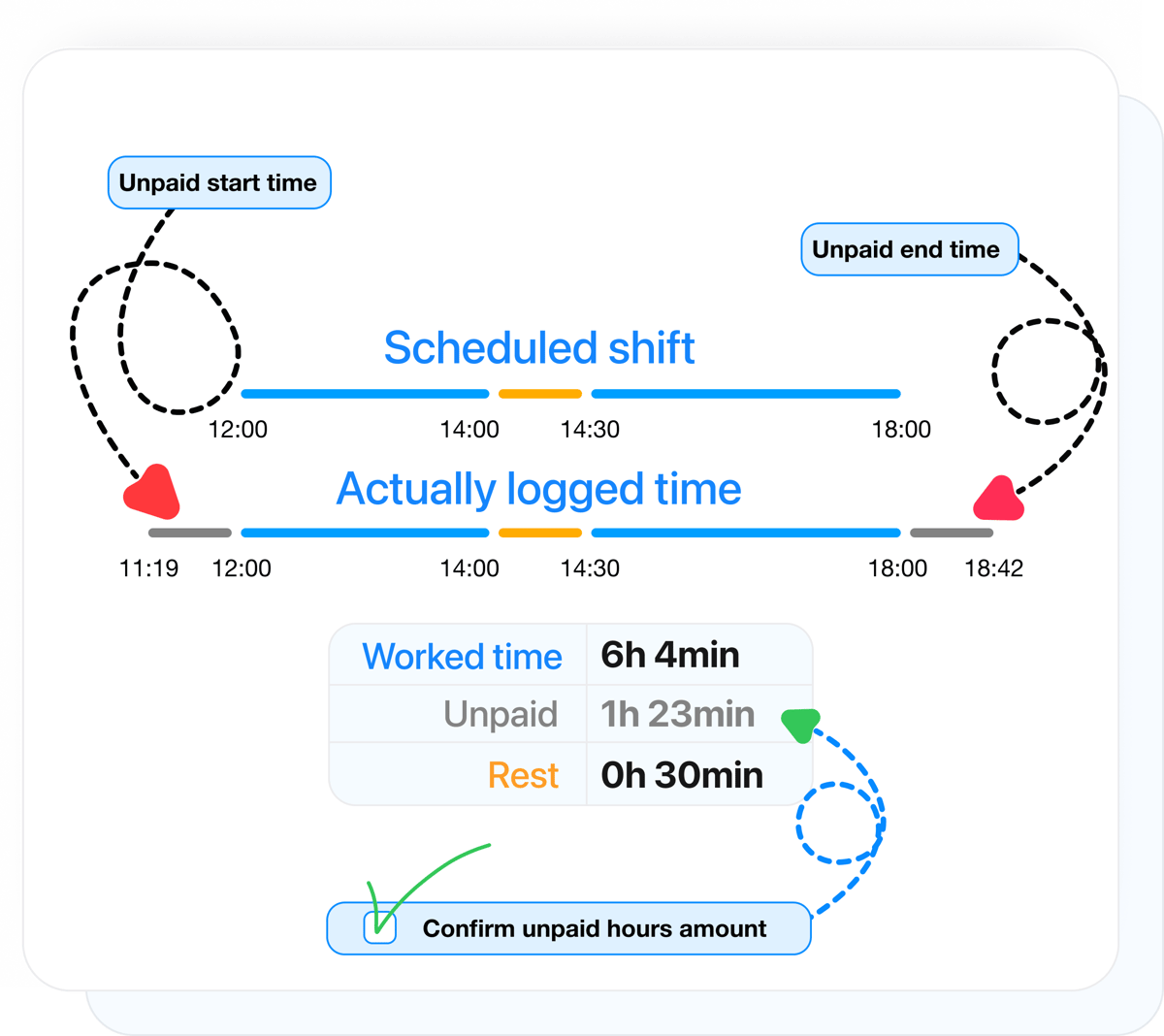
Even when the schedule is generated with AI, it is still important to separate what was scheduled from what should not be paid. When scheduling is used together with time tracking, time before or after the shift can be marked separately as unpaid time and kept out of the timesheet until it is approved.

Time off integrated into AI shift scheduling

Time off is built into AI shift scheduling

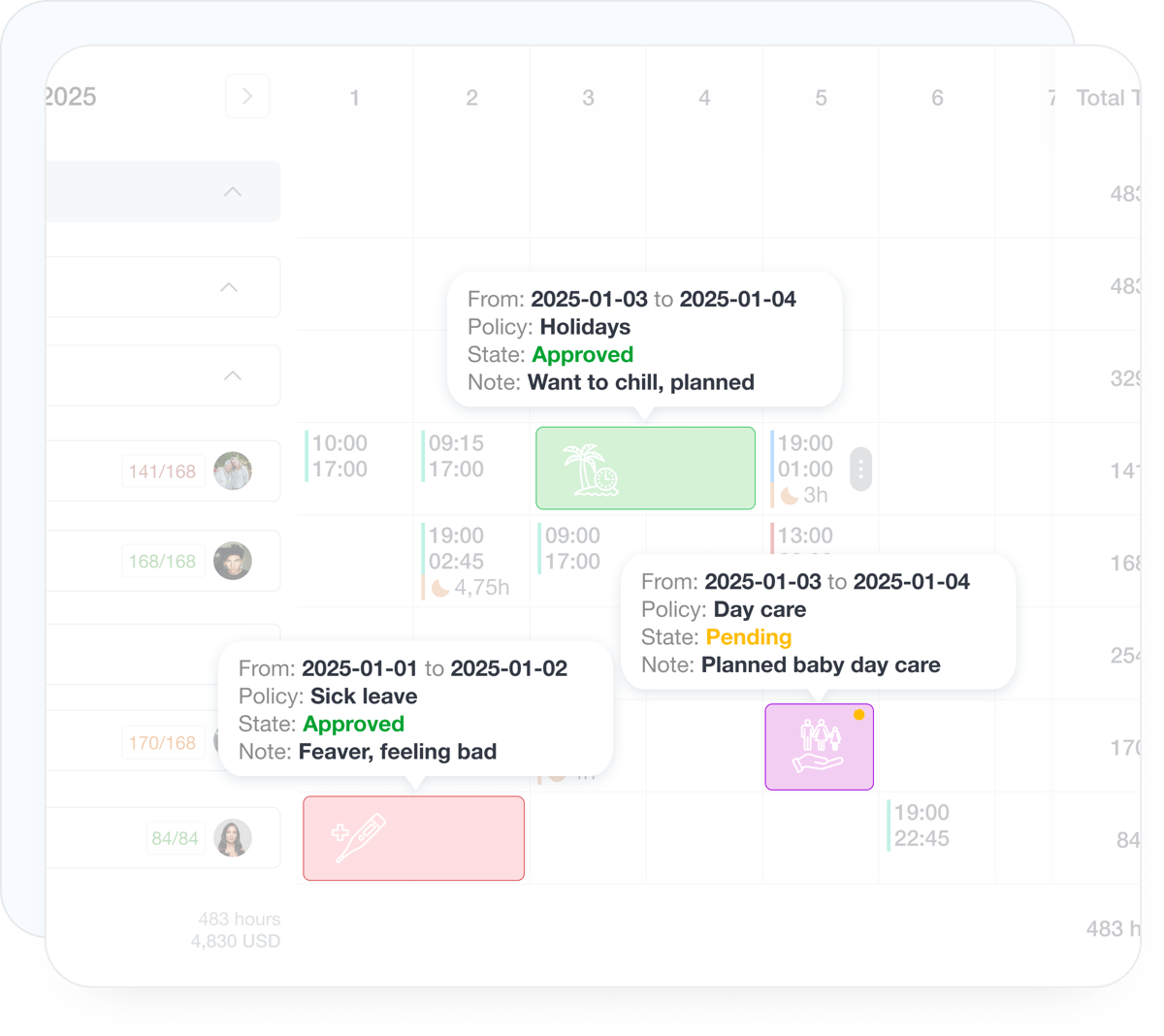
When AI generates schedules, it evaluates not just demand and labor rules, but also real employee availability. Approved time off is reflected automatically, so the system does not assign shifts to employees who are unavailable. If a time-off request is still waiting for approval, the scheduled shift remains visible and the possible conflict is clearly flagged.

AI shift scheduling works best as part of the full Grownu ecosystem

AI schedule generation does not rely on rules alone. It uses time off, time tracking, scheduling, and related module data so the generated schedule is not just fast, but grounded in what is actually happening in the business.

The AI shift scheduling module can work on its own, but it creates the most value when generation is powered by the full set of Grownu ecosystem data.

Time Off

Approved time off is automatically included in AI generation, so the system plans using only employees who are actually available.

PTO Sick leave Availability

Time Tracking

Recorded time helps managers compare scheduled and actual hours, and historical data can improve planning decisions over time.

Scheduled vs actual Variances History

AI Scheduling

AI generates an initial schedule based on staffing demand, employee availability, rules, constraints, and the rest of your connected workforce data.

Demand Rules AI generation

Timesheets

Approved schedules and recorded time flow into timesheets more cleanly, so scheduling and labor tracking stay aligned in one system.

Labor tracking Consistency Timesheets

Exports

Export the generated and approved schedule to Excel or pass it into downstream processes and integrations.

Excel CSV Integrations
Grownu ecosystem
AI scheduling is strongest when all the data works together
Grownu AI shift scheduling connects staffing demand planning, time off, time tracking, publishing, change management, and labor tracking in one workflow.
Starting price per active user / month
from $3 per user
Final pricing depends on selected modules and configuration.
Explore Features

AI shift scheduling based on demand and real workforce constraints

AI helps teams plan staffing demand, evaluate labor rules, and generate schedules based on availability, time off, skills, hour limits, and labor-period logic.

AI shift scheduling software is built for businesses that need to create work schedules faster and with better precision around real staffing demand. First, managers define how many employees are needed for a specific day, time window, or work type. Then the system uses that demand data to power AI schedule generation based on the business logic you have already defined. That kind of demand-based scheduling helps reduce manual schedule building and place the right people where they are actually needed.

AI employee scheduling works best when it evaluates more than demand alone. The system checks employee availability, time off, skills, rest time between shifts, consecutive workday limits, night-shift rules, and other labor rules you choose to enforce. If your business uses hour-balance periods or similar labor accounting logic, AI can also evaluate scheduled and accumulated hours so the generated schedule is workable in practice and aligned with your target labor balance for the selected period.

AI schedule generation does not remove manager control. After generation, managers can review the proposed result, edit shifts, swap employees, adjust times, and only then publish the final schedule to the team. AI helps teams get to a strong first draft faster, but the final decision stays with the manager. Once the schedule is published, the system makes it easy to track changes clearly and notify only the employees affected by those updates.

Integration with time off management helps AI and managers see who is actually available for each shift. Integration with employee time tracking makes it easier to compare scheduled and actual hours, monitor variances, and improve future schedules using real data. If you are evaluating specific registration hardware, you can also review time tracking terminals. Generated and approved schedules stay connected to labor tracking, while finalized data flows cleanly into timesheets.

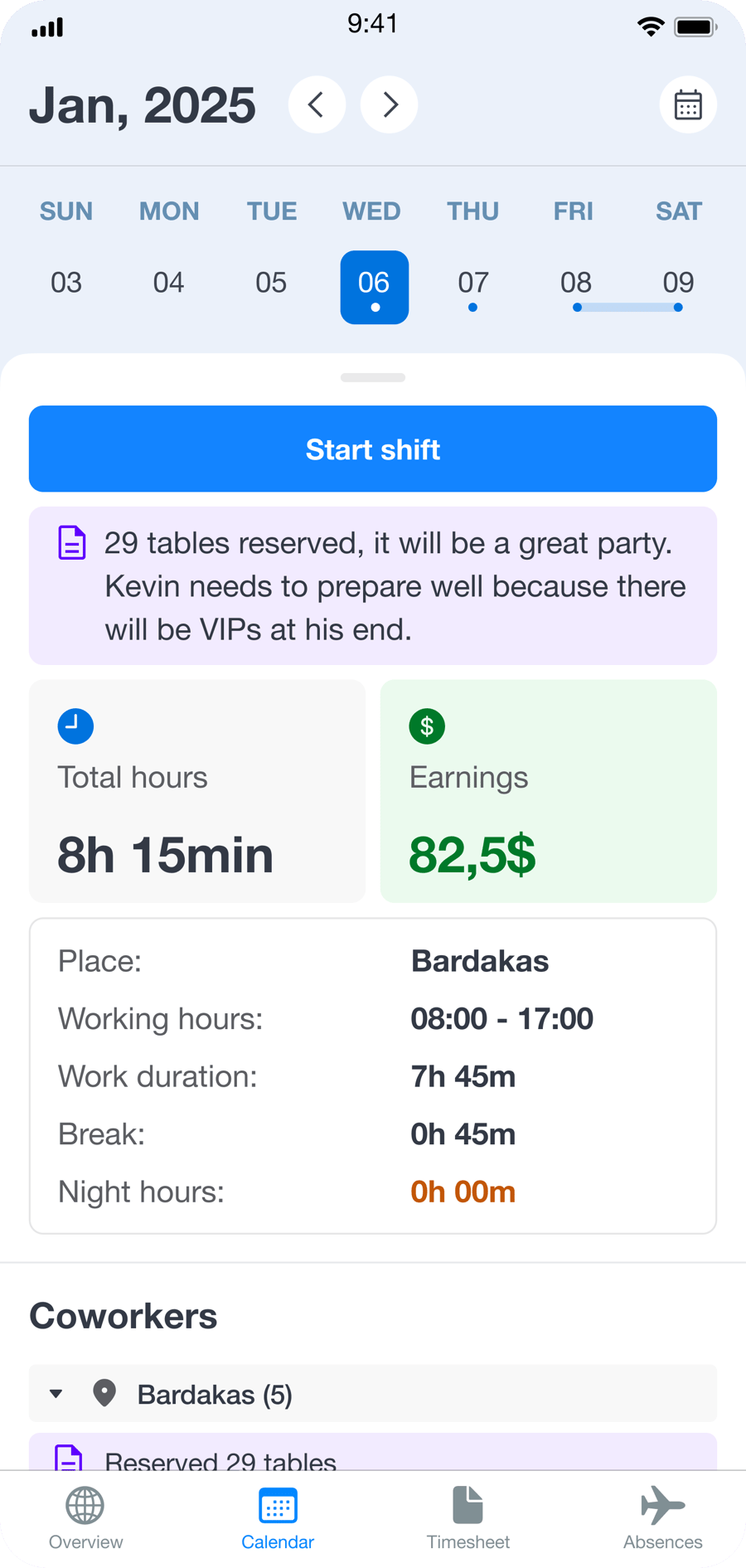
In the mobile app, employees can see their shifts, daily notes, coworkers on the shift, and submit preferences for the next period. Managers can review AI-generated schedules, adjust shifts, and respond to changes in real time. That makes AI shift scheduling based on demand more than a faster way to create schedules. It becomes a full planning, control, and workforce communication process inside one system.

If you are looking for a broader solution without AI schedule generation, you can also explore the employee scheduling software module, built for shift planning, publishing, and daily schedule management.

Grownu AI shift scheduling software helps businesses plan staffing demand, generate AI schedules based on rules, evaluate hour balances, manage changes, connect schedules with labor tracking, and pass data into timesheets and exports.
Frequently Asked Questions About AI Shift Scheduling

Last updated: April 26, 2026

Configured for Your Scheduling Logic

We can tailor AI scheduling rules, roles, and workflow logic around the way your business actually operates.

Flexible for Complex Operations

We work with you to find the right fit for your business. Contact us and we will prepare a tailored AI scheduling setup.

Need a More Specific AI Scheduling Setup?

Tell us how staffing demand, skills, labor rules, and approvals need to work in your business, and we will show you the right AI scheduling solution.