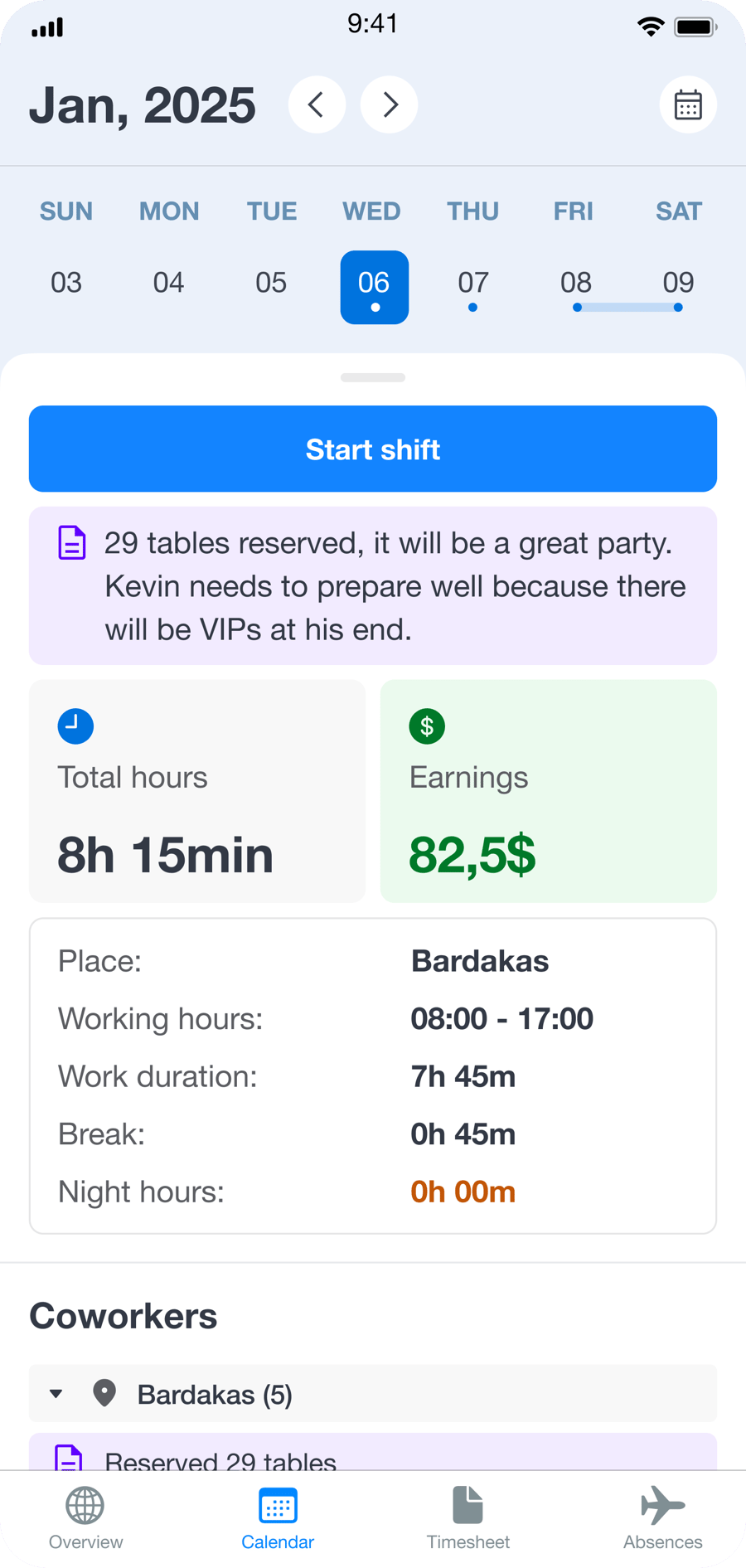
Employee scheduling software with automated shift planning, labor visibility, and schedule updates

Employee Scheduling Software for Faster Shift Planning

Build schedules faster with rule-based shift generation, labor budget visibility, scheduled vs. actual hour tracking, schedule publishing, change tracking, targeted notifications, and mobile access for managers and employees.

Explore Features
less manual scheduling work
faster schedule updates
fewer schedule conflicts
Mobile scheduling for employees and managers.

Employee scheduling software built for shift planning, schedule control, and labor visibility

Grownu brings together automatic shift generation, scheduled vs. actual hour visibility, labor budget tracking, schedule publishing and change history, and mobile schedule access in one scheduling workflow. When connected to time tracking, managers can compare scheduled and actual time in real time instead of waiting until the pay period is over.

Build and manage shift schedules in one system

Set up scheduling rules around your operating model, recurring patterns, labor targets, and workforce needs. The system helps managers build schedules faster without relying on manual planning grids.

1
Automatic shift generation
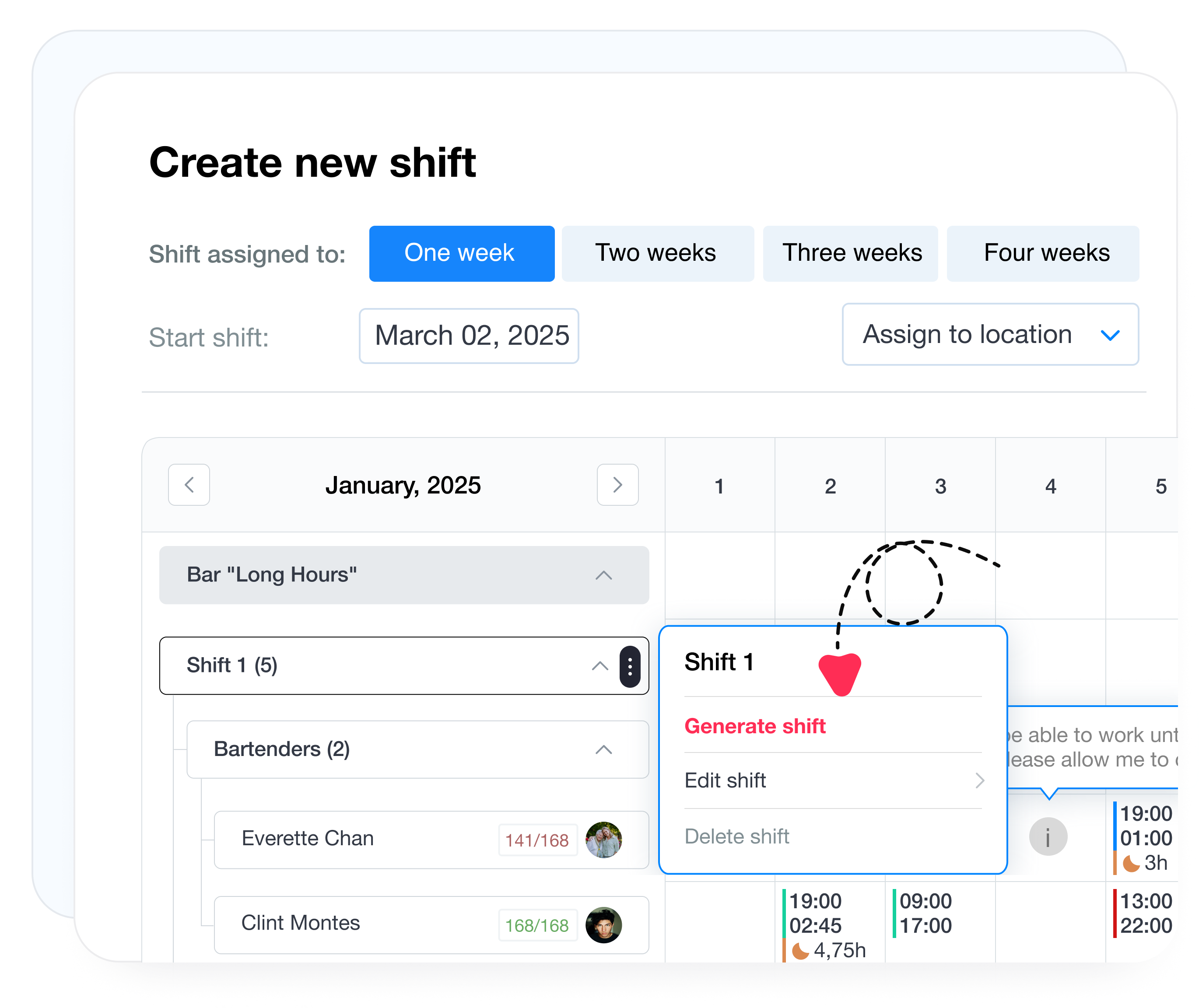
Generate an initial schedule in one click based on your scheduling rules, recurring patterns, and staffing setup so managers start with a workable schedule instead of a blank page.
One click Scheduling rules Repeatable patterns
2
Scheduled vs. actual hours visibility
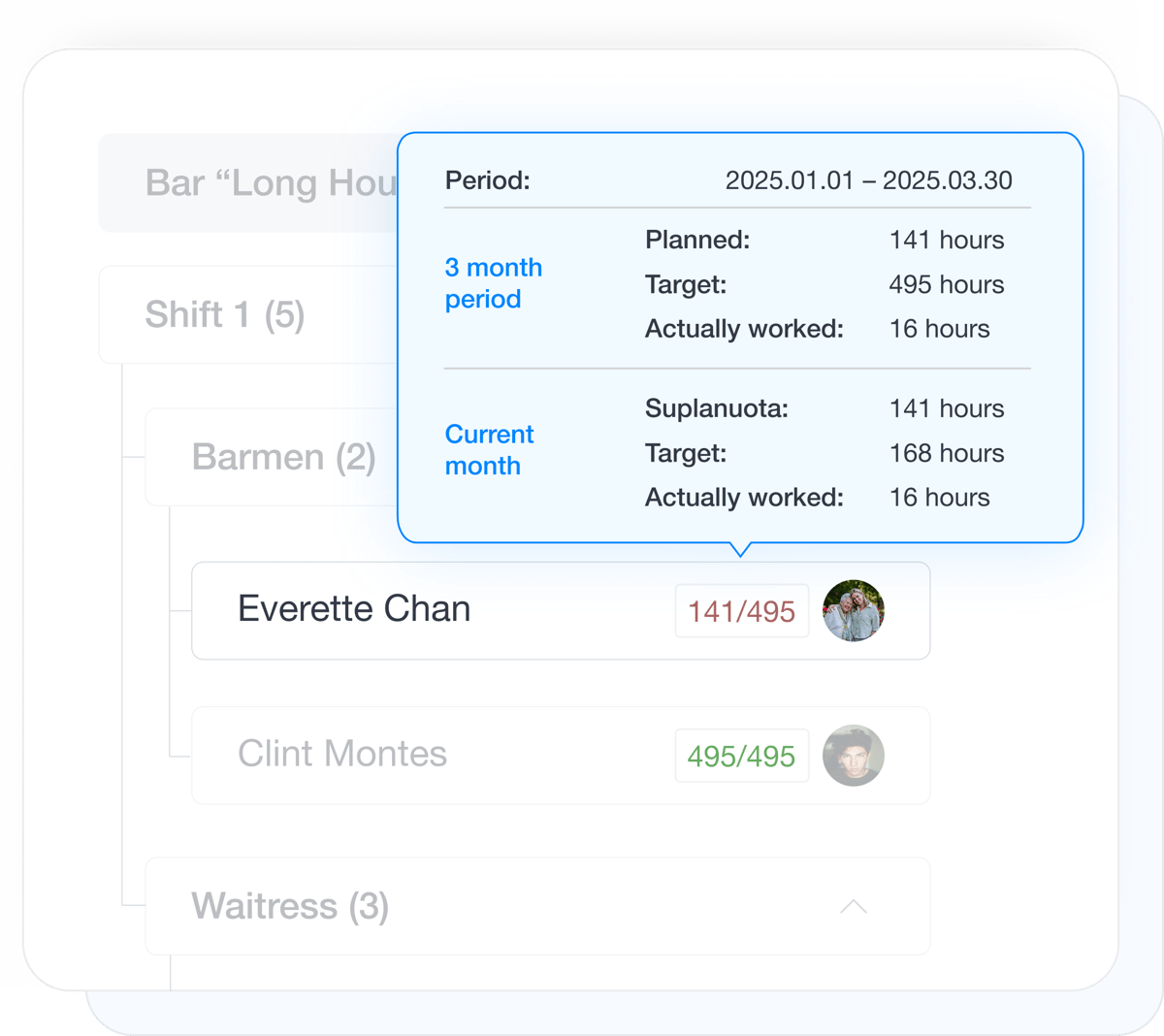
See planned hours, assigned hours, and actual recorded time in one place so managers can spot staffing gaps, overload, and schedule drift faster.
Planned hours Actual time Coverage balance
3
Day, week, and month views
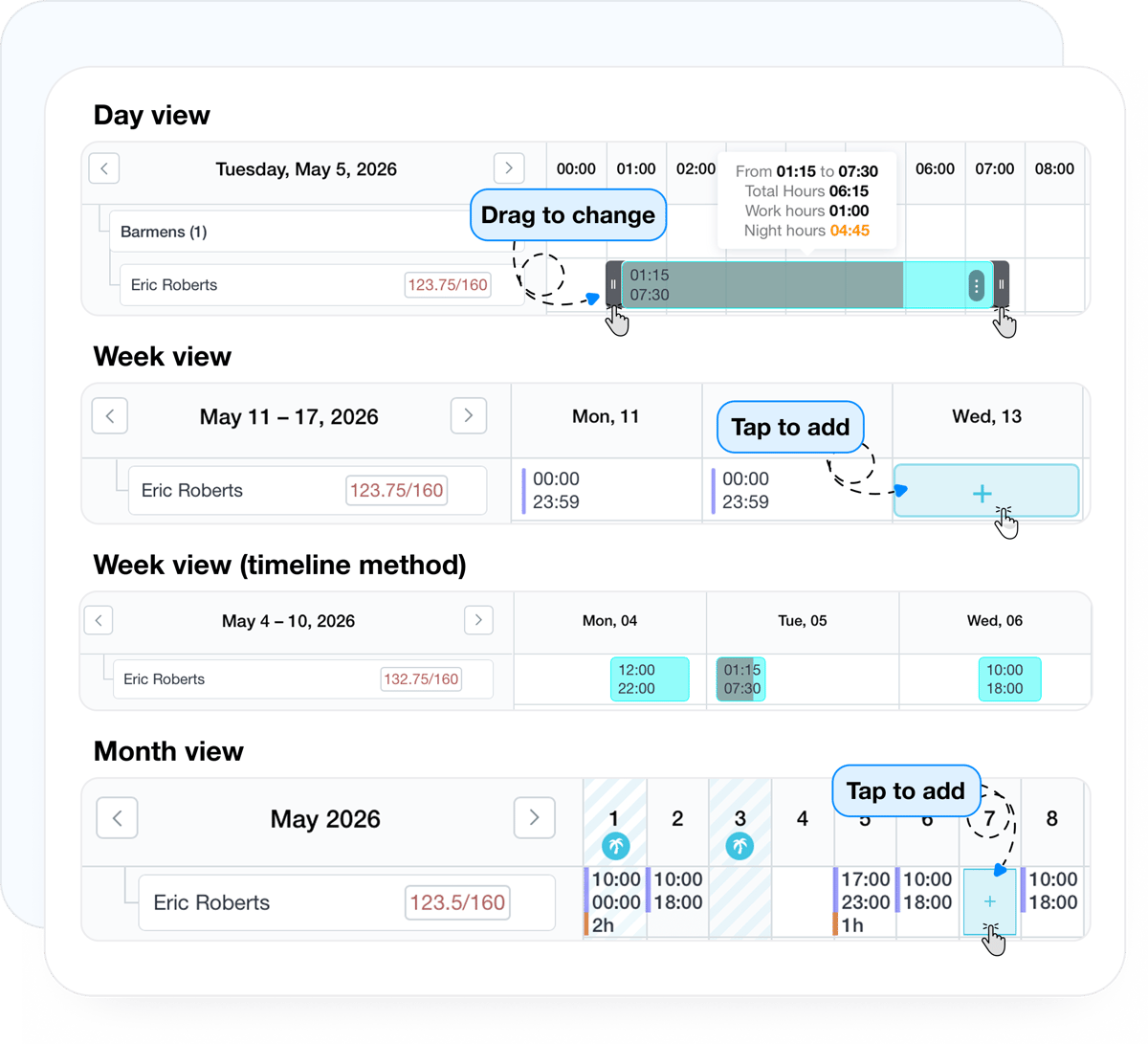
Switch between day, week, and month schedule views to build shifts, review workload, and manage the schedule at the level that fits the task.
Day view Week view Month view
4
Schedule publishing and change tracking
Publish schedules to employees, record every change after publishing, and keep schedule communication cleaner when shifts are edited.
Publishing Change history Notifications
Automatic shift generation based on scheduling rules

Auto-generate shifts based on your scheduling rules

Generate shifts in one click using your scheduling rules, recurring patterns, and staffing structure. Managers get a working draft for the full schedule period faster, then adjust shifts manually wherever business conditions require changes.

Scheduled hours, assigned hours, and actual time visibility

Track scheduled hours, actual hours, and staffing balance

See planned hours, assigned hours, and actual recorded time in one place. Clear indicators help managers understand where staffing is running light, where hours are stacking up, and where shifts need adjustment before small issues turn into payroll or coverage problems.

Day, week, and month schedule views

Use day, week, and month schedule views

Move between day, week, and month views depending on how you need to plan. The day view makes shift edits faster, while week and month views help managers review overall coverage, staffing patterns, and open schedule needs across a wider period.

Labor budget visibility while building schedules

Monitor labor budget while building schedules

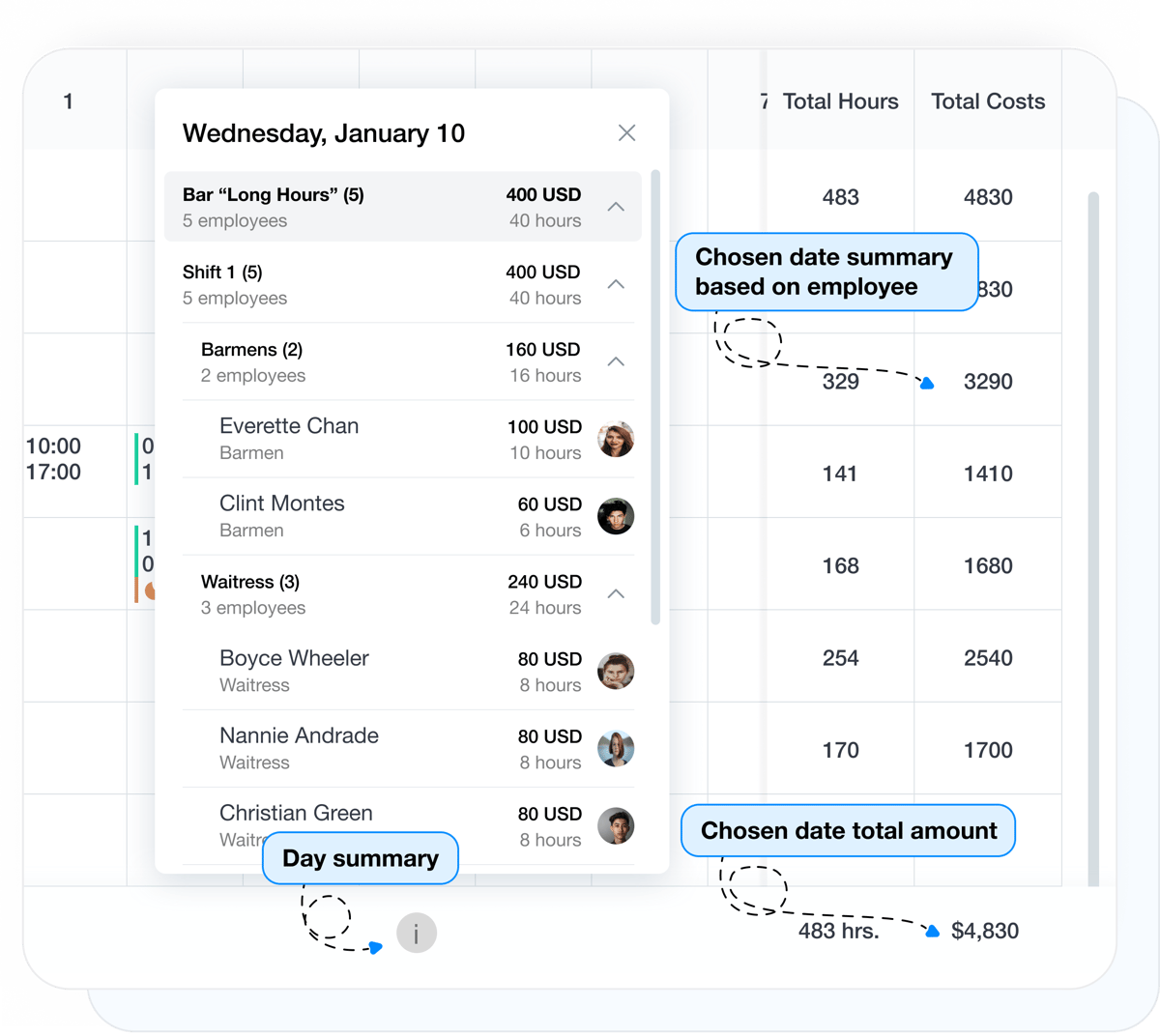
See the scheduled labor budget and how it changes while you edit shifts. That gives managers a cleaner view of staffing cost before the month closes and makes it easier to review labor totals by employee, location, shift type, work type, or across the full planning period.

Employee availability and scheduling preferences

Collect employee availability and scheduling preferences

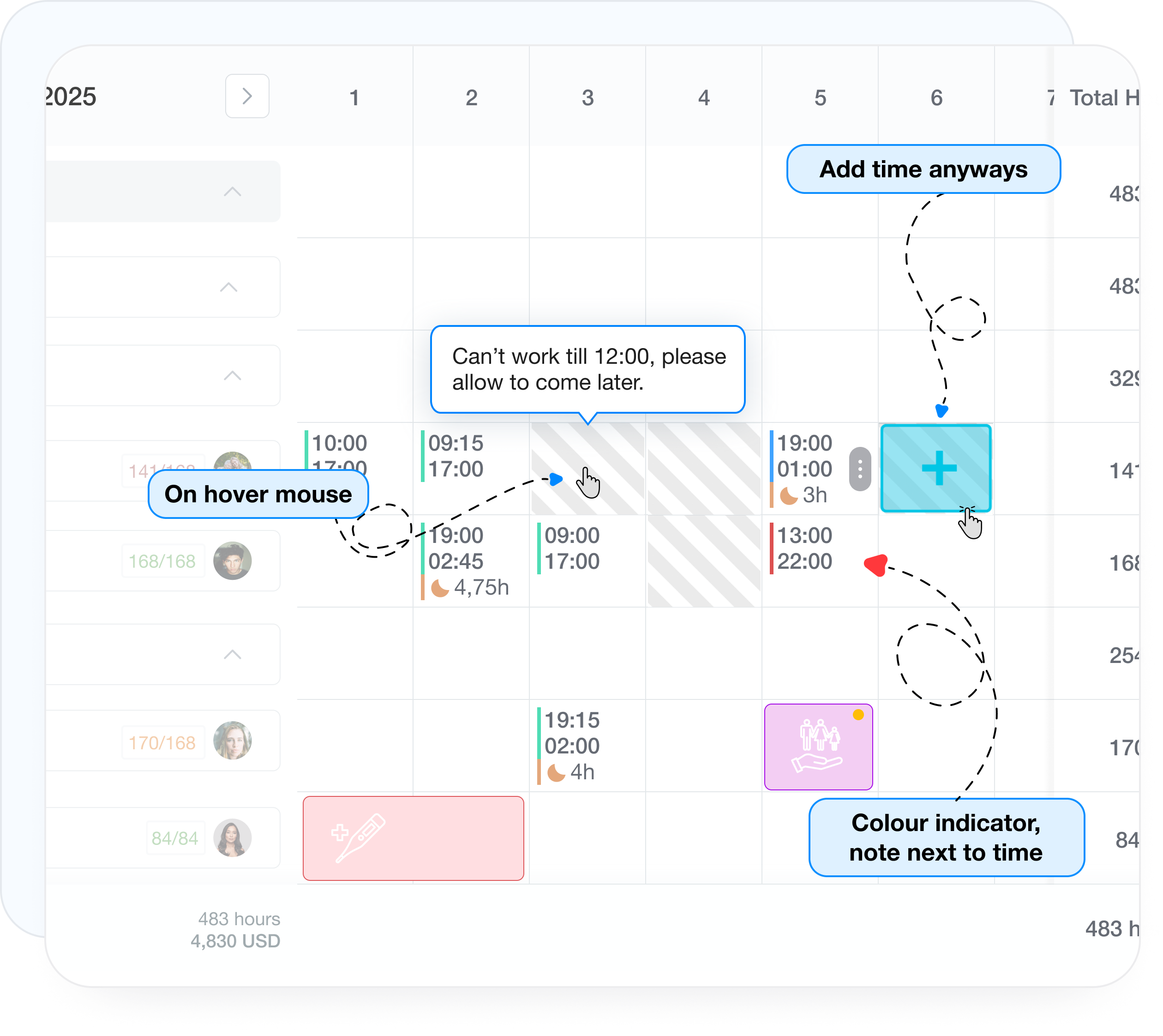
Employees can submit availability, blackout dates, and scheduling preferences before the next schedule is built. Managers see those inputs inside the schedule view, making it easier to assign shifts with better context instead of relying on side messages or spreadsheet notes.

Stop managing schedule changes in side messages and extra spreadsheets

After publishing, record every schedule change and notify only the employees affected by the update.

Added time Removed time Edited shifts Employee swaps Targeted notifications
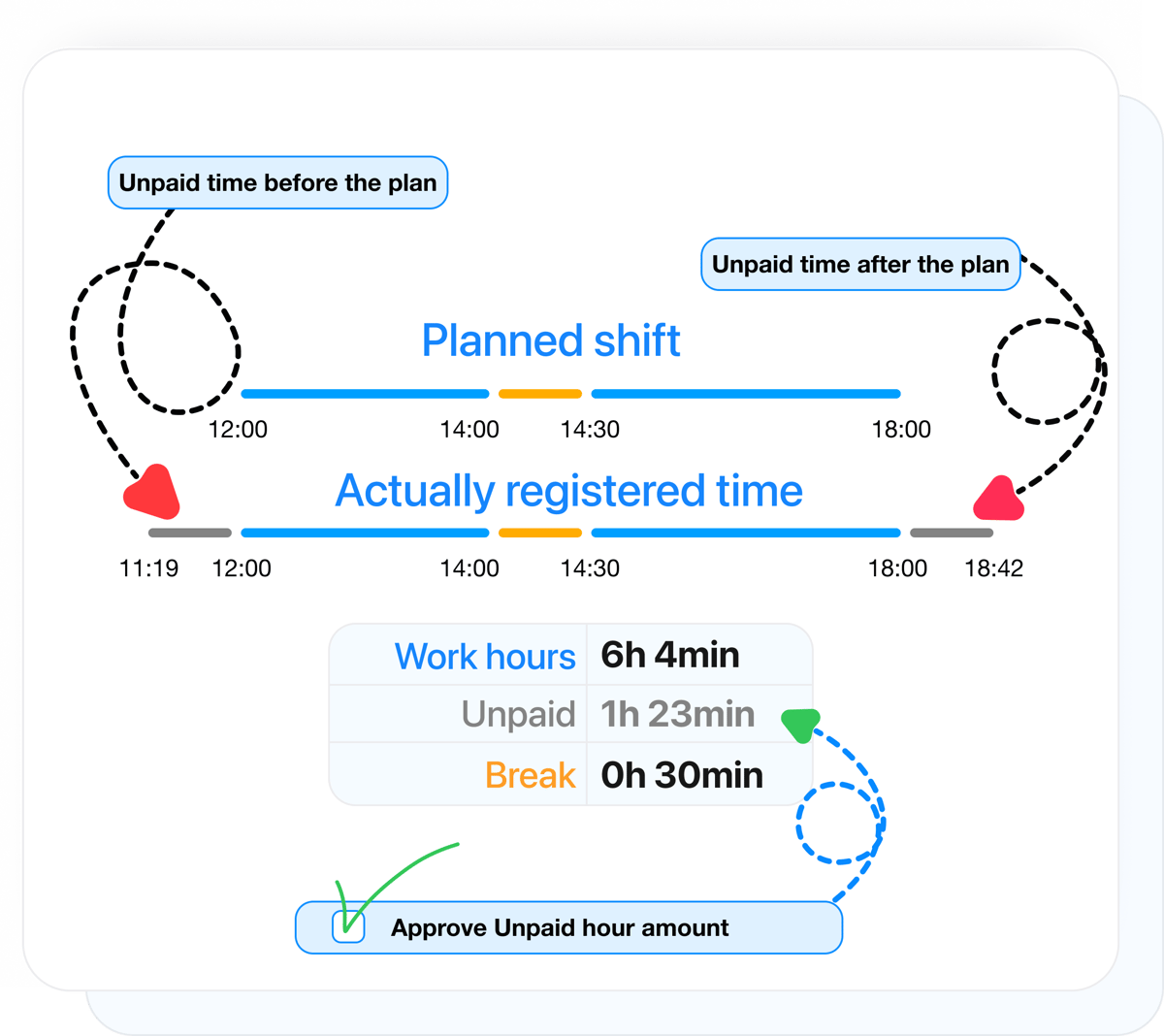
Unpaid time handling before and after shifts

Manage unpaid time before or after shifts when needed

When scheduling is connected to time tracking, time recorded before or after a shift can be handled separately as unpaid time. That time is kept out of the timesheet until it is approved, helping teams control labor cost and keep payroll records cleaner.

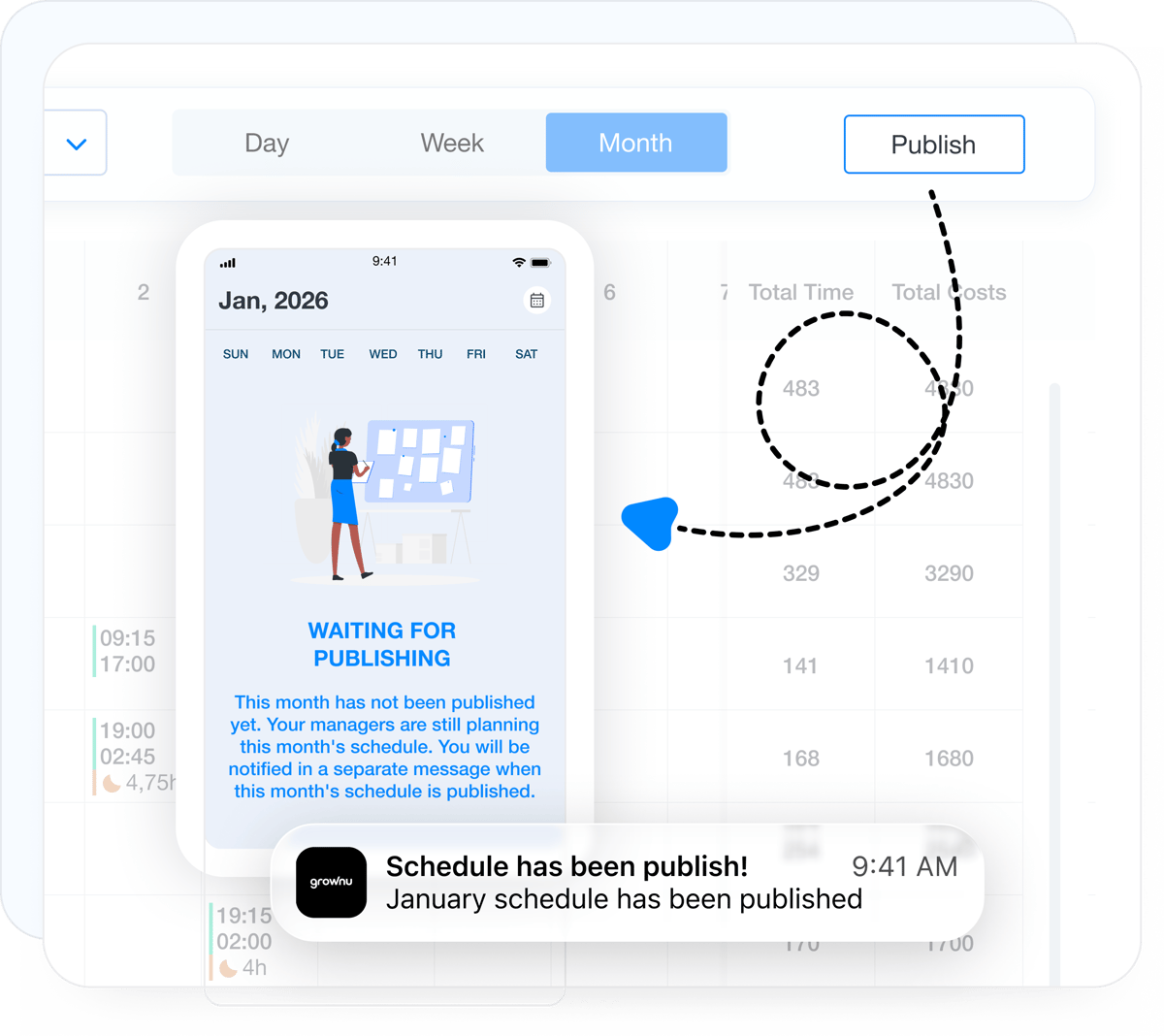
Schedule publishing for employees

Publish schedules to employees

Publish the finished schedule when it is ready, and employees immediately see the live version. That reduces confusion about which version is current, while draft changes remain hidden until managers are ready to release them.

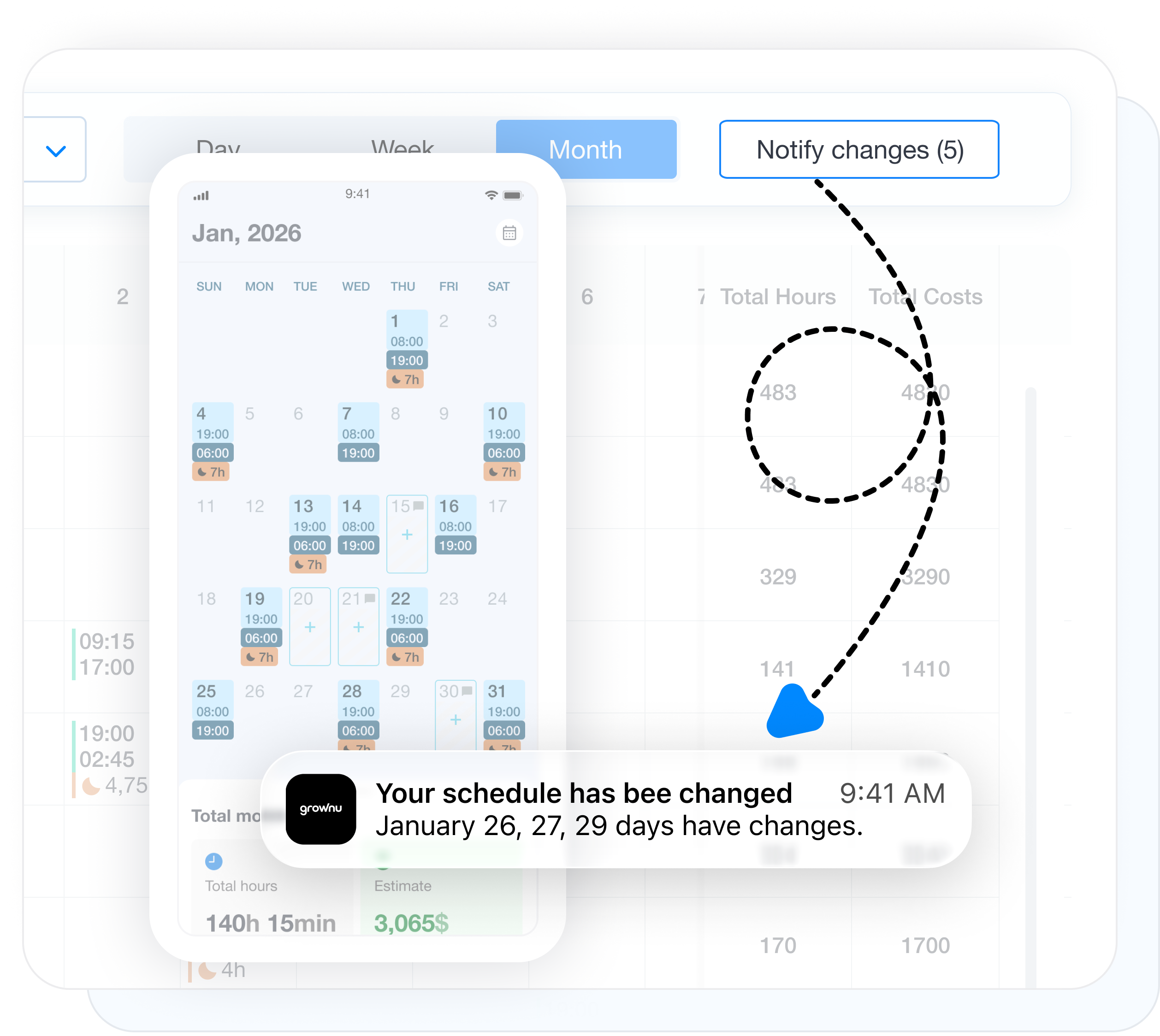
Schedule change tracking and employee notifications

Track schedule changes and notify only affected employees

After publishing, every schedule change is recorded, including added time, removed time, edited shifts, and employee swaps. Managers can then notify only the employees affected by the update instead of pushing unnecessary alerts to the full team.

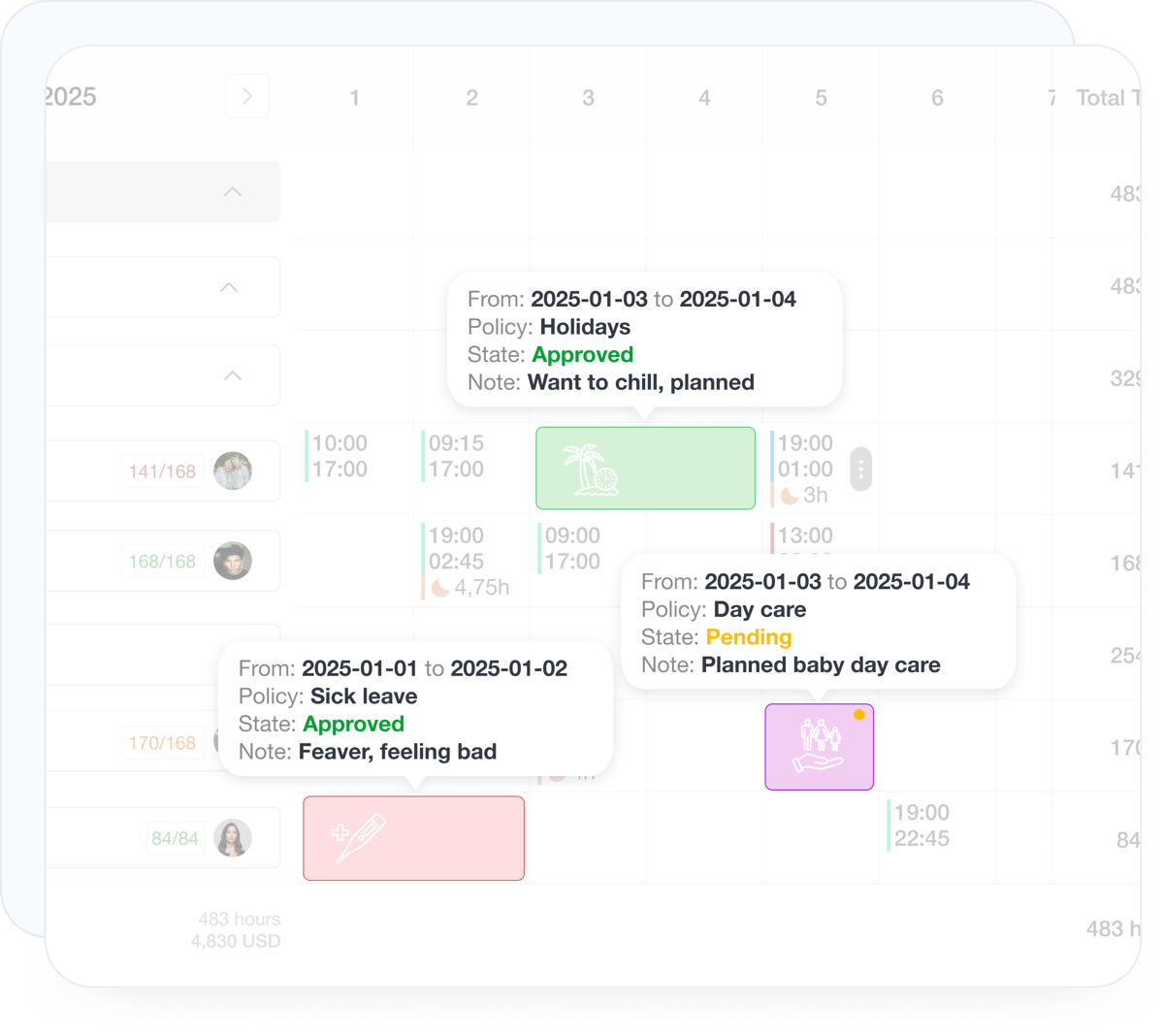
Approved time off reflected inside employee schedules

Reflect approved time off inside schedules

Approved time off appears directly in the schedule, which helps managers plan with real availability and reduce last-minute conflicts. If a leave request is still pending, the shift can remain visible while the system clearly flags the conflict for review.

Scheduling connected with time off, time tracking, timesheets, and exports

Scheduling works best when it is not isolated. Grownu connects shift planning with time off visibility, employee availability, actual time records, timesheets, and exports so schedule decisions carry through the rest of the workforce process.

The scheduling module works well on its own, but it creates the most value when connected to the full Grownu ecosystem.

Time Off

Approved time off appears in the schedule so managers plan with real employee availability instead of discovering coverage conflicts later.

PTO Sick leave Conflict prevention

Time Tracking

Recorded time can be compared against the schedule automatically so managers see late starts, early departures, and other shift differences faster.

Clock-ins Clock-outs Variance tracking

Employee Availability

Collect employee availability and preferences before scheduling so managers make better assignments with fewer last-minute schedule changes.

Preferences Availability Cleaner planning

Timesheets

Scheduled time, actual time, and approved unpaid time can flow into timesheets more cleanly when scheduling and time records stay aligned.

Timesheets Approvals Consistency

Exports

Export the full schedule in one click or pass schedule data downstream for payroll, reporting, and admin workflows.

Documents CSV Excel API
Grownu ecosystem
The biggest value comes when scheduling data keeps moving
Grownu connects shift planning with time off, time tracking, timesheets, exports, and schedule change management so managers do not have to clean up the same data in multiple tools.
Starting price per active user / month
from $3 per user
Final pricing depends on selected modules and configuration.
Explore Features

Employee scheduling software for faster shift planning and labor control

Build schedules faster, see labor impact while scheduling, publish updates cleanly, and keep schedules aligned with time tracking, time off, timesheets, and exports.

Employee scheduling software gives businesses a faster way to build, review, and publish work schedules without relying on spreadsheets or scattered team messages. Grownu helps managers generate shifts based on scheduling rules, review coverage, and update schedules quickly as business needs change. That makes it a practical fit for teams that need more control than a basic shared calendar can offer.

Strong shift scheduling software should do more than place employees into open time slots. Grownu gives managers visibility into scheduled hours, actual hours, staffing balance, and labor budget impact while they are still building the schedule. That makes workforce scheduling decisions easier to manage before schedule issues show up later in payroll, overtime, or missed coverage.

Grownu also helps businesses run cleaner schedule communication. Employees can submit availability and schedule preferences ahead of the next cycle, managers can publish schedules when they are ready, and every update can be tracked after publishing. Instead of sending broad schedule alerts to everyone, managers can notify only the employees affected by a specific change.

For businesses that need scheduling to connect with the rest of operations, Grownu ties employee scheduling software to time off management, time tracking, timesheets, exports, and mobile schedule access. That gives retail, hospitality, healthcare, logistics, field service, and multi-location teams a more reliable scheduling workflow from shift planning through downstream admin processes.

Grownu employee scheduling software helps businesses manage shift planning, labor visibility, employee availability, schedule publishing, mobile schedule access, time tracking, timesheets, and exports in one scheduling workflow.

Frequently Asked Questions About Employee Scheduling Software

Last updated: April 26, 2026

Configured Around Your Scheduling Workflow

We can adapt scheduling rules, shift structures, approval needs, and workflow details around how your business actually runs.

Flexible Across Teams and Locations

Different teams often need different scheduling logic. Grownu gives you room to support those variations across departments, locations, and operating models.

Need a More Specific Scheduling Setup?

Tell us how scheduling, availability, labor visibility, time tracking, and change communication need to work in your business, and we will show you the best-fit setup.