Plan one-time and recurring tasks, assign work to employees, teams, or crews, publish task schedules, and track completion in a mobile app with GPS, photos, and comments.
Grownu employee task management software brings together monthly task scheduling, task assignment to employees, teams, sub-teams, and crews, schedule publishing with change history, mobile task execution tracking, and completion control using GPS, photo verification, comments, and completion photos in one system. When connected with other modules, you can also see time off, planned vs actual time, and the full registration history in one place.
Create one-time and recurring tasks, build a monthly task schedule, assign work to employees or crews, publish updates, and track completion in a mobile app.
Create both one-time and recurring tasks based on your operating workflow. Tasks can repeat daily, weekly, or on another custom cadence, which makes it easier to plan routine cleaning, maintenance, inspection, or service work without manual duplication. You can set recurrence through a specific end date, such as the end of a client contract, and choose not to generate tasks on holidays.
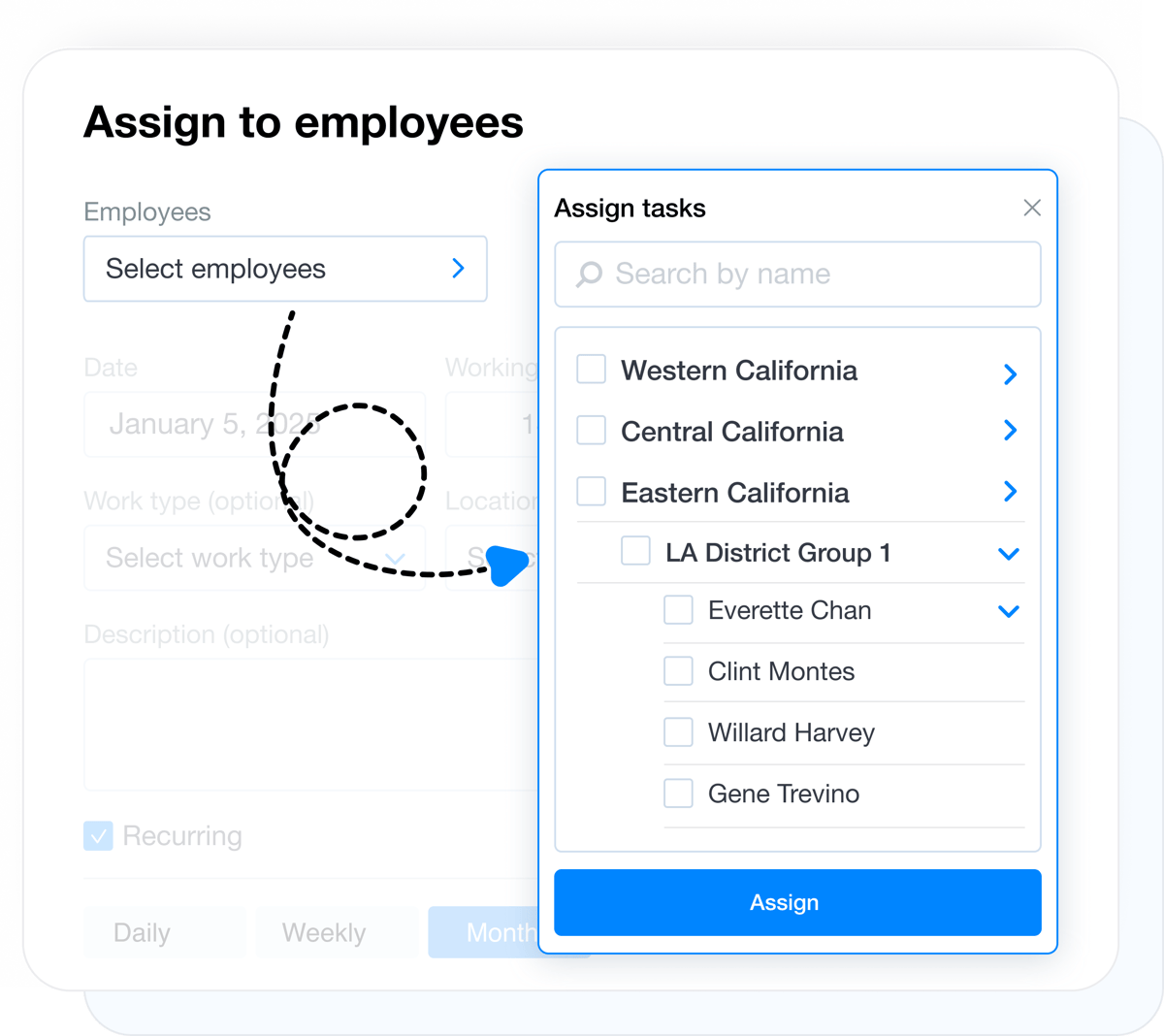
Tasks can be assigned to one employee, multiple people, or a full crew. Teams and sub-teams make it easier to plan shared work when a task is handled by more than one person and the whole group needs to stay aligned.
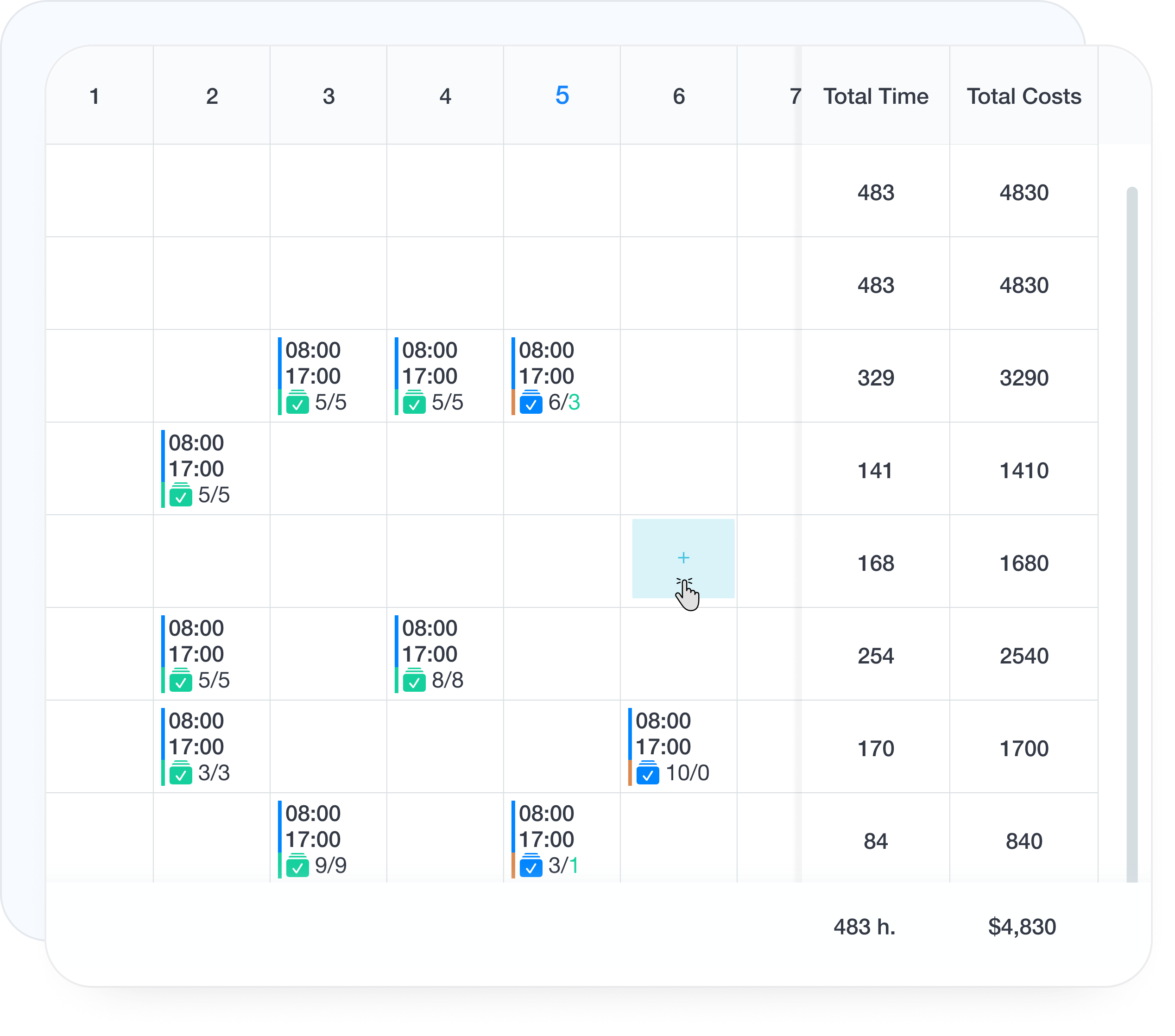
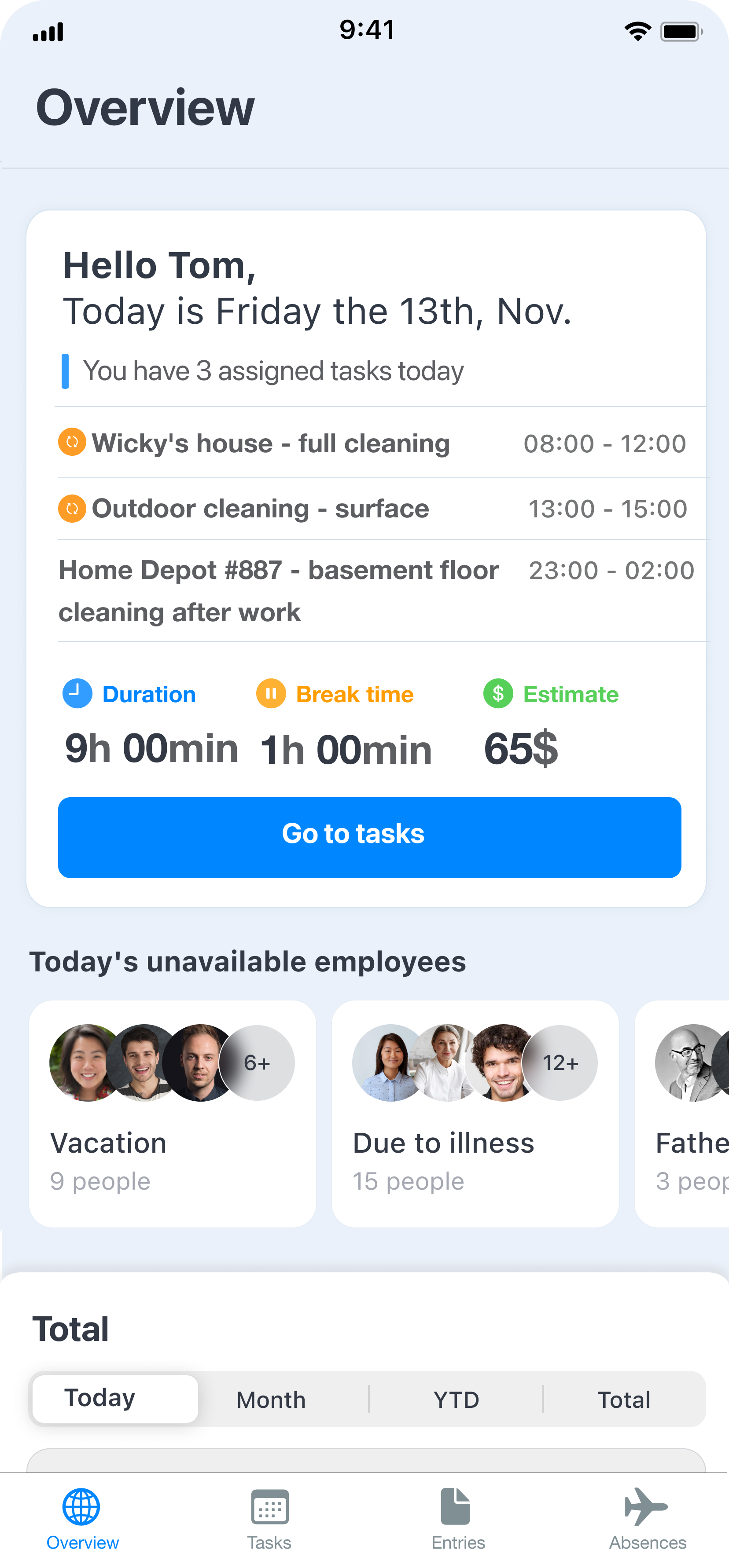
Build a monthly task schedule and plan multiple jobs per day. Employees can see their assigned work for the full month on mobile, and if the schedule is prepared early, up to 3 months ahead.
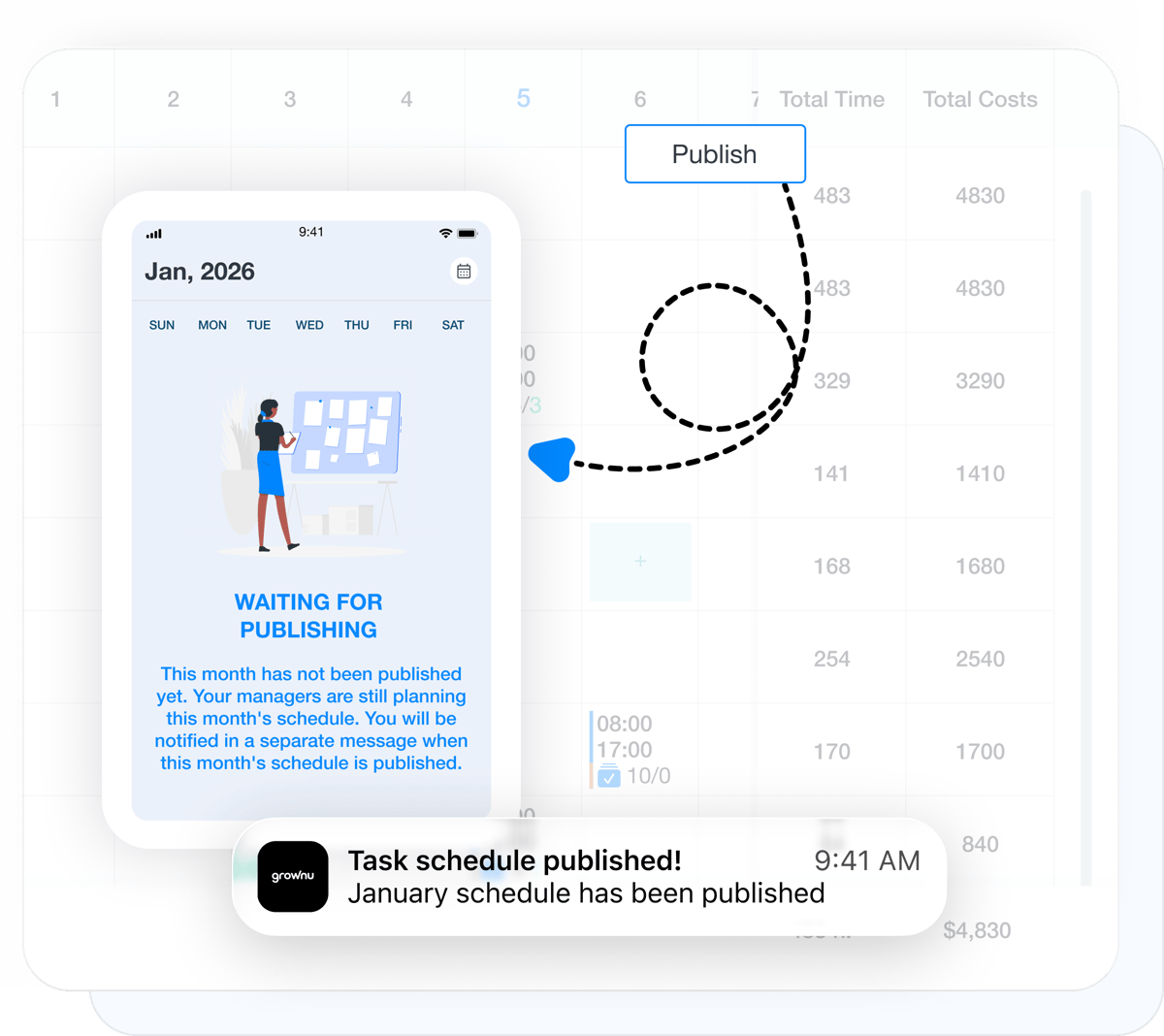
Once the monthly plan is ready, you can publish the task schedule to employees. They immediately see the current version on their phone, while unpublished drafts remain visible only to the manager or scheduler.
Employee task management covers more than the monthly schedule. It also includes schedule changes, employee notifications, and clear mobile visibility into completion.
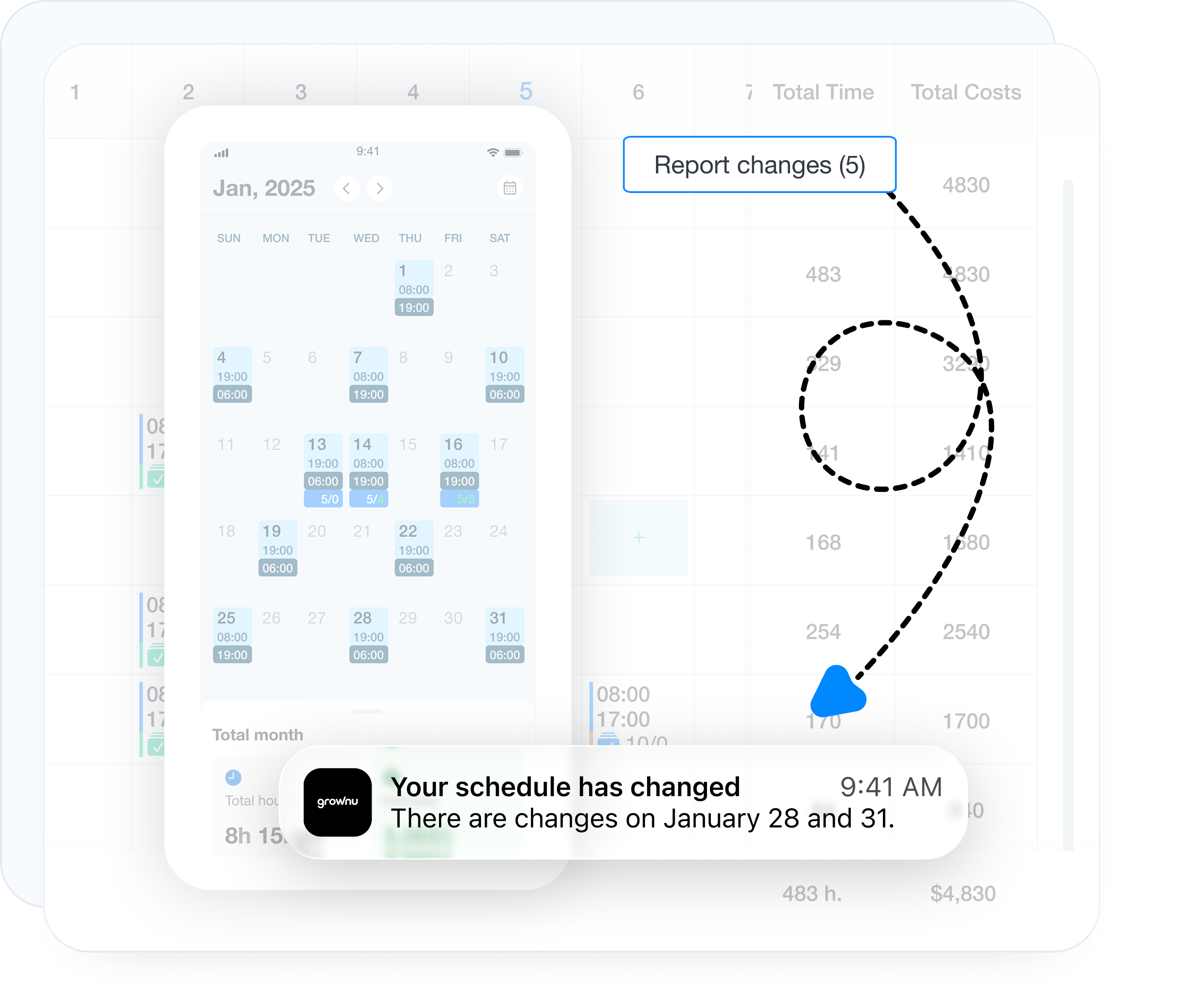
After the schedule is published, every change is tracked in history. You can see what was added, updated, or removed, and send change summaries only to the employees affected by those updates.
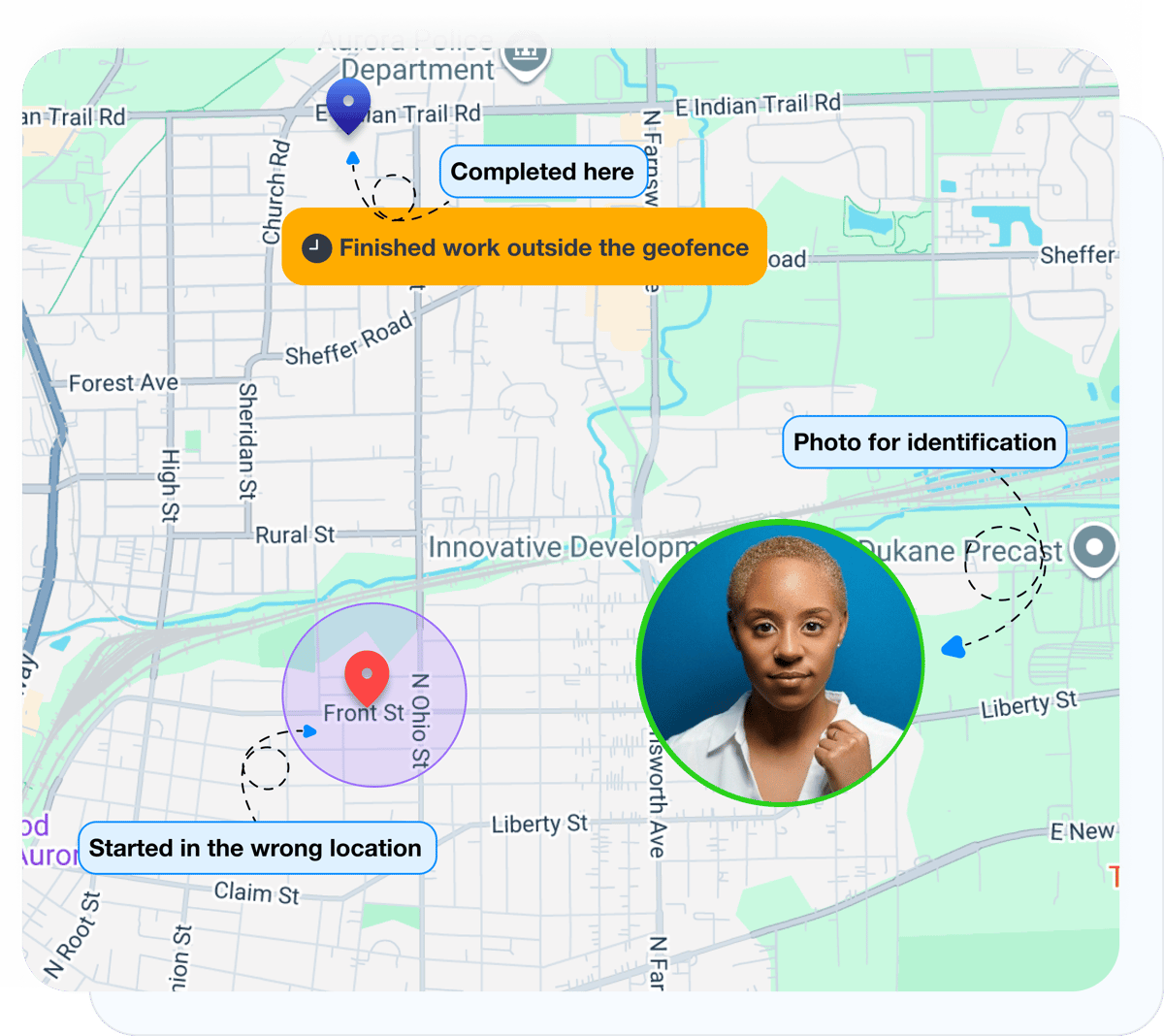
At task start and completion, the system can capture GPS location and an employee photo. That helps confirm the work was checked in at the right place and clearly shows who completed the registration.
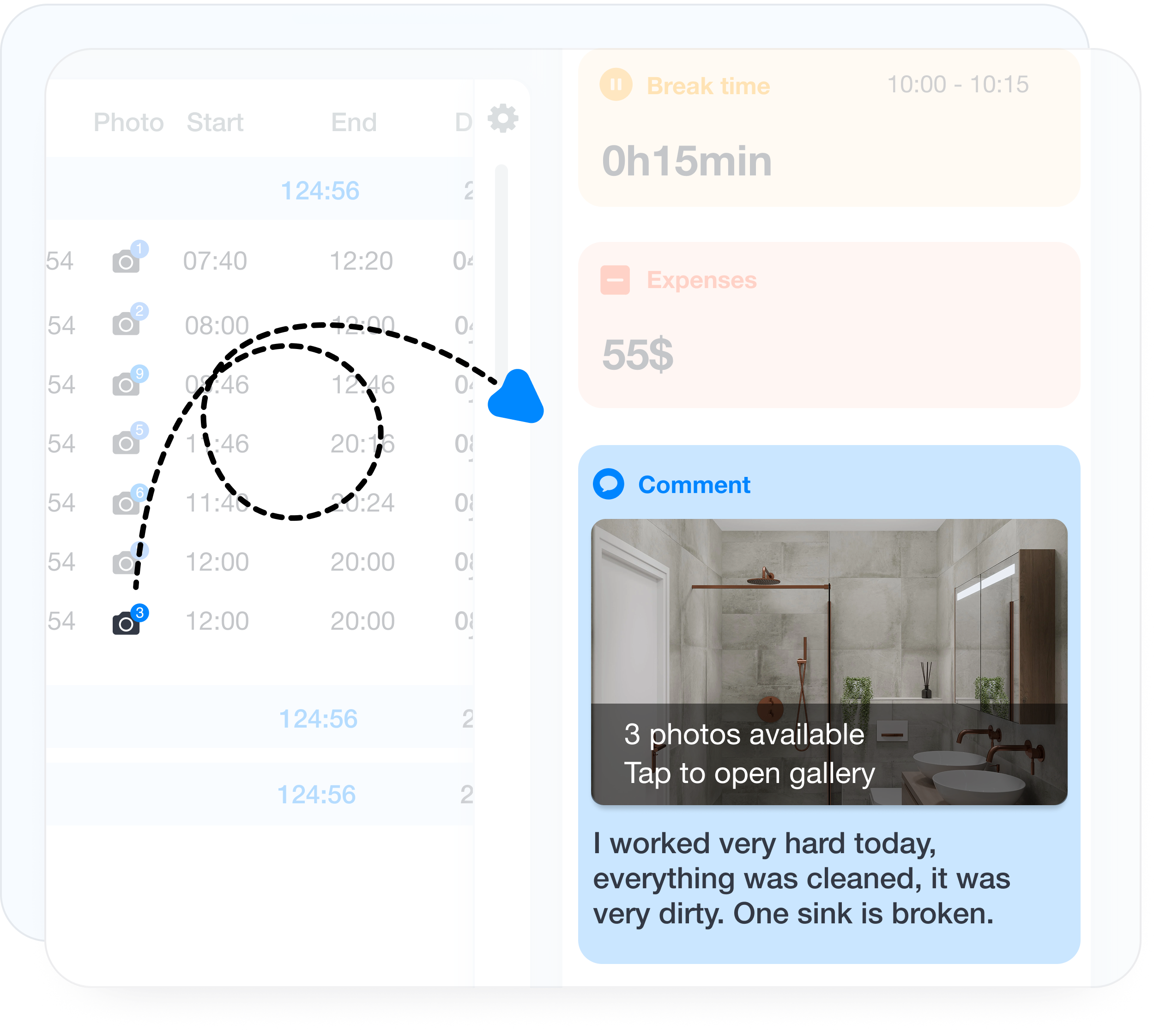
When a task is completed, employees can leave a comment and attach up to 10 completion photos. That gives managers visibility not just into task status, but into real proof of what was done on site or at the work location.
In one place, you can see planned and actually recorded task time, the full registration history in the time records view, and data for reporting. The information can be used in timesheets, filtering, analysis, or exports depending on your process.
Employees and managers can see task schedules, updates, and task registration details on mobile. Task planning, publishing, and completion control are accessible from anywhere.
The task schedule is the core operating layer for employee task management. It brings together planned work, time off, and actual task registration in one place. The data then flows into time records, timesheets, reports, and exports, so the full process from planning to analysis stays inside one system.
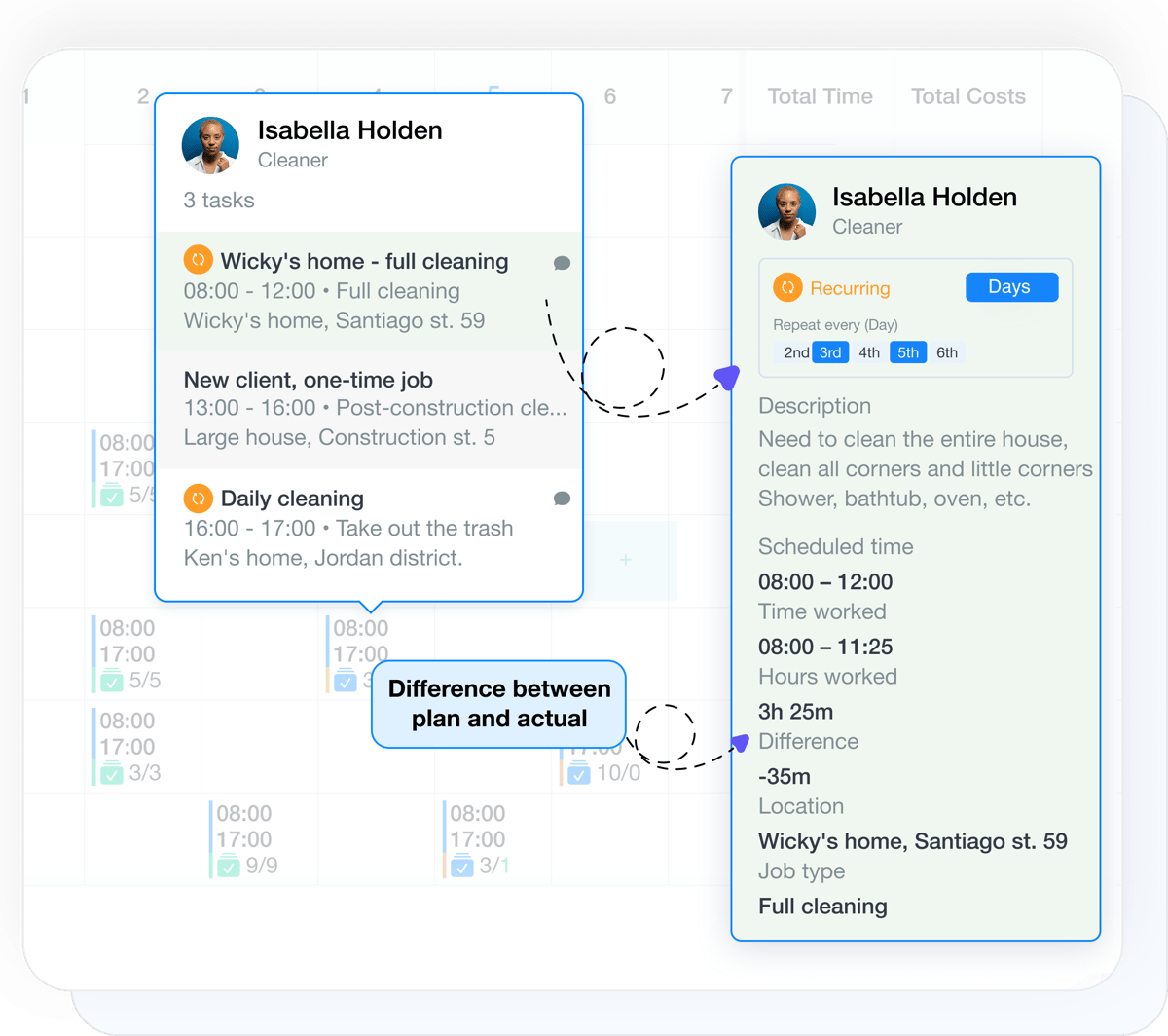
Task registration can be connected to time tracking, so managers can clearly compare planned and actually recorded time and see variances.
Approved time off appears automatically in the task schedule, so planners can immediately see which employees and crews are actually available.
The full registration history is visible in time records, including start time, completion time, comments, and task actions.
Recorded task time can be used consistently in timesheets and labor tracking alongside the rest of your workforce time data.
Export task schedule and registration data to Excel or use it for downstream integrations and internal workflows.
Plan one-time and recurring tasks, build monthly work schedules, assign tasks to employees or crews, and track completion in a mobile app.
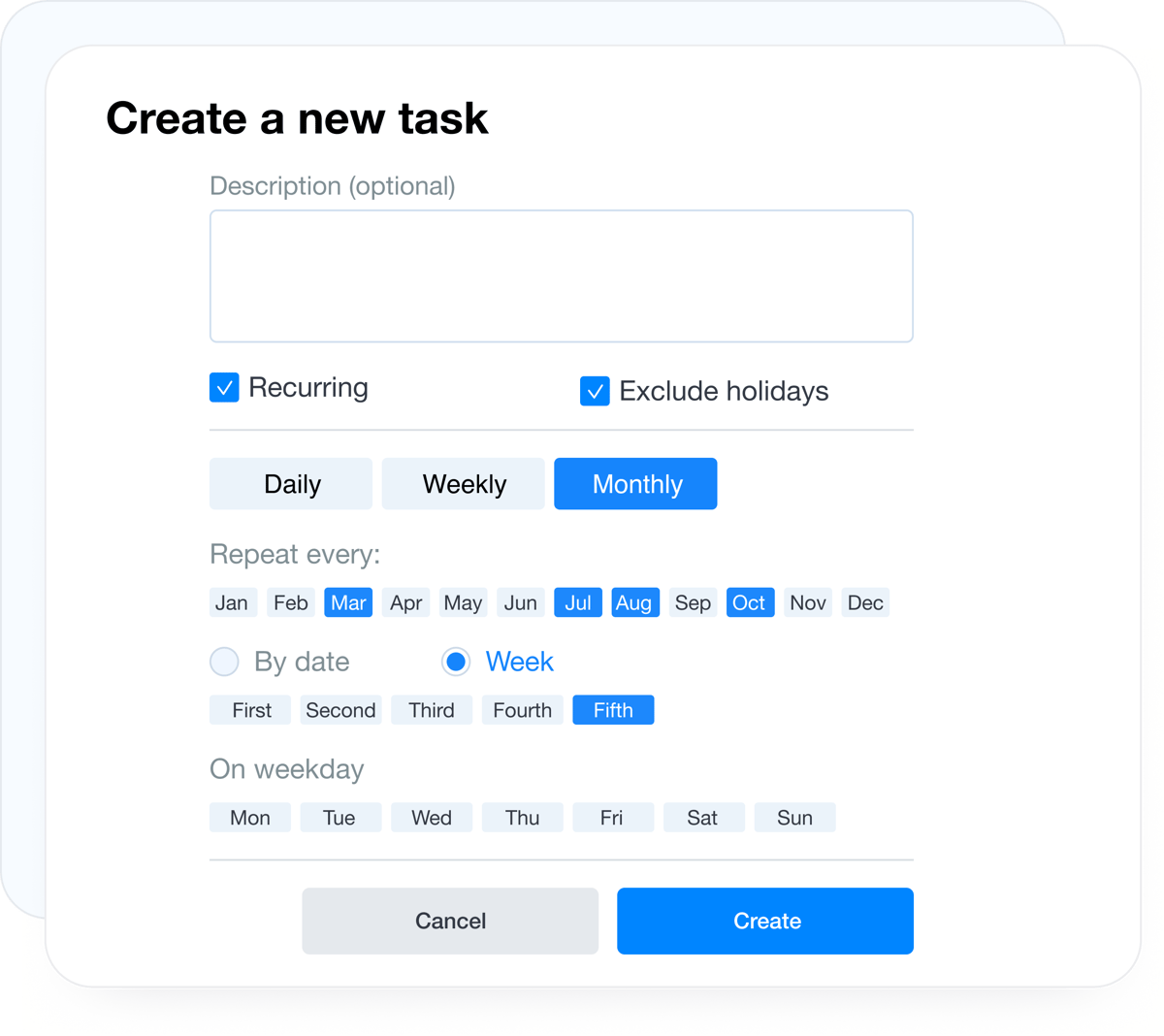
Employee task management software is built for companies that want to plan work, build a monthly schedule, and clearly track what needs to be done, by whom, and when. In Grownu, you can create one-time and recurring tasks, schedule multiple jobs per day, and assign them not just to individual employees, but also to teams or full crews.
Task schedule management covers the full workflow from planning to publishing and change communication. Once the schedule is ready, you publish it to employees, and after publishing every update is recorded in the history. That gives you one place to see what was added, updated, or removed, and notify only the employees affected by the change.
Task completion is tracked in the mobile app, where employees can see their scheduled work, start and complete tasks, leave comments, and attach completion photos. Depending on your process, task tracking can also include GPS location checks, employee photo verification at the beginning and end of the task, and other information your business needs. If you need a dedicated solution specifically for clock-in, clock-out, and hour tracking, see the time tracking solution.
Integration with time off management helps planners immediately see which employees are actually available for the scheduled work. Task registration data can be used in labor tracking, timesheets, time records, and reports, so you can compare planned vs actual task time in one system. If your need is employee schedules rather than task planning, use the shift scheduling module. If you need automatic schedule generation based on demand, use AI shift scheduling.
The Grownu task management module helps teams manage recurring work, crew-based jobs, monthly scheduling, mobile completion control, and change history in one place. If you want to estimate broader efficiency gains and labor savings, review the workforce management ROI calculator.
Last updated: April 26, 2026
We can adapt task management workflows, planning logic, and tracking rules around the way your business operates.
We work with you to match the setup to your workflows, team structure, and approval process.
Tell us how task assignments, schedules, approvals, and tracking should work in your business, and we will show you the right setup.