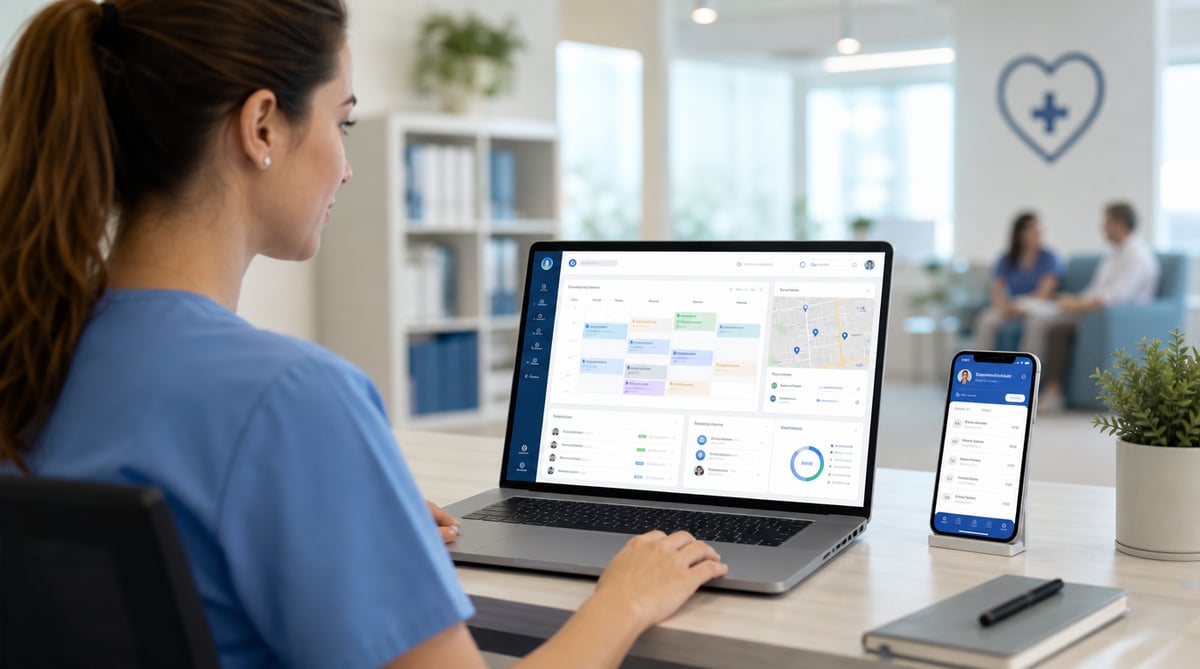
At 6:30 in the morning, a home healthcare schedule can already be outdated. A caregiver reports sick. Another employee is delayed. A hospital discharge creates an urgent same-day visit. One client cancels, while another asks for a different time. Before the first shift has fully started, the coordinator may be rebuilding a plan that looked complete the previous evening.
This is normal in home healthcare. The work takes place across many addresses, employees spend their days moving between clients, and a single change can affect travel, workload, overtime and payroll. Managers are not simply filling open shifts. They are continuously balancing employee availability, recurring work, leave, attendance, working hours and service coverage.
That is why home healthcare workforce management must go beyond a shared calendar. A strong process connects employee scheduling, assigned work, time tracking, attendance, leave management, approvals and payroll-ready records.
For a small agency, manual coordination may work for a while. A manager knows every employee, remembers most recurring visits and can resolve problems through phone calls. As the organization grows, the number of relationships grows much faster than the number of employees. More caregivers create more combinations of availability, visits, replacements, approvals and exceptions.
This guide explains how to build a practical workforce operation for home healthcare without confusing workforce management with patient management. Grownu does not replace an electronic health record. It helps manage the employees delivering the work: when they are scheduled, what they are assigned, when they work, what they complete and which hours are approved.
Table of contents
- What home healthcare workforce management includes
- Why home healthcare is operationally different
- The biggest workforce management challenges
- How to schedule caregivers more effectively
- Managing recurring home visits as tasks
- Handling cancellations and last-minute changes
- Managing employee availability
- Planning around travel time
- Mobile time tracking and attendance
- Reducing overtime before it happens
- PTO, sick leave and replacement coverage
- Manager approvals and payroll-ready timesheets
- Workforce reports managers should review
- Scaling from a small team to a larger agency
- How Grownu supports home healthcare operations
- Frequently asked questions
What home healthcare workforce management includes
Home healthcare workforce management is the operational process of organizing the people who deliver services in clients' homes. It covers the full path from planning work to approving the hours generated by that work.
The process normally includes:
- building employee schedules;
- tracking availability and approved leave;
- assigning home visits or related work;
- communicating schedules to employees;
- recording attendance and working time;
- monitoring missing or unusual records;
- reviewing completed tasks;
- approving employee hours;
- preparing payroll-ready timesheets;
- reporting on workload, overtime and workforce capacity.
The central idea is simple: every important workforce record should connect to the next one. A schedule should lead to assigned work. Assigned work should be visible to the employee. Completed work should support manager review. Recorded time should be approved before payroll.
When these steps are disconnected, administration multiplies. A coordinator updates the schedule in one place, sends the changes through text messages, collects hours in another system and then asks employees or managers to explain inconsistencies at the end of the pay period.
When the steps are connected, managers can follow one operational chain: schedule the employee, assign the home visit as a task, let the employee review the task, record working time, complete the task, review the result, approve the hours and use approved records for payroll preparation.
This does not mean every home healthcare activity belongs in workforce software. Clinical notes, patient histories, care plans and medical records belong in the appropriate clinical system. Workforce management should remain focused on the employee side of the operation.
Why home healthcare is operationally different
Most industries manage employees in a fixed workplace. A retail associate works in a store. A warehouse employee works in a distribution center. A manufacturing employee reports to one facility. Home healthcare employees may work at six or eight locations during one shift.
That difference changes the scheduling problem. Managers do not only need to know whether an employee is available. They also need to understand where that employee will be, how much work is already assigned and whether another visit can be added without creating an unrealistic day.
Imagine forty caregivers completing an average of six visits per day. That is roughly 240 visits every day and more than one thousand visits in a normal working week. Every visit is connected to a date, time, employee and location. Every absence can force several assignments to move.
One employee calling in sick at 7:00 AM may leave six visits uncovered. Reassigning those visits can lengthen other employees' routes, create overlapping work, extend shifts and push employees into overtime. The original absence is only the first event in a chain reaction.
For this reason, a home healthcare schedule should never be treated as a static weekly document. It is a live operational plan that must remain useful even after changes begin.
The biggest workforce management challenges
Constant schedule changes
A schedule can change because of employee sickness, client cancellations, urgent referrals, delayed visits, training, family emergencies or weather. The practical goal is not to prevent every change. It is to make changes without losing control of the rest of the day.
Staffing shortages
When recruitment does not keep pace with demand, existing employees absorb additional work. Over time, this creates overtime, fatigue, reduced flexibility and more pressure on retention.
Disconnected communication
Text messages and phone calls are useful for urgent communication, but they are weak as the main record of scheduling decisions. A central schedule reduces the number of unofficial versions of the truth.
Late timesheets
If employees submit hours at the end of the week, managers discover problems too late. A better process records time close to when the work happens and lets managers review exceptions throughout the pay period.
Limited visibility into overtime
Overtime is often treated as a payroll result rather than a scheduling signal. Comparing scheduled and worked hours during the week gives coordinators an opportunity to redistribute work before overtime becomes unavoidable.
How to schedule caregivers more effectively
Build the schedule from employee availability
A schedule should begin with who can actually work. Approved PTO, recurring non-working days, training and existing commitments should already be visible.
Separate shifts from assigned visits
A shift defines the employee's planned working window. A task defines the work that should happen during that window. For example, a caregiver may be scheduled from 8:00 AM to 4:00 PM and have five home visits assigned as tasks.
Use recurring schedules carefully
Recurring work saves administrative time, but it can also hide problems. Managers should review recurring patterns regularly rather than assuming that last month's schedule is still the best plan.
Leave capacity for change
A schedule that uses every available minute may look efficient, but it has no resilience. The most effective schedule is not always the fullest schedule. It is the one that can absorb normal disruption.
Review hours before publishing
Before employees receive their schedules, managers should review total planned hours by employee. This helps identify unequal workloads, underused availability and potential overtime before the week begins.
Using employee scheduling software, managers can create a clearer plan and keep updates visible to the people who need them.
Managing recurring home visits as tasks
Many home healthcare services repeat on a regular pattern. These visits can be represented operationally as recurring tasks assigned to employees.
A task may include:
- the planned date and time;
- the assigned employee;
- the service location;
- operational instructions;
- a checklist;
- status or completion information;
- notes relevant to the work process.
This approach gives employees one place to review assigned work and gives managers a clearer way to confirm whether planned visits were completed.
It is important to keep the boundary between operational and clinical information clear. Task management can organize the work, but sensitive patient documentation should remain inside the agency's clinical system and compliance framework.
With employee task management software, managers can connect scheduled employees with specific work instead of relying on a shift alone to explain what should happen.
Handling cancellations and last-minute changes
The quality of a scheduling process is revealed when the plan changes. A system that works only while everything remains stable is not enough for home healthcare.
Start with the uncovered work
When an employee becomes unavailable, first identify every task affected. A single employee may have several visits, and each one may require a different solution.
Check existing workload before assigning replacements
The nearest available employee is not always the best choice. Managers should consider existing assignments, expected hours and remaining capacity.
Update the central schedule first
Communication can follow through the appropriate channels, but the official schedule should be updated immediately.
Record the final outcome
A cancelled visit, reassigned task or extended shift should not disappear into a phone conversation. The final operational record should reflect what actually happened.
Managing employee availability
Availability is more than a yes-or-no field. Employees may be available only on certain days, within specific hours, in particular regions or up to a preferred number of weekly hours.
- contracted working patterns;
- temporary availability changes;
- approved leave;
- training or internal meetings;
- maximum or preferred hours;
- already scheduled work.
Managers should avoid treating every unscheduled hour as available capacity. An employee may technically be free but still need realistic travel and rest between assignments.
Planning around travel time
Travel is part of the working day for mobile healthcare teams. A schedule can fail when it treats home visits as isolated blocks.
- the order of visits;
- expected travel between locations;
- breaks and non-visit duties;
- the effect of delays on later work;
- whether replacement assignments create excessive travel;
- whether total shift length remains reasonable.
The schedule should be reviewed as a complete day, not a collection of unrelated appointments.
Mobile time tracking and attendance
Home healthcare employees do not clock in at a shared reception desk. A mobile workforce needs a time tracking method that works away from the office.
With mobile employee time tracking, employees can record work using the device they already carry.
- missing clock-ins or clock-outs;
- late starts;
- unexpectedly long shifts;
- hours recorded outside the plan;
- records awaiting manager approval;
- employees approaching overtime.
The objective is accurate workforce administration. Employees should understand what is recorded, why it is recorded and how corrections are handled.
Scheduled hours and worked hours are different
A schedule is a plan. A timesheet is a record. If an employee is scheduled for eight hours but records nine, the system should preserve the difference so it can be reviewed.
Review exceptions, not every ordinary record
Managers should be able to focus on unusual or incomplete records. Exception-based review is more efficient than treating every normal shift as a problem.
Reducing overtime before it happens
Overtime may be necessary, especially during absences or sudden increases in demand. The avoidable cost comes from overtime that develops unnoticed.
- reviewing planned hours before publishing schedules;
- comparing worked hours with planned hours during the week;
- identifying employees near agreed thresholds;
- redistributing work where practical;
- reviewing recurring causes of overtime;
- separating genuine demand from poor scheduling habits.
Repeated overtime in one team may indicate understaffing, unrealistic visit duration, inefficient travel or a recurring coverage problem.
PTO, sick leave and replacement coverage
Planned PTO
Approved leave should affect future availability immediately. This gives coordinators time to identify uncovered work and arrange replacements.
Same-day sickness
Managers need a quick view of the affected tasks and the employees who may have capacity. Filling the gap is important, but the replacement plan still needs to be operationally realistic.
Patterns and recurring pressure
Leave reporting can support workforce planning. High absence pressure in a particular team may reveal workload, morale or capacity concerns.
Using employee leave management software, agencies can make approved absences visible inside the broader workforce plan.
Manager approvals and payroll-ready timesheets
Payroll accuracy depends on the quality of the records created before payroll begins.
- The employee is scheduled.
- Home visits or other work are assigned as tasks.
- The employee records working time.
- The employee completes assigned work and adds operational notes where required.
- The manager compares the records with the schedule and completed work.
- Missing or incorrect records are corrected.
- The manager approves the hours.
- Approved time becomes payroll-ready.
Manager approval creates accountability and gives the organization a clear point at which records become accepted.
For agencies that connect labor with projects or service records, project records and invoicing workflows can also help organize operational time and cost information.
Workforce reports managers should review
Scheduled versus worked hours
Shows whether the schedule reflects reality.
Overtime by employee and team
Reveals payroll cost and possible capacity pressure.
Attendance exceptions
Highlights missing clock-outs, unusual shifts, late starts and unapproved records.
Task completion
Shows whether assigned work was completed, remained open or required reassignment.
Leave and future coverage
Reveals staffing pressure before the affected week begins.
Unapproved time
Helps prevent payroll delays.
Workload distribution
Shows whether work is balanced fairly and sustainably across employees.
Scaling from a small team to a larger agency
At 10 employees
A small agency may rely on one coordinator who knows the full schedule. The risk is that too much knowledge lives in one person's head.
At 30 to 50 employees
Multiple coordinators may begin sharing responsibility. Spreadsheets become harder to synchronize, and leave, overtime and timesheet corrections require more formal processes.
At 100 employees and beyond
The agency may operate across teams, branches or regions. Managers need consistent approvals and standardized reporting.
- one official employee schedule;
- one method for assigning operational work;
- one process for recording time;
- clear responsibility for approvals;
- consistent leave workflows;
- defined payroll cut-off procedures;
- regular workforce reporting.
How Grownu supports home healthcare operations
Grownu helps home healthcare organizations manage the employee side of daily operations without claiming to replace clinical software.
- create employee schedules;
- assign home visits and other work as tasks;
- share schedules with employees;
- track working time through the mobile app;
- review attendance records;
- manage leave requests and approved absences;
- monitor scheduled and worked hours;
- review completed work;
- approve employee hours;
- prepare payroll-ready timesheets.
- The manager schedules the employee.
- The manager creates and assigns the home visit as a task.
- The employee sees the schedule and task in the mobile app.
- The employee clocks in.
- The employee completes the task or checklist.
- The employee adds operational notes where appropriate.
- The employee clocks out.
- The manager reviews and approves the record.
- The approved time becomes payroll-ready.
Conclusion
Home healthcare workforce management is difficult because the work is mobile, schedules change frequently and every staffing decision affects several other parts of the operation.
A strong system does not eliminate absence, cancellations or urgent work. It gives managers a better way to respond. Employee availability is visible. Home visits are assigned. Working time is recorded. Exceptions can be reviewed. Approved hours become payroll-ready.
By connecting scheduling, task management, time tracking, leave management and approvals, Grownu helps home healthcare organizations build a workforce operation that remains clear as the team expands.