Tablet terminal
Time clock screen and Grownu app for employee actions.
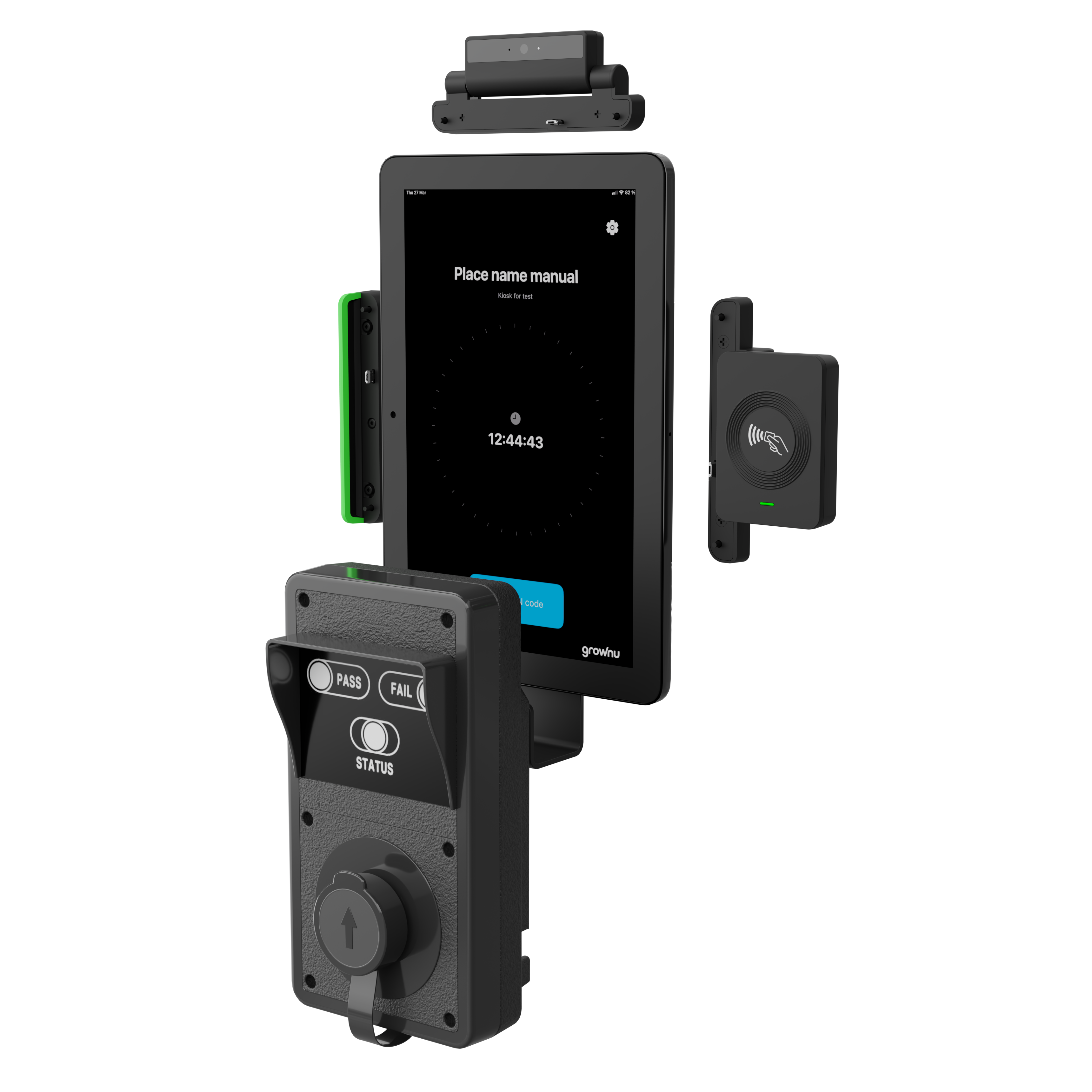
Employees identify with an RFID card, fob, badge, or PIN, select clock-in or clock-out, and complete a breathalyzer test according to your company rules. If the test fails or exceeds the configured limit, Grownu can block the work session, record the event, capture a photo, and notify responsible managers.
This solution is built for companies that want to connect employee time tracking with alcohol-test control. Grownu links employee identification, breathalyzer result, optional photo capture, attendance event, failed-test notification, and manager visibility in one system.
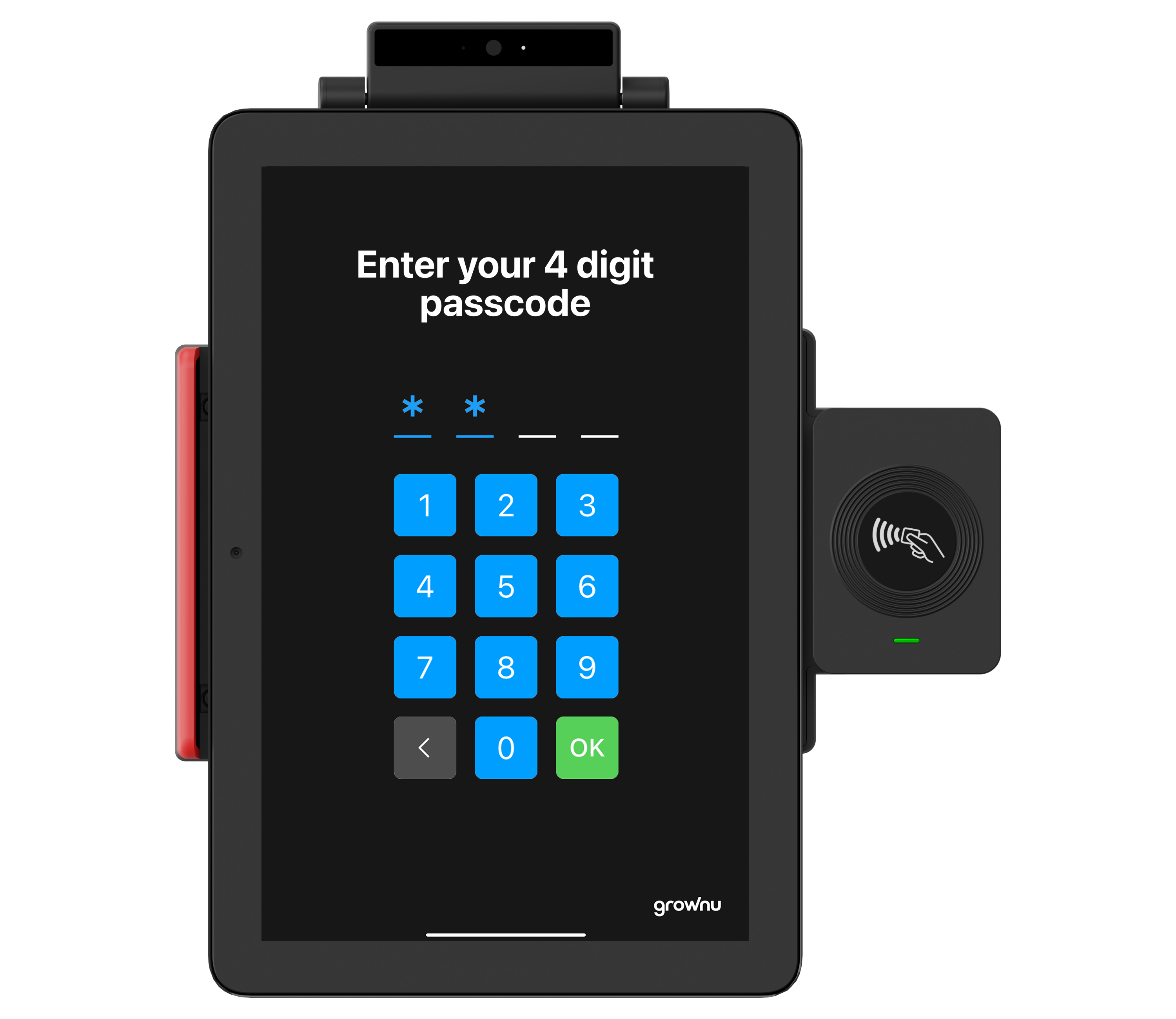
Employees are identified using an RFID card, badge, fob, or PIN. Grownu recognizes the employee and applies the right time tracking and breathalyzer-test rules for that person, shift, team, or location.
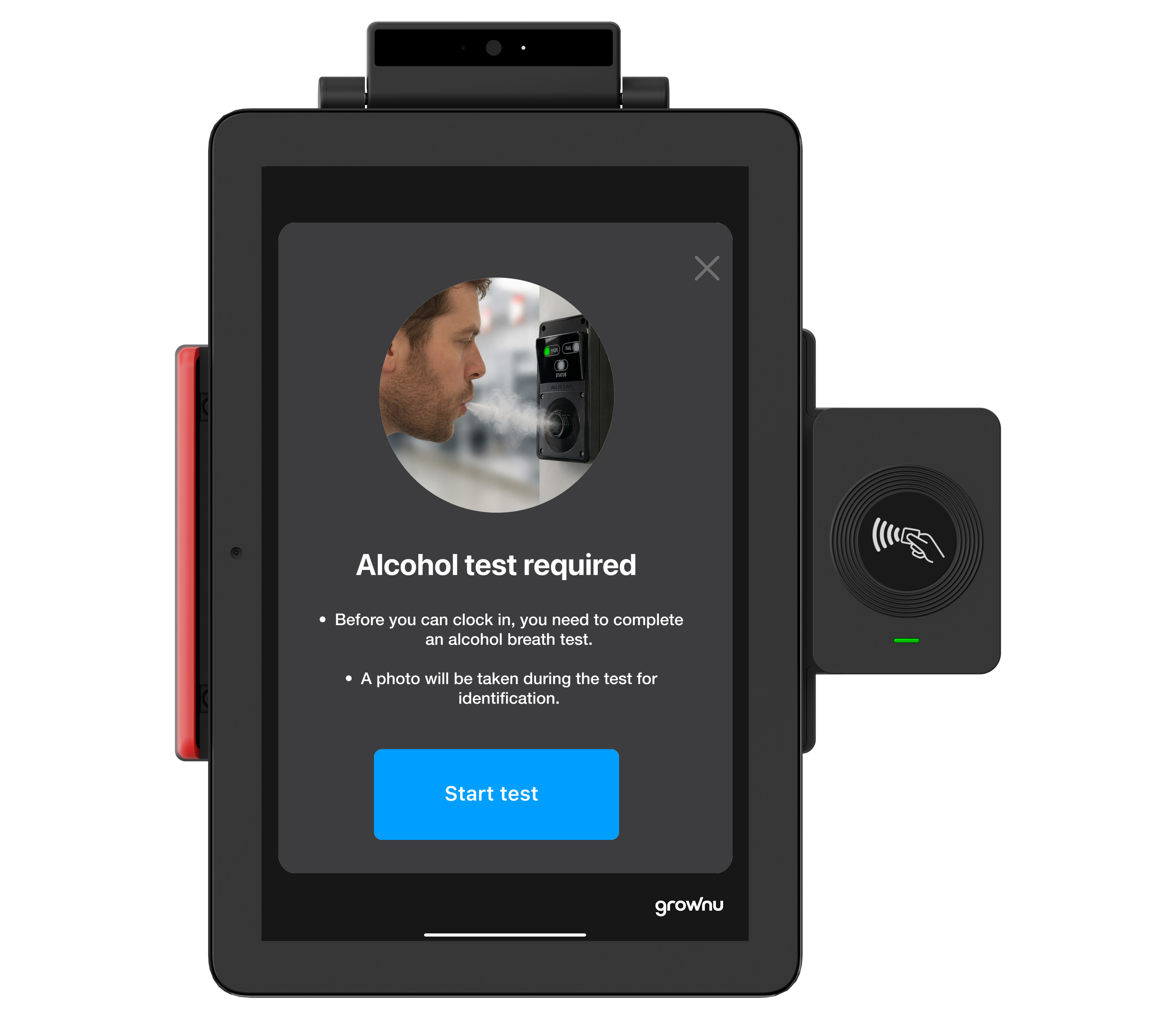
At clock-in or clock-out, depending on your settings, the terminal can require a breathalyzer test. The screen guides the employee through the process step by step.
When enabled, the terminal captures a photo during the breath test and links it to the employee, device, timestamp, and result.
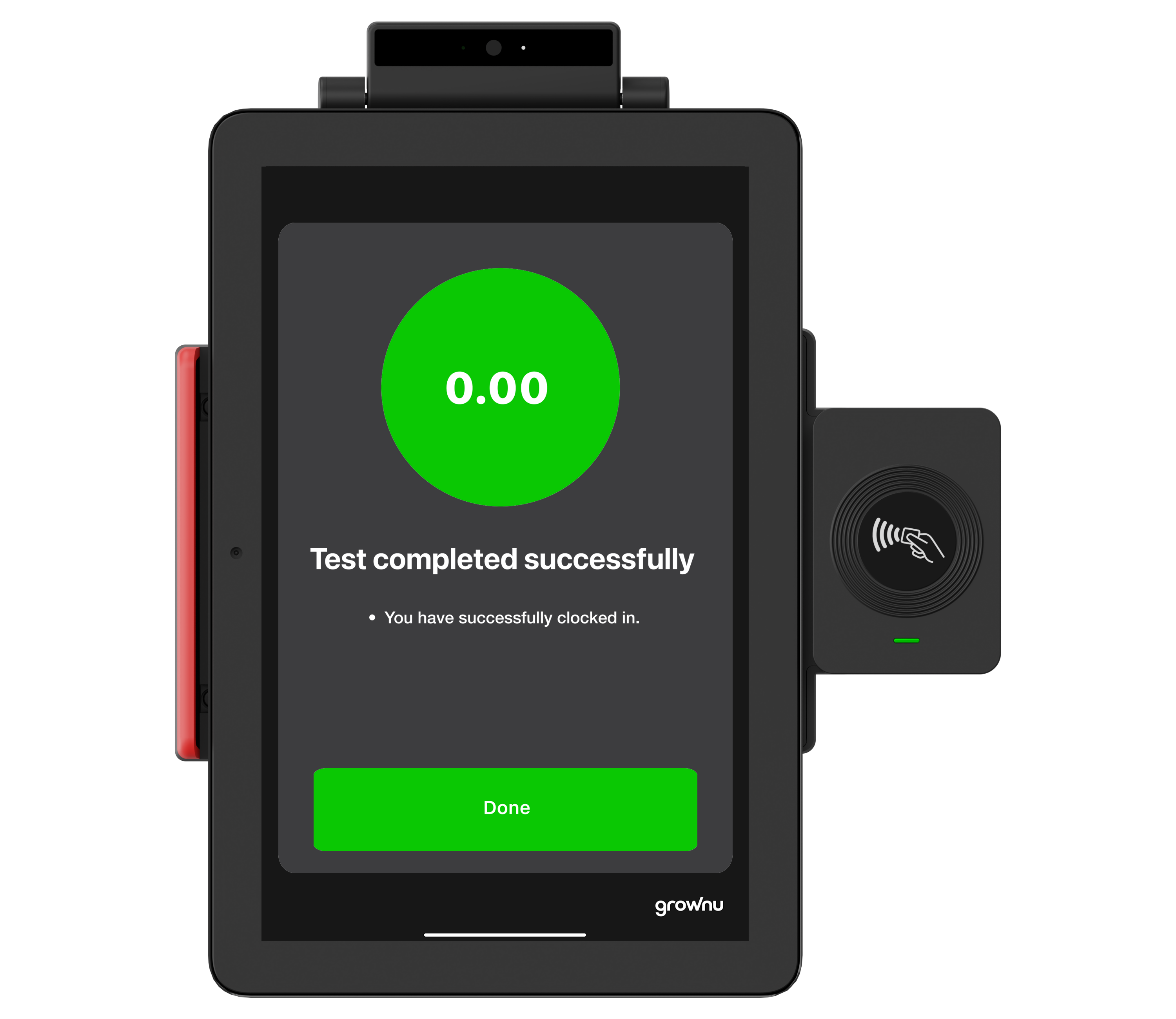
After a successful test, the employee can start the work session. The attendance record becomes visible in the Grownu web system and mobile app.
The workflow can also support access-control scenarios where a successful test can trigger an action, such as allowing entry through a door or turnstile, depending on the hardware setup.
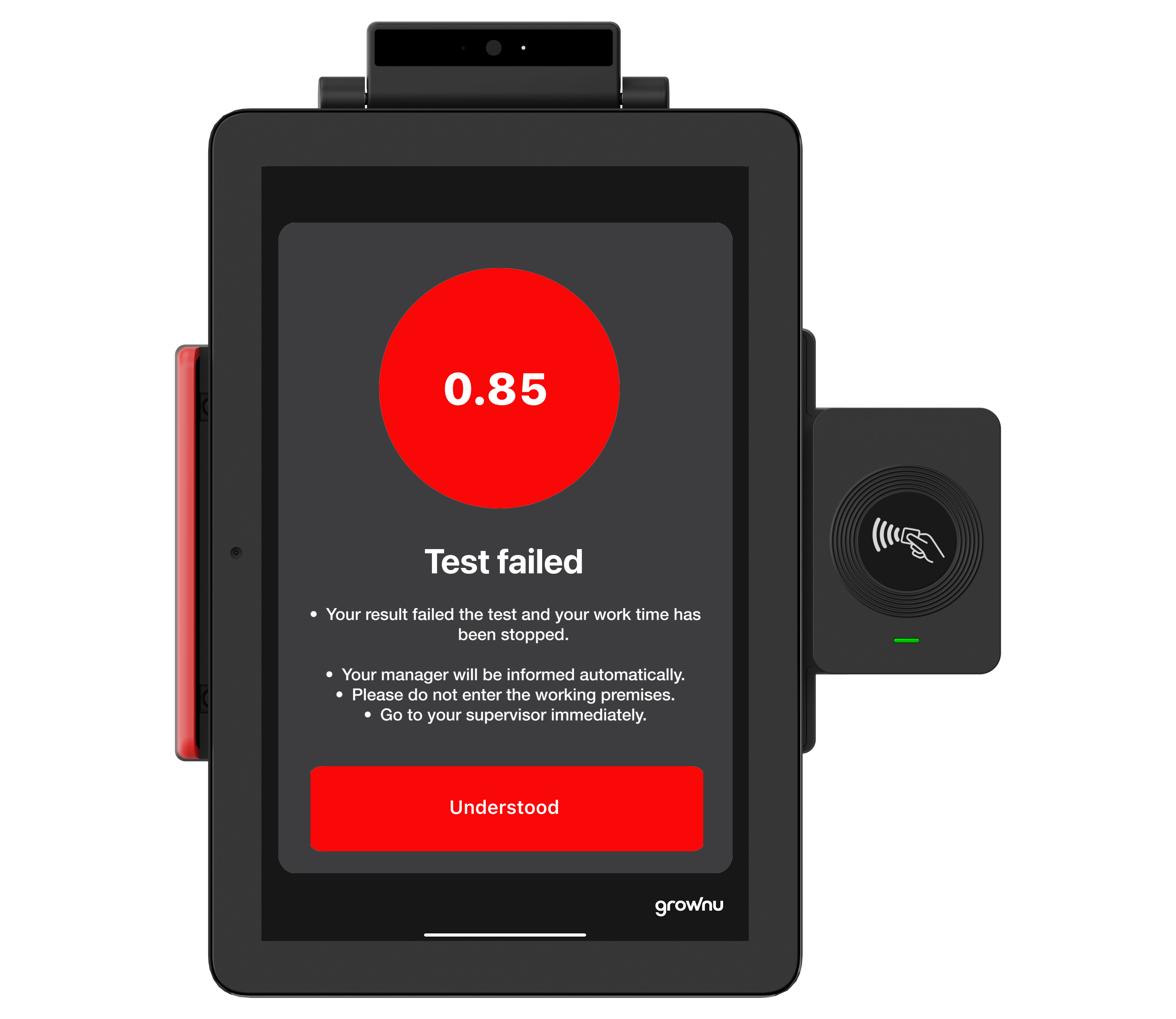
If the test fails or the result exceeds the configured threshold, Grownu can prevent the employee from starting work, record the event, and send an email or push notification to responsible managers.
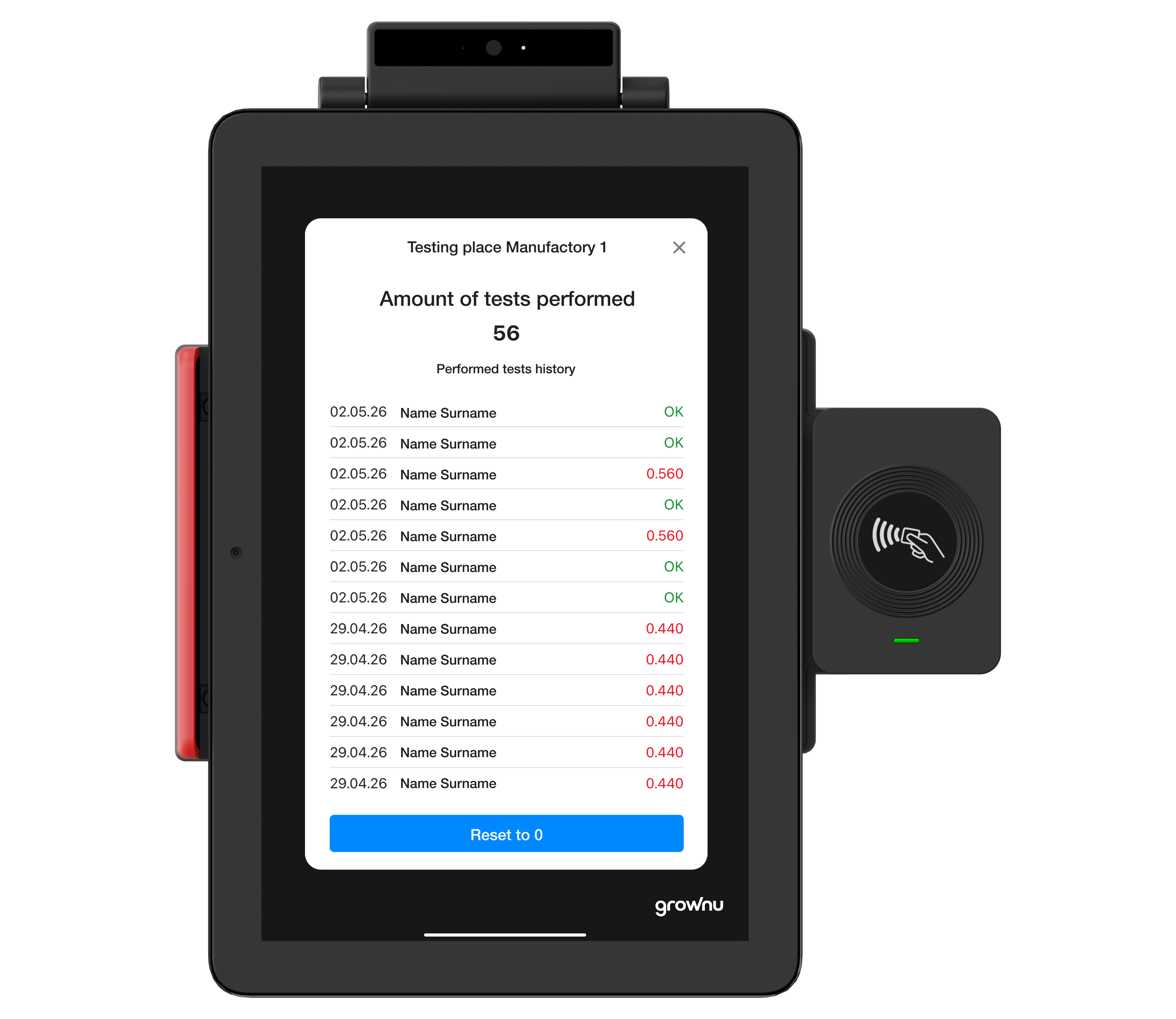
All tests can be stored in the system. Managers can review completed tests, failed attempts, employee history, photos, terminal, location, timestamp, and related attendance events.
If an employee does not complete the test, fails the test, or exceeds the configured threshold, Grownu can automatically record the event, restrict the work session, and notify the responsible people.
This page focuses on breathalyzer control. Standard RFID time clock features are summarized here. For RFID-only workflows, see the dedicated RFID terminal page.
Time clock screen and Grownu app for employee actions.
Fast employee identification using card, badge, or fob.
Backup identification method when the card is missing or forgotten.
Contactless alcohol test before clock-in, clock-out, or access approval.
Photo capture during the test or clock-in event when enabled.
Visual status for the employee and supervisors near the terminal.
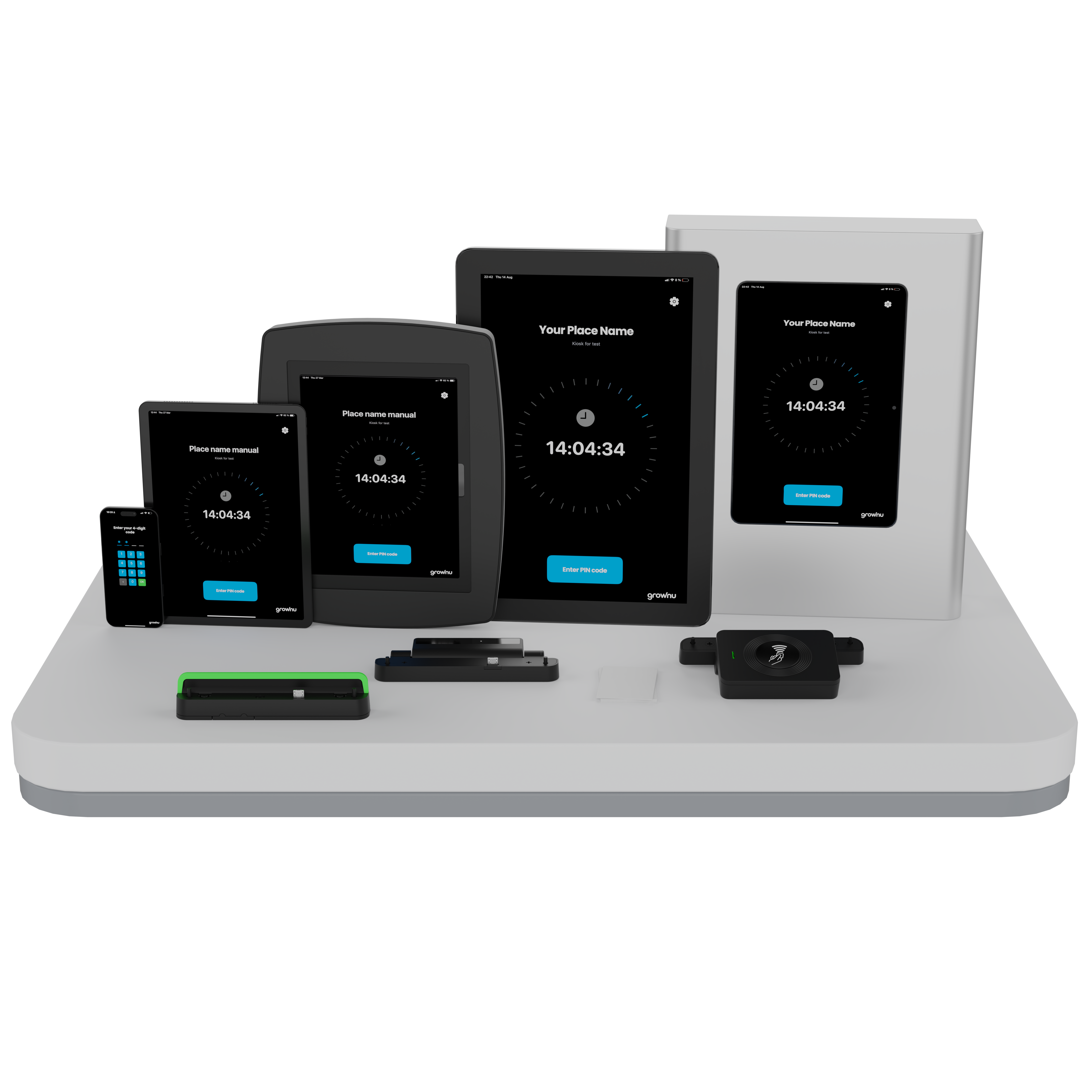
Stable mounting near an entrance, production area, warehouse, or job site.
Supported setups can be monitored, checked, and configured remotely.
The terminal can be configured with an EBS010 contactless breathalyzer for clock-in, clock-out, entrance, or access-control scenarios.
| Parameter | Value |
|---|---|
| Model | EBS010 / ALCOSCAN EBS-010 |
| Device type | Automatic contactless entrance / clock-in breathalyzer |
| Sensor type | Replaceable electrochemical fuel-cell alcohol sensor |
| Test type | Contactless breath test, no mouthpieces |
| Indication | PASS – green indicator, FAIL – red indicator |
| PASS threshold | Can be adjusted according to company rules and device configuration |
| Capacity | Up to 12 tests per minute as a standalone breathalyzer; integrated workflow speed depends on process configuration |
| Analysis time | About 2 seconds when result is 0.00% BAC |
| Warm-up time | Up to 10 seconds |
| Power | DC 12V / 1.5A adapter |
| Connection / output options | USB, RS232 / Serial, or access-control outputs depending on configuration |
| Calibration | Recommended at least once every 12 months or according to test volume |
| Mounting | Can be mounted with the terminal, on a wall, or at an access-control point |
Technical parameters may vary by supplier configuration, calibration settings, and integration type. Final specifications should be confirmed using the documentation for your EBS010 device and selected terminal setup.
We can adapt time tracking and breathalyzer control rules to your sites, shifts, managers, and reporting needs.
Choose RFID, PIN, photo capture, failed-test alerts, terminal locations, data retention, and manager access rules.
Send us a message and we’ll recommend the right setup for your locations and safety process.
Connect employee identification, alcohol-test result, work session status, photos, logs, and notifications inside one Grownu workflow.
Quick overview: A time clock terminal with breathalyzer helps companies verify employee attendance and alcohol-test status before work begins, at clock-out, or according to a custom site process.
A time clock terminal with breathalyzer is designed for companies that need more than a basic employee punch clock. It connects time and attendance with alcohol-test control, employee identification, photo capture, failed-test logging, manager notifications, and attendance records in one system.
The employee can identify using an RFID card, badge, fob, or PIN code. Depending on your configuration, Grownu can require a breathalyzer test before clock-in, at clock-out, or as part of a site-entry workflow. If the test is passed, the employee can continue into the configured work session. If the test fails, Grownu can block the work session and notify responsible managers.
This workflow is useful for warehouses, manufacturing, construction sites, transport operations, logistics teams, security companies, and other workplaces where attendance control and workplace safety processes need to be connected.
If you need a terminal without alcohol-test control, review the RFID time attendance terminal. For broader terminal options, see time attendance terminals. For mobile or tablet workflows, see time attendance terminal with mobile app.
Grownu can also connect terminal records with employee time tracking, employee scheduling software, and payroll-ready reports. When work happens outside a scheduled shift, Grownu can separate exception time for manager review before it becomes payable.
Last updated: June 13, 2026