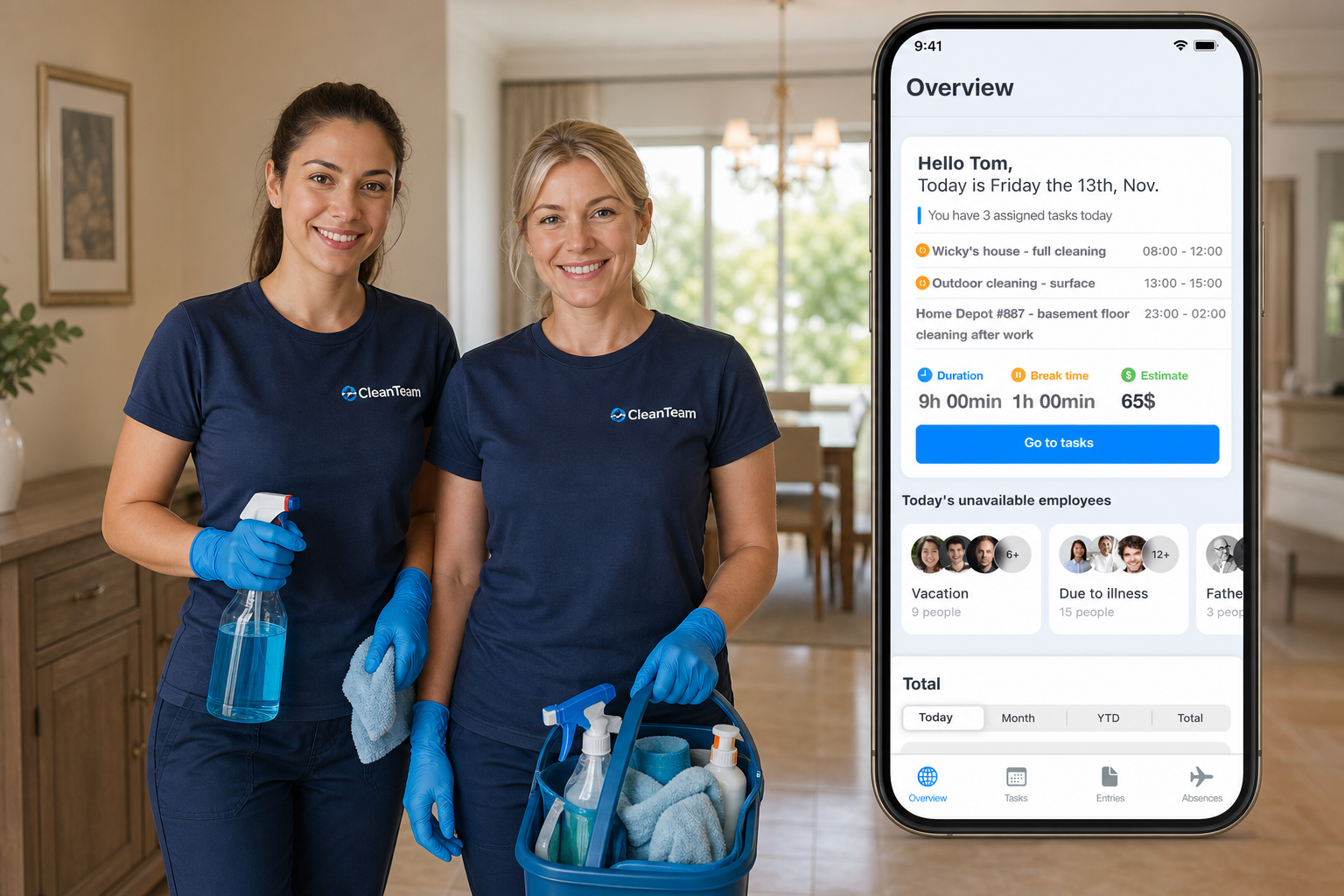
Cleaning companies usually manage two very different types of work. Some employees clean the same facility every evening or night. Other employees move through the city and complete tasks at different client locations during the day.
That means one simple schedule is not enough. Facility cleaning needs shift planning, attendance control, PIN or RFID clock-ins, night work tracking, and time off visibility. Mobile cleaning teams need task scheduling, site records, mobile work updates, expenses, and invoice-ready project records.
Grownu helps cleaning companies connect cleaning workforce management, employee task management, employee scheduling, employee time tracking, attendance terminals, time off management, and project records, expenses, invoicing, and profitability in one workflow.
Table of contents
- Cleaning teams work in two different ways
- Facility cleaning needs shifts, attendance, and night work tracking
- Mobile cleaning teams need task scheduling
- Mobile task execution across the city
- Time tracking by task, client, and location
- PIN, RFID, and mobile attendance for cleaning teams
- Night work, weekend work, and public holiday work
- PTO, sick leave, and replacement coverage
- Expenses connected to cleaning tasks and projects
- Invoices, markups, and billable cleaning work
- Project profitability for cleaning companies
- Manager approvals before payroll and invoicing
- Why spreadsheets and group chats fail
- Conclusion
- Frequently asked questions
Cleaning teams work in two different ways
Cleaning work is not one simple scheduling model. A cleaning company may manage recurring office cleaning, shopping center cleaning, facility cleaning, mobile jobs, deep cleaning, emergency cleaning, and one-time project work at the same time.
For mobile cleaning teams, the work is usually task-based. Cleaners move from one client location to another and complete assigned jobs during the day. For facility cleaning teams, the work is usually shift-based. Employees clean the same building, often outside normal business hours.
A strong cleaning operations workflow should support both sides:
- mobile cleaning teams moving between client locations;
- facility cleaning teams working in one fixed location;
- recurring cleaning tasks and one-time jobs;
- night work, weekend work, and public holiday work;
- special work types such as deep cleaning, emergency cleaning, or post-construction cleaning;
- expenses, markups, invoices, and profitability by project or client.
Facility cleaning needs shifts, attendance, and night work tracking
Facility cleaning usually happens in fixed locations: offices, banks, schools, hospitals, warehouses, factories, stores, shopping centers, public buildings, or commercial facilities.
In this model, cleaners may work the same site every day or every night. Managers need to know who was scheduled, who arrived, who missed the shift, who started early, who worked longer than planned, and which hours should be treated as night work or special work.
With employee scheduling software, cleaning companies can plan facility cleaning shifts by employee, site, role, date, and time. When scheduling is connected with employee time tracking, managers can compare planned shifts with actual attendance before payroll.
This is especially important because facility cleaning is often performed in the evening, overnight, early morning, weekends, bank holidays, or national holidays. Those hours may need different work types, different employee rates, and clearer timesheet review.
Mobile cleaning teams need task scheduling
Mobile cleaning teams often need task scheduling more than classic shift scheduling. A cleaner may not simply work from 9:00 to 17:00 in one place. They may complete multiple jobs across different client locations during the day.
In this model, managers need to schedule work as tasks or jobs in a calendar. Each task should show what needs to be done, where it needs to be done, who is responsible, when it is planned, and what type of work it is.
With employee task management software, cleaning managers can plan and assign work by:
- client;
- site or location;
- employee or team;
- planned date and time;
- task instructions;
- cleaning checklist;
- work type;
- task status;
- notes or completion records.
This gives managers a cleaner way to plan mobile work than using spreadsheets, group chats, phone calls, or scattered notes.
Mobile task execution across the city
When cleaners work across the city, they need a simple mobile workflow. Employees should be able to see assigned tasks on their phone, travel to the correct site, start the work, complete the task, and report what happened.
A mobile cleaning task workflow can include:
- assigned jobs for the day;
- client and site information;
- work instructions;
- start and finish time;
- task completion status;
- notes about issues or extra work;
- photos or proof of work when required;
- materials or expenses used during the job.
This helps managers understand what is happening in the field without calling every employee. It also creates a better record for payroll, invoicing, client reporting, and profitability review.
Time tracking by task, client, and location
For cleaning companies, time tracking should not only answer “how many hours did the employee work?” It should also answer “which client, site, task, or project used that time?”
When employee time tracking is connected with tasks and projects, managers can compare planned work with actual work. They can see how long a job took, whether the time was reasonable, and whether the work should be approved for payroll or invoicing.
This matters because cleaning margins can disappear quickly when extra time is not reviewed. A job planned for two hours may take three hours because of access problems, extra client requests, missing supplies, travel delay, or additional cleaning work.
By connecting time to the task or project, managers can review:
- planned time vs actual time;
- employee hours by site;
- time spent per client or contract;
- billable and non-billable work;
- extra time that needs approval;
- work that should be included in the invoice.
PIN, RFID, and mobile attendance for cleaning teams
Attendance tracking depends on how the cleaning team works. Mobile teams may use phone-based time tracking connected with tasks and locations. Facility cleaning teams often need a shared clock-in point at the building.
Fixed cleaning sites can use time attendance terminals at the entrance, security desk, staff room, or facility office. Employees can clock in with PIN codes, RFID cards, tablet terminals, or mobile terminals.
A RFID time attendance terminal is useful when cleaners use cards, badges, or fobs. A mobile or tablet time attendance terminal can be useful when the company wants a flexible device-based setup without dedicated hardware.
This gives managers better visibility over attendance records, missed shifts, early starts, late finishes, and the difference between planned and actual work.
Night work, weekend work, and public holiday work
Facility cleaning is often performed outside normal business hours. Offices, shopping centers, factories, banks, schools, hospitals, and commercial buildings may be cleaned in the evening, overnight, early morning, weekends, bank holidays, or national holidays.
This is why cleaning companies need to track more than normal start and end times. Night hours should be separated as a work type in the timesheet. Weekend work, bank holiday work, national holiday work, emergency cleaning, and special cleaning can also be separated.
Different work types can have different employee rates, payroll rules, and reporting needs. For example, night cleaning may have a different rate than daytime cleaning. Public holiday work may need to be calculated differently. Emergency cleaning may be billed differently from regular recurring cleaning.
Grownu can help separate worked time by type, such as:
- regular cleaning hours;
- night work;
- weekend work;
- bank holiday work;
- national holiday work;
- emergency cleaning;
- deep cleaning;
- client-specific work;
- billable and non-billable time.
This gives managers cleaner payroll records and better control over the real cost of each site, client, or project.
PTO, sick leave, and replacement coverage
Cleaning schedules break down quickly when approved time off is not visible. A manager may assign a cleaner to a client site only to discover later that the employee is on vacation, sick leave, or another approved absence.
With employee leave management, managers can review PTO, sick leave, and absences before assigning work. This helps reduce last-minute gaps and makes replacement planning easier.
This is important for both mobile cleaning and facility cleaning. Mobile jobs still need to be completed. Fixed-site cleaning shifts still need coverage. If one employee is unavailable, the manager needs to know early enough to assign another person.
Expenses connected to cleaning tasks and projects
Cleaning jobs often include costs beyond employee time. These costs can reduce profit if they are not recorded against the correct client, site, task, or project.
Cleaning expenses may include:
- cleaning chemicals;
- disposable materials;
- replacement supplies;
- equipment rental;
- fuel and travel;
- parking;
- special tools;
- subcontractor work;
- emergency purchases;
- client-specific materials.
If these expenses are not connected to the project, managers may invoice only the labor and lose margin. A cleaning workforce system should allow expenses to be recorded against the right task, client, site, or project.
With project records and invoicing, cleaning companies can connect worked time, expenses, project records, and invoice preparation in one place.
Invoices, markups, and billable cleaning work
After worked time and expenses are recorded, managers need to decide what becomes invoiceable. Labor hours can be converted into invoice records, expenses can be passed to the client, and markups can be added where needed.
For example, a cleaning company may add markup to:
- materials;
- emergency purchases;
- subcontractor work;
- special cleaning tasks;
- night work;
- weekend work;
- public holiday work;
- urgent client requests.
This helps the company recover real costs and protect margin. It also creates a clearer connection between what employees did, what the company spent, what the client should be charged, and whether the work was profitable.
Project profitability for cleaning companies
The real question for a cleaning company is not only “was the work completed?” It is also “was this client, site, contract, or project profitable?”
When worked time, employee rates, expenses, markups, and invoices are connected, managers can compare cost against revenue. This helps identify which cleaning contracts are profitable, which sites consume too much time, and which projects need pricing changes.
Project profitability can help cleaning managers understand:
- which clients are profitable;
- which sites need too many hours;
- which jobs create unexpected expenses;
- where special work should be priced differently;
- whether night work or holiday work is billed correctly;
- which contracts need renegotiation;
- where operational efficiency can improve.
This moves cleaning management from simple attendance tracking to real business control.
Manager approvals before payroll and invoicing
Cleaning companies need approvals before records move into payroll or invoicing. A task may be completed, but the time, expenses, work type, and invoiceable status may still need manager review.
A better approval workflow lets managers review:
- task completion;
- worked time;
- attendance records;
- night work and holiday work;
- expenses;
- markups;
- billable and non-billable items;
- payroll-ready timesheets;
- invoice-ready project records.
This helps prevent payroll mistakes, missed expenses, incorrect invoices, and weak project reporting.
Why spreadsheets and group chats fail
Many cleaning companies start with spreadsheets, phone calls, and group chats. That can work when the team is small, but it becomes messy when the company has many employees, sites, tasks, expenses, and special work types.
Spreadsheets and chats make it hard to know:
- which cleaner was assigned to which task;
- whether the task was completed;
- how much time was spent at each site;
- which hours were night work or holiday work;
- which expenses belong to which project;
- what should be invoiced;
- whether the project was profitable;
- which records were approved before payroll.
A connected system gives managers one workflow instead of disconnected notes, messages, screenshots, and manual calculations.
Conclusion
Managing cleaning teams depends on how the work is performed. Facility cleaning needs shifts, attendance, terminals, night work tracking, and clear timesheets. Mobile cleaning teams need task scheduling, mobile work updates, time tracking, expenses, and project records.
Cleaning companies also need to understand what every job really costs. Worked time, employee rates, night work, holiday work, materials, travel, parking, markups, invoices, and approvals all affect profitability.
Grownu helps cleaning teams connect task management, employee scheduling, time tracking, attendance terminals, time off management, and project records, expenses, invoicing, and profitability in one operational workflow.