Field Service Workforce Management Software
Schedule mobile teams, assign work by customer site, track time with GPS, manage PTO, verify completed jobs, and see who is working across every location in real time.

Field teams rarely work from one office
Field service employees move between customer sites, routes, buildings, service calls, jobs, and temporary locations. Managers need to know who is scheduled, who arrived, which work was completed, what time belongs to each job, and which records are ready for payroll or billing.
When that information is spread across spreadsheets, paper sheets, and chat messages, hours go missing, customer questions sit unanswered, and the back office spends Monday rebuilding the week.
Grownu brings scheduling, GPS time tracking, tasks, PTO, photos, reports, and payroll-ready records into one connected workflow built for mobile teams.
-
Crews across many sites
Different customers, different access rules, every shift in a different place.
-
Missed clock-ins, lost time
Paper and texts leave gaps payroll has to rebuild every week.
-
No live view of the field
Supervisors can't answer a customer call without three calls of their own.
-
Disconnected reports
Hours, tasks, photos, and PTO live in different tools — closing the week is slow.
A connected workflow for mobile teams
Follow the line. Every step below runs in the same Grownu system — schedules, GPS time, tasks, PTO, photos, and payroll-ready records, all connected.
-
1Step 01
Plan the job
Build crews and routes by customer site, project, or service contract.
- Schedules per customer site
- Recurring routes & jobs
- Coverage by day or shift
-
2Step 02
Assign the work
Add tasks, checklists, site instructions, and the required work for each location.
- Per-site task lists
- Reusable checklists
- Access notes and instructions
-
3Step 03
Confirm arrival
Employees clock in from mobile with GPS, or from a terminal at fixed locations.
- Mobile GPS clock-in
- Geofence rules
- Terminals for fixed sites
-
4Step 04
Complete the task
Crews mark work done, leave comments, and upload photos directly from the site.
- Tick off tasks on mobile
- Photos as proof of work
- Comments and issue reports
-
5Step 05
Review the record
Managers see time, location, tasks, notes, photos, and exceptions in one place.
- Live view of active jobs
- Exception flags
- Searchable site history
-
6Step 06
Export reports & payroll-ready data
Approved records become timesheets, per-job reports, and invoice-ready work records.
- Payroll-ready timesheets
- Hours by site or customer
- Invoice-ready records
One connected field service operation
Schedules, tasks, time, PTO, photos, and reports flow into a single source of truth — so managers spend less time chasing data and more time running customer sites.
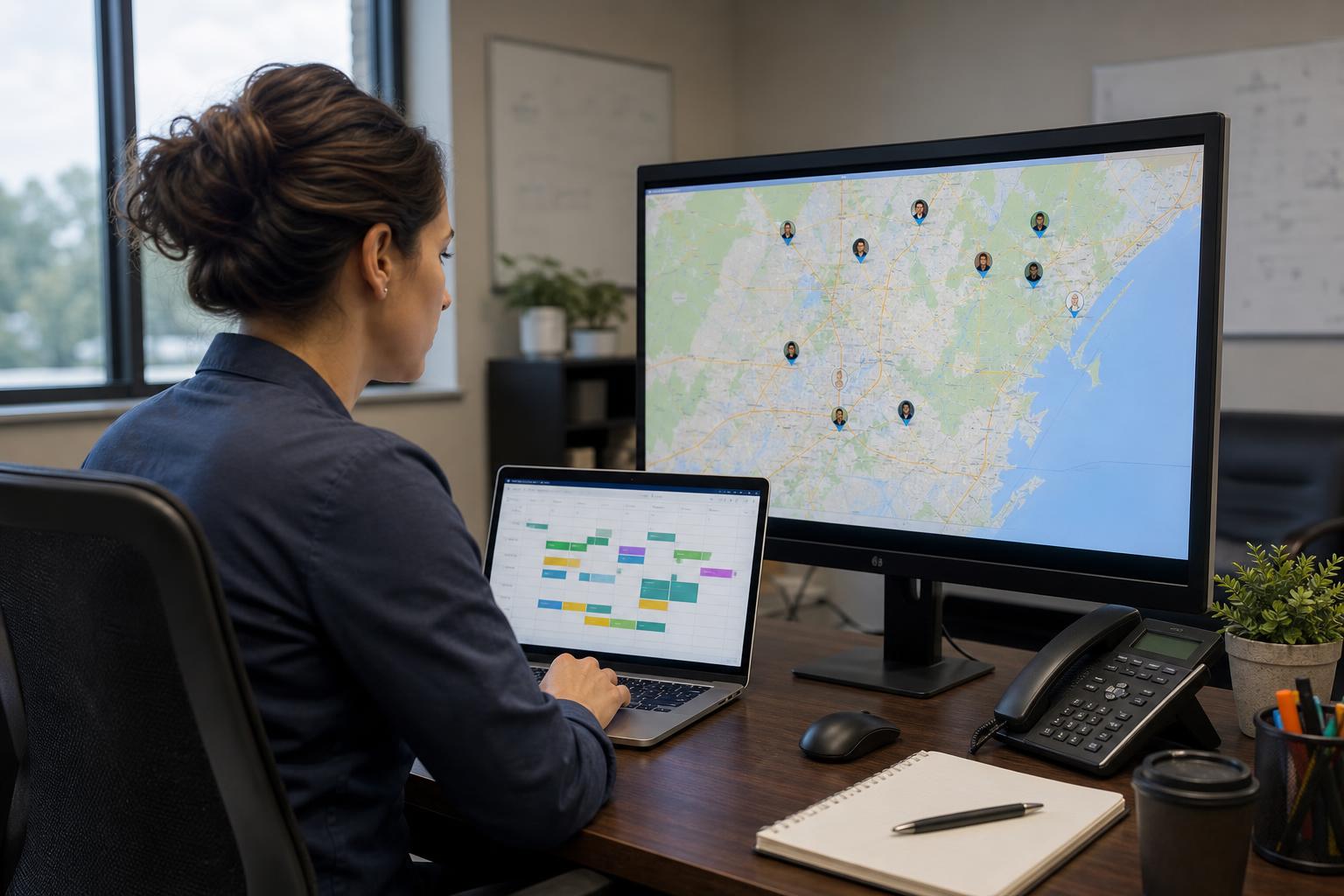
Schedule mobile teams by customer site or job
Plan crews by customer site, project, or service contract. Share the schedule and notify your team instantly — no group chats, no printed sheets.
See who is working, where they clocked in, and which site is covered
For field service teams, it's not enough to know that an employee clocked in. You also need to know where they started work and whether the time belongs to the right customer site. Grownu records GPS at clock-in and clock-out, and geofence rules allow clock-ins only inside the approved location.
- GPS clock-in and clock-out
- Geofence-based clock-in rules
- Location on every time record
- Live view of who is working where
- Manager review of exceptions
- Records by customer location
Assign tasks, work orders, comments, and photos
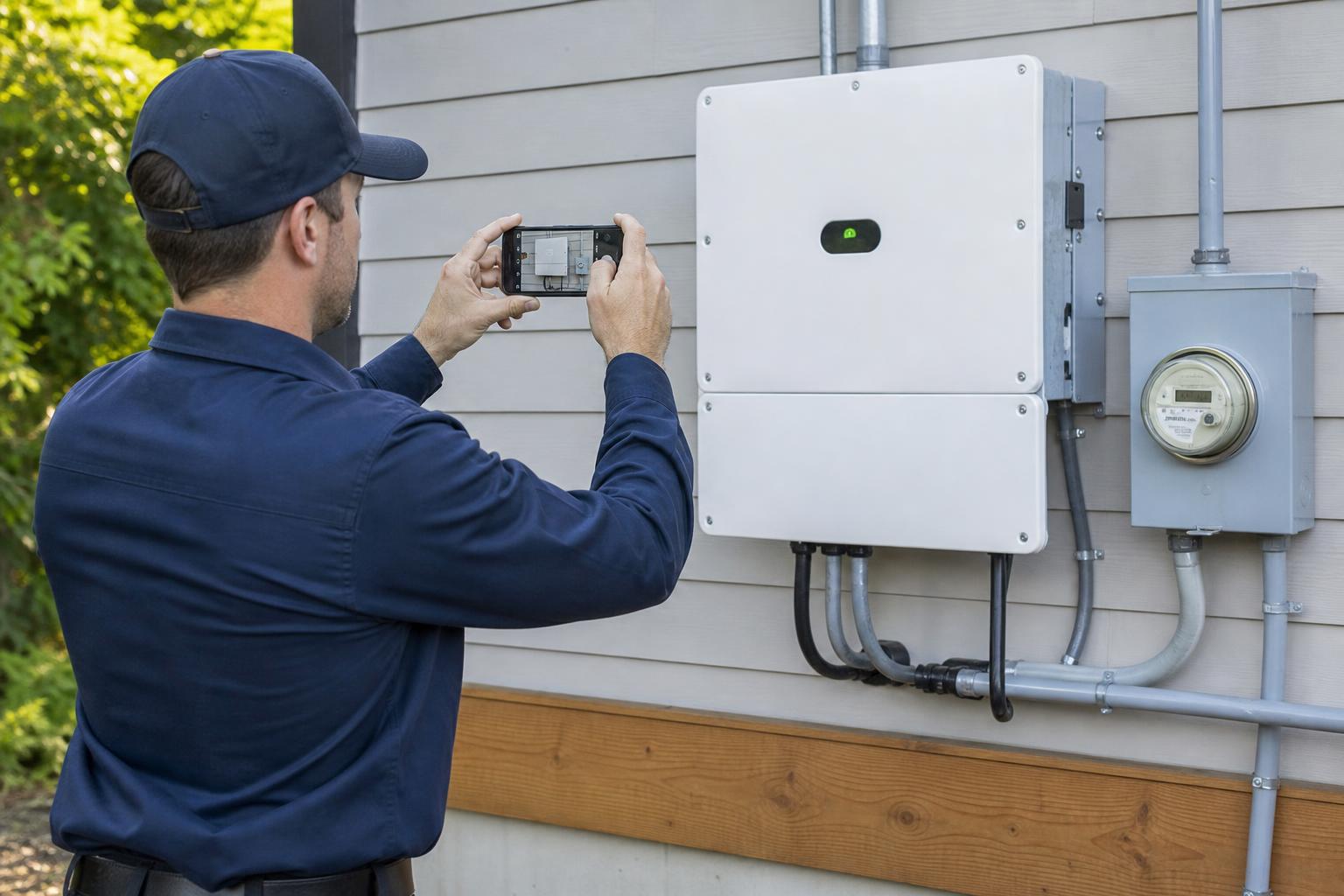
Field service work is more than a block of time. Crews need to know exactly what to do at each site, and managers need proof of what was completed.
Collect photos and notes from every job site
Customers want proof of completed work. Managers need context when something was missed, damaged, or required extra work. Crews attach photos and comments to their work records — turning a simple time entry into a useful customer-site history.
- Document completed work
- Report site issues
- Add before-and-after photos
- Leave notes for supervisors
- Improve customer communication
- Reduce disputes about completed work
Manage PTO and replacement coverage
Field schedules depend on availability. Grownu connects leave with scheduling so managers know who is approved to be away before publishing the week.
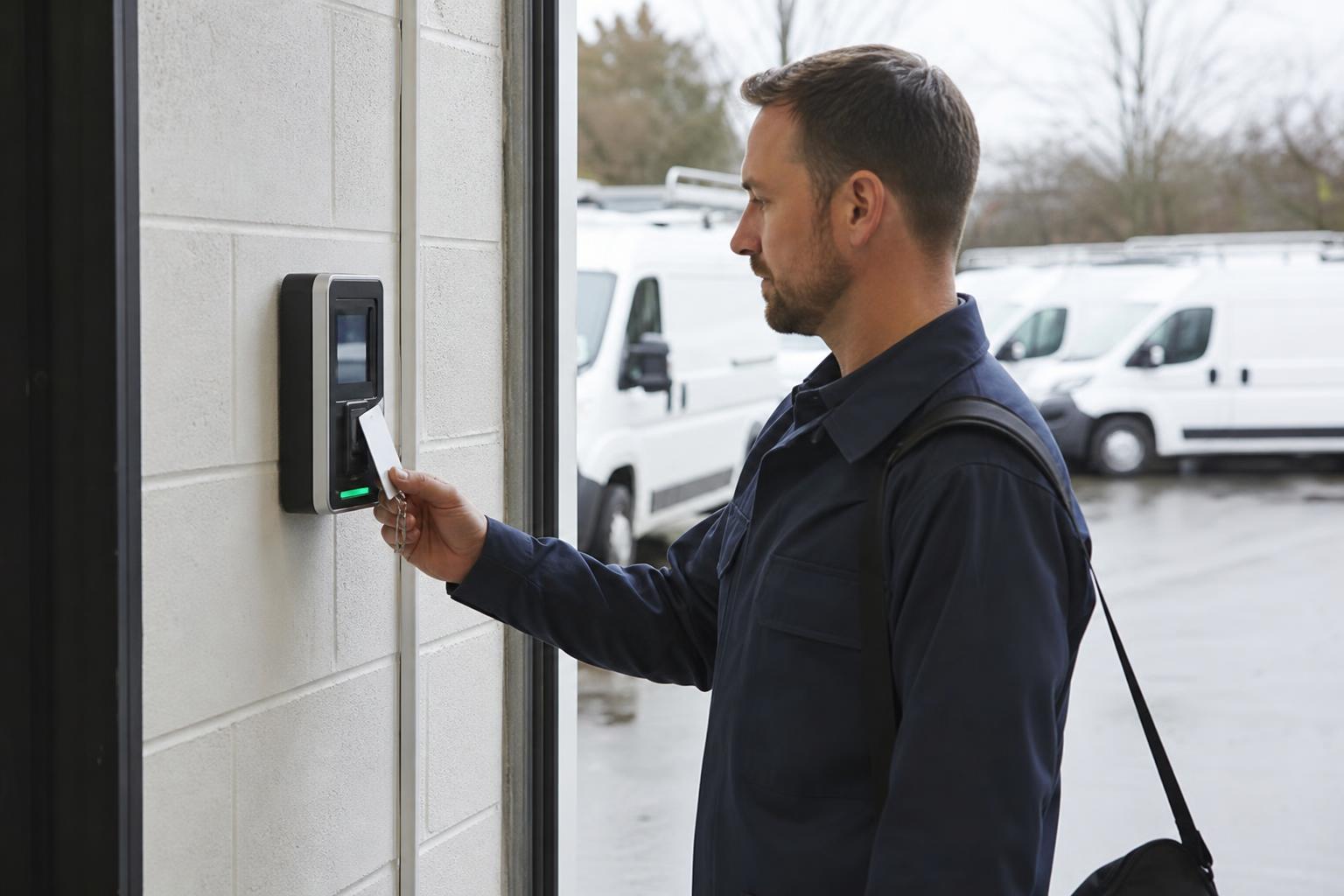
Mobile GPS in the field, terminals at fixed sites
Most field teams need mobile GPS time tracking because employees work across customer locations. Some companies also use fixed clock-in points at offices, depots, or shared facilities. Grownu supports both — and all records flow into the same timesheet.
- Mobile clock-in with GPS
- Geofence rules per site
- Wall-mounted terminals
- RFID and badge options
- All records on one timesheet
- Mix and match per team
Reports, timesheets, and payroll-ready exports
Export accurate timesheets, per-job hours, and overtime breakdowns. Your payroll team gets clean, structured data — no spreadsheet cleanup.
Pick the field service workflow that fits
Each field service industry has its own rhythm. Start with the workflow that matches your business.
Cleaning businesses
Schedule cleaners, assign tasks by site, and verify work with GPS and photos.
Construction & job sites
Track crews by project with GPS, geofencing, and job-site documentation.
Repair & maintenance
Dispatch technicians, track time per site, and standardize service reports.
Facility services
Manage recurring work across buildings and customer sites in one platform.
Security teams
Schedule guards, verify posts, and monitor live coverage across contracts.
Built for mobile, multi-site, and contract-based teams
Grownu is useful for any field service business that manages recurring work, mobile employees, customer sites, and manager visibility across many locations.
- Commercial cleaning companies
- Construction contractors and crews
- Repair and maintenance teams
- Facility services providers
- Security and guard companies
- HVAC, electrical, and plumbing services
- Landscaping and grounds teams
- Multi-location service contractors
- Mobile inspection and audit teams
Frequently asked questions
Common questions about using Grownu for field service scheduling, GPS time tracking, job-site tasks, proof-of-work photos, PTO coverage, and payroll-ready records.
Can Grownu schedule field service teams by customer site, job, or route?
Yes. Grownu helps field service companies build schedules by customer site, project, service contract, recurring route, day, or shift. Managers can plan mobile teams, assign the right crew to each location, and update schedules without printed sheets or group chat confusion.
Can field employees see their jobs and instructions on mobile?
Yes. Employees can view upcoming shifts, customer locations, assigned tasks, checklists, access notes, and site instructions from their phone, so every crew knows where to go and what needs to be completed.
Can field employees clock in and out with GPS?
Yes. Field employees can clock in and out from a mobile device with GPS location attached to the time record. This helps managers verify where work started, where it ended, and whether the time belongs to the correct customer site or job.
Can Grownu use geofencing for customer sites and job locations?
Yes. Grownu can support geofence-based clock-in rules for approved job sites, customer locations, depots, buildings, or work zones. This helps reduce wrong-location clock-ins and gives managers cleaner attendance records.
Can crews complete tasks, checklists, comments, and photos from the job site?
Yes. Grownu connects field time records with site task lists, reusable checklists, comments, issue reports, and photos. Crews can mark work complete and add proof-of-work details directly from the site.
Can managers see who is working across all customer sites?
Yes. Managers can review active jobs, live attendance, GPS clock-ins, missed clock-outs, task completion, notes, photos, and exceptions from one place instead of calling multiple supervisors or rebuilding the day from messages.
Can I track hours by employee, job, customer, site, or project?
Yes. Grownu helps organize field service time records by employee, job, customer site, project, crew, date, or location. This makes it easier to review labor costs, prepare payroll, and understand which work belongs to each customer.
Can Grownu help with PTO and replacement coverage for field teams?
Yes. Field employees can request PTO, vacation, sick leave, or unpaid time off. Managers can approve requests, see availability while scheduling, and plan replacement coverage before a customer site is left uncovered.
Can we use both mobile GPS and time attendance terminals?
Yes. Mobile GPS clock-ins are useful for employees working across customer locations, while fixed terminals can be used at offices, depots, shared facilities, or fixed work sites. All records can flow into the same timesheet.
Does Grownu create payroll-ready and invoice-ready field service records?
Yes. Approved time, GPS records, task completion, photos, comments, exceptions, and hours by site or customer can be reviewed and exported as payroll-ready timesheets, per-job reports, and invoice-ready work records.
What types of field service companies can use Grownu?
Grownu can support mobile, multi-site, and contract-based teams such as commercial cleaning companies, construction crews, repair and maintenance teams, facility service providers, security companies, HVAC, electrical, plumbing, landscaping, inspection, and audit teams.
Does Grownu replace my payroll system?
No. Grownu does not need to replace your payroll system. It helps prepare cleaner workforce records, timesheets, reports, and exports that can support your existing payroll process.
See Grownu for your field service team
Get a walkthrough tailored to your job sites, crews, and workflow.

